Price Calculator
Compare total cost of ownership vs. Microsoft Planner Premium — Year 1, 3 & 5
Total Cost Comparison
Planner Premium isn’t one price — it’s a ladder. Dependencies, custom fields, team workload and report creation all sit on Planner and Project Plan 3 at $30 per user per month, on top of the Microsoft 365 licence you already pay for. PPM Express is one flat published price for unlimited users, live in 15 business days — and Planner itself stays exactly where it is.
Microsoft publishes its numbers, which is more than most enterprise vendors do: Planner Plan 1 is $10 per user per month and Planner and Project Plan 3 is $30, both paid yearly. But Plan 1 buys views — Timeline, People, Goals. Gantt dependencies, sprints, custom fields, team workload and report creation all require Plan 3, so a PMO that needs portfolio capability is on the $30 rung, not the $10 one. At 250 users, that is $90,000 a year — entirely on top of Microsoft 365.
Planner is a good place for teams to do work — that’s not the argument. The argument is that Microsoft prices the portfolio layer as a per-seat upgrade to a work tool, which makes the price of governance a function of your headcount. PPM Express puts the portfolio layer above Planner instead of inside it, at one flat price, and leaves your Planner tenant exactly as it is.
*Microsoft list price for Planner and Project Plan 3 — $30.00 per user per month, paid yearly — verified from microsoft.com on 3 September 2026. Figures are users × $30 × 12. Plan 1 at $10 does not include Gantt dependencies, sprints, custom fields, team workload or report creation. Excludes taxes, volume or EA discounts, existing Microsoft 365 entitlements, Power Platform licensing, implementation and support.
At 250 users, Planner and Project Plan 3 lists at $90,000 a year against $25,000 flat for PPM Express — break-even sits around 70 users. And because Microsoft charges per person while we don’t, every executive, sponsor or finance partner you invite widens the gap rather than narrowing it. With PPM Express, adoption is free: invite everyone.
Plan 3 makes Planner a better project tool. It does not make it a portfolio system: there is still no cross-project funding scenario, no portfolio-level capacity model, no executive status pack that writes itself. PPM Express reads your Planner plans through a native connector and builds the portfolio layer on top — which is why your teams don’t have to move, and why nobody needs a premium licence to appear in it. The full capability comparison is on our PPM Express vs Microsoft Planner page.

What you’re leaving: a per-seat premium tier that prices governance by headcount.

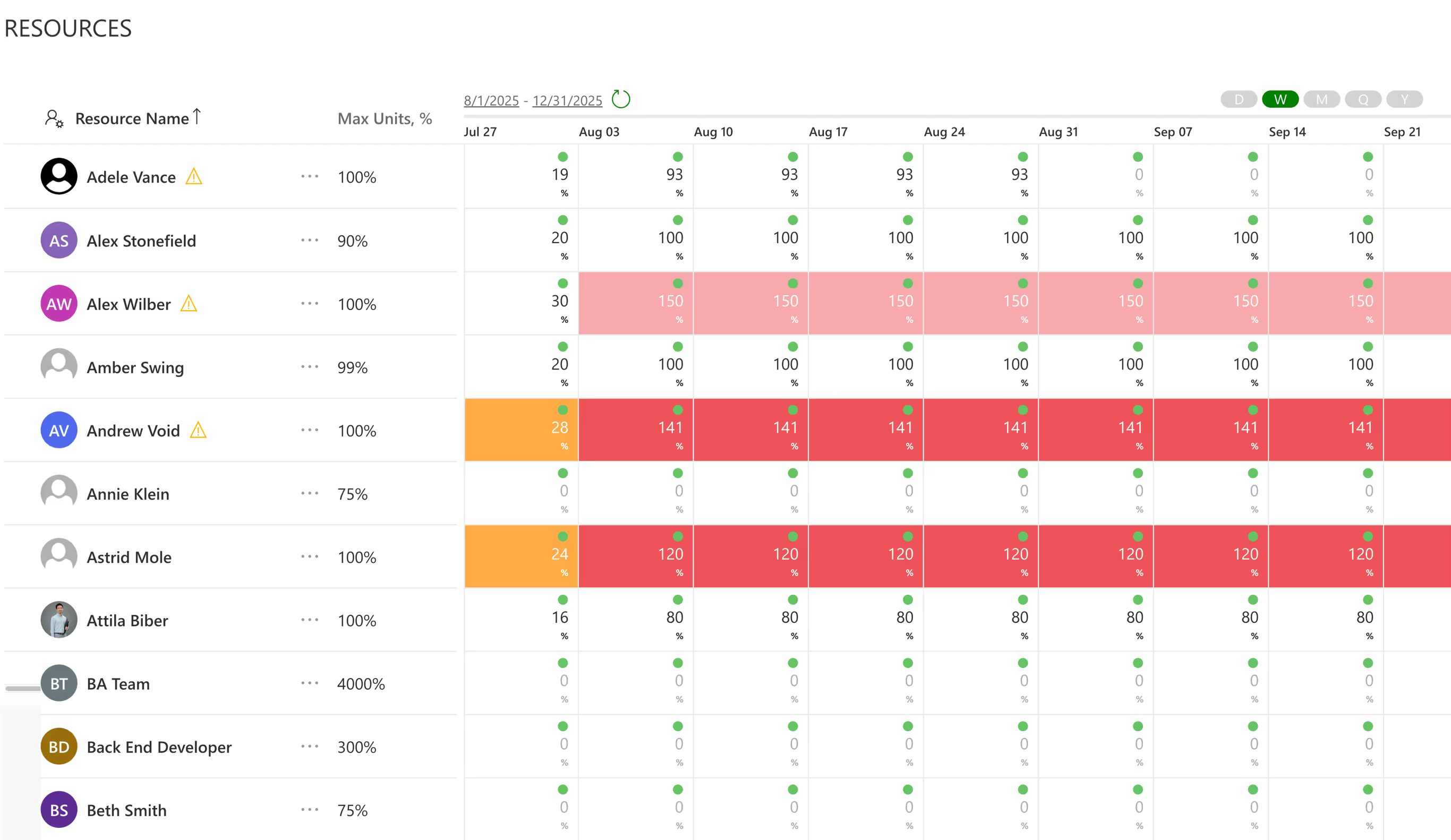
What you’re switching to: live resource utilization across the whole portfolio — with unlimited users at no extra cost.
Executive dashboards and automated status reports, resource capacity planning, what-if scenario funding, AI access from Claude, ChatGPT, or Microsoft Copilot — included in one flat plan, with native connectors for Planner, Project, Project Online, Jira, and Azure DevOps so delivery teams keep working where they work.
Also worth reading: PPM Express vs Microsoft Planner · the full Switch terms · switching from monday.com
This is the one switch that isn’t a migration. Microsoft Planner is a native PPM Express connector, so your teams keep their plans, their buckets and their tasks exactly where they are — permanently, not just during a transition. What you retire is the Plan 3 licence bill, not the tool.
During your Deferred Billing period you run PPM Express alongside your existing premium licences at no extra cost, confirm that the portfolio layer does what Plan 3 was being bought for, and then drop the premium seats at your Microsoft renewal. Base Planner, included with Microsoft 365, carries on underneath exactly as before.
These terms are identical for every qualified customer. Your procurement team can verify that no one got a better deal — because no one did. Try asking that of a quote-only vendor.
Within 15 business days of kickoff, your executive portfolio view is live: integrations connected, dashboard populated, first status report generated. We agree the checklist with you at kickoff, so “done” isn’t our opinion — it’s a list. Miss it, and you owe us nothing. Compare that with an implementation program measured in quarters.
Any time in the first 12 months: pro-rata refund of the unused months, and our engineers export all of your data in open formats, free. Not “here’s a CSV button, good luck” — assisted, complete, usable.
We can make the second promise because migration engineering is what this team did for a decade before building PPM Express. Moving portfolio data between systems is our core competency, in both directions. Vendors who make leaving impossible are telling you something about their product. So are we.
Connect read-only access — we populate a working PPM Express tenant with your actual Planner plans. Evaluate the real thing, not a demo built to impress you.
No negotiation cycle, no procurement marathon — the terms above are the deal. Billing waits for your Microsoft renewal date; access doesn’t.
Fixed-fee implementation against an agreed checklist. Run PPM Express alongside your premium licences for as long as your deferral lasts — by the time the Microsoft renewal lands, you already know which seats you still need.
The Switch — including Deferred Billing — is for organizations retiring an incumbent. Here that means dropping your Planner and Project Plan 3 or Plan 5 licences within 12 months of signing. We’ll ask for a redacted renewal notice or invoice showing the licence and end date; amounts can be blacked out. Base Planner stays — it’s a connector, not a competitor. No premium licences to retire? You don’t need the Switch, you need our standard published plans. The full terms, and switch offers for every other platform, are on the Switch page.
Deferred Billing, guarantees, migration and published pricing.
Because $10 buys views, not portfolio capability. Microsoft’s own documentation places Gantt and Timeline dependencies, sprints, custom fields, team workload and report creation on Planner and Project Plan 3 at $30 per user per month. If your PMO needs those — and a PMO that doesn’t isn’t shopping for portfolio software — Plan 3 is the honest comparison point. Plan 1 at $10 is a viewer upgrade.
For Planner, nothing has to move. PPM Express has a native Microsoft Planner connector, so plans, buckets, tasks, assignments and dates sync into the portfolio while your teams carry on working in Planner. Where you also run Project for the web or Project Online schedules, those come across too. Migration engineering has been this team’s core work for over a decade.
You sign a 24-month agreement now at today’s locked price, and billing starts when your Microsoft licence term ends — up to 12 months out. Between signing and that date you have full PPM Express access at no charge, so you can run it alongside your existing premium seats and move at your own pace. In return, you commit to retiring those Planner Premium licences within those 12 months — that commitment is what unlocks the Switch terms.
You pay nothing — the implementation fee and your first invoice are waived, and we return your data. The checklist is agreed in writing at kickoff, and the clock starts when we receive system access, so both sides know exactly what “day 15” means.
No — and that is the point. Microsoft Planner is one of our native connectors, so it stays as your teams’ delivery tool permanently, with PPM Express reading from it. What you retire is the premium licence bill: the Plan 3 seats bought to get dependencies, custom fields, workload and reporting. Those capabilities live in the portfolio layer instead, where an unlimited number of people can use them.
You tell us. We refund the unused months pro-rata and our engineers export your complete data set in open formats, at no cost, with assistance until it’s usable in whatever comes next. It’s in the agreement, not a blog post.
Flat means flat: unlimited users, with portfolio, resource, financial, reporting, and AI capability included. There is no per-seat meter, no per-module meter and no quote. Larger enterprises with advanced scope needs are $25–36K — also published, also flat.
The opposite — mid-term is exactly when Deferred Billing matters. Evaluate now with your real Planner data, sign at locked pricing, and let billing wait until your Microsoft renewal date, which is also the moment you can drop the premium seats. Waiting until the renewal quarter is how organizations end up re-upping Plan 3 for another term under deadline pressure.
You can run PPM Express and Planner together permanently — that’s the design. What rarely makes sense is keeping the Plan 3 premium seats alongside it, because the portfolio, capacity and reporting capability you were paying per user for is included flat in PPM Express and available to everyone. Some teams keep a handful of premium licences for specific scheduling work; most drop them at renewal. If your incumbent is a quote-only enterprise suite instead, the same terms apply — see the switch terms for monday.com or the full Switch page.
See your own Planner data in PPM Express this week. If the numbers and the product don’t make the case on their own, keep what you have — the trial tenant deletes itself and nobody calls you twice.
Microsoft list prices as published on microsoft.com on 3 September 2026: Planner Plan 1 $10.00 and Planner and Project Plan 3 $30.00 per user per month, paid yearly. Planner and Project Plan 5 is not currently listed on Microsoft’s public pricing page. Microsoft, Microsoft 365, Planner and Project are trademarks of Microsoft Corporation; PPM Express is not affiliated with Microsoft.