
Looking for a monday.com alternative? This one is written for enterprise PMOs running a real evaluation. Eighteen requirements, the plan each capability actually ships in, both vendors’ published prices, and the places each product is the weaker choice.
Commercial disclosure: PPM Express produced and funded this comparison. Every assessment was drafted with AI from the vendors’ own published documentation, then reviewed and approved by PPM Express Analysts before publication. It evaluates publicly documented product capabilities against a defined requirement set; it is not independent analyst research or a benchmark test of both systems on the same dataset.Read the full method
monday.com is a work platform that a PMO can shape into portfolio reporting. PPM Express is a portfolio platform that already has the governance layer built. Pick PPM Express if you need portfolio financials, capacity planning and executive reporting without building them. Pick monday.com if day-to-day team adoption and a no-code canvas matter more than packaged PPM depth, and the seat bill is not the constraint.
Primary trade-off: monday.com is the more flexible everyday work surface, and teams tend to adopt it faster.
Primary trade-off: The 250-seat figure is list arithmetic. monday.com sells in seat tiers and asks teams above 40 seats to request a quote, and the PPM capabilities a portfolio office needs mostly sit in Enterprise.
The default scenario is an enterprise hybrid PMO with 250 modeled users, 75 to 250 active initiatives, several delivery systems in play, and a need for centralized portfolio, resource, financial and executive reporting.
Wants everyone in the portfolio, governance across the tools teams already use, resource and financial control, and a cost that does not move when headcount does.
Leads at the default 250-user benchmark because the $25,000 annual plan includes unlimited users and broad participation is mandatory.
Covers delivery, intake, automation and AI well. Portfolio financials, capacity planning and enterprise governance are where the Pro plan runs short.
| Customer requirement | Priority | PPM Express | monday.com |
|---|---|---|---|
Connect strategy, objectives, and execution Map initiatives to strategy and track progress against objectives or key results. Strategy | Mandatory | ✓ MeetsIncluded in UltraStrategy and OKR modules are included in the evaluated Ultra plan.Sources [2] | ◐ Partially meetsProGoals, roadmaps and dashboards keep work aligned to objectives. How far that reaches into investment decisions is worth testing.Sources [9] |
Manage portfolio and project hierarchy with roll-ups Centralize initiatives and provide governed portfolio-level health, status, dates, risks, and decisions. Portfolio governance | Mandatory | ✓ MeetsIncluded in UltraUnlimited portfolio, program, and project management are included in the evaluated Ultra plan.Sources [2] | ◐ Partially meetsProPro dashboards combine up to 20 boards. Enterprise portfolio management sits in the Enterprise tier.Sources [8], [9] |
Capture ideas and prioritize proposed work Collect requests, score them consistently, and move approved initiatives into delivery. Intake & prioritization | Important | ✓ MeetsIncluded in UltraInnovation and ideation plus standard prioritization frameworks are included in the evaluated Ultra plan.Sources [2], [3] | ✓ MeetsProForms, boards, workflows, scoring and automations cover request intake end to end.Sources [9] |
Compare advanced portfolio what-if scenarios Model competing investment mixes using strategy, budget, capacity, timing, targets, and dependencies. Portfolio modeling | Important | ◐ Partially meetsIn Ultra; depth worth checkingPrioritization, optimization, roadmaps and resource what-if reporting are all documented. If you model several competing investment mixes side by side, check that depth against your own decision process.Sources [3], [4] | ◐ Partially meetsProPrioritization is flexible. Constrained scenario optimization across budget, capacity and dependencies is not documented.Sources [9] |
Plan resource capacity and utilization Balance demand and capacity across roles, named resources, teams, projects, and time periods. Resources | Mandatory | ✓ MeetsIncluded in UltraThe evaluated plan supports hours, percent, and FTE planning, capacity, availability, and proposed and committed allocations.Sources [4] | ◐ Partially meetsProWorkload views give team-level visibility. Role, skill and enterprise capacity planning need checking against your model.Sources [9] |
Manage budgets, forecasts, actuals, benefits, and ROI Provide portfolio and project financial control and connect spend to expected value. Financials & benefits | Mandatory | ✓ MeetsIncluded in UltraBuilt-in financials support budgets, forecasts, actuals, benefits, fiscal and non-fiscal values, and estimated ROI.Sources [5] | ◐ Partially meetsProBudgets can be modeled with formulas and dashboards. Integrated portfolio financials and benefits tracking are not documented.Sources [9] |
Support waterfall, agile, and hybrid delivery Allow teams to use native schedules or external delivery tools without losing portfolio governance. Delivery | Mandatory | ✓ MeetsIncluded in UltraNative task scheduling supports traditional, sprint, and task-list approaches; external schedules can be linked.Sources [1], [2] | ✓ MeetsProBoards, Gantt, timeline, Kanban, dependencies, sprints and workflows cover waterfall, agile and mixed delivery.Sources [9] |
Track time and effort against work Capture actual effort for projects and tasks and use it in reporting and resource analysis. Time | Important | ✓ MeetsIncluded in UltraUnlimited time tracking, advanced approvals, and custom fields are included in the evaluated Ultra plan.Sources [2] | ✓ MeetsIncluded in ProTime tracking is part of the Pro plan.Sources [8] |
Generate and distribute AI-assisted status reports Create standardized executive reports with AI narratives and scheduled PDF or email delivery. Executive reporting & AI | Mandatory | ✓ MeetsIncluded in UltraProject Story supports AI summaries, configurable single- and multi-page reports, scheduled PDF email, and unlimited recipients in the evaluated plan.Sources [6] | ◐ Partially meetsProAI can summarize and update work. Scheduled executive report distribution needs confirming.Sources [9] |
Use AI for portfolio and project decision support Ask portfolio questions, identify risk, generate plans, summarize health, and automate routine management work. AI | Important | ✓ MeetsIncluded in UltraPPM Insights, status prediction, project digest, task and risk AI, schedule generation, and advanced AI agents are included in the evaluated plan.Sources [1], [2] | ✓ MeetsProSidekick, agents, AI columns and workflow builders cover a broad range of everyday assistance.Sources [9] |
Consolidate delivery data from multiple work systems Roll up work from Jira, Azure DevOps, Planner, Project, Smartsheet, monday.com, and other systems into a portfolio view. Integrations | Mandatory | ✓ MeetsIncluded in Ultra, with setup conditionsStandard integrations plus two-way Jira and Azure DevOps are covered by this plan. Confirm setup and the conditions on each connected system.Sources [1], [2], [7] | ◐ Partially meetsProIntegrations, automations, dashboards and the API consolidate work, within the action limits of the Pro plan.Sources [8], [9] |
Synchronize Jira and Azure DevOps work in both directions Create or update connected tasks and work items while preserving team execution in the source system. Bidirectional integration | Mandatory | ✓ MeetsIncluded in UltraTwo-way Azure DevOps and Jira synchronization is included in the evaluated Ultra plan and uses vendor-assisted setup.Sources [7] | ◐ Partially meetsProJira connectivity is documented. Azure DevOps scope and packaging need confirming.Sources [9], [11] |
Provide API, Power BI, and workflow automation Enable enterprise reporting, data export, integration, and repeatable process automation. Data & automation | Important | ✓ MeetsIncluded in UltraREST API, Power Automate and Zapier connectors, built-in dashboards, and Power BI report packs are included in the evaluated plan.Sources [1], [2] | ✓ MeetsProOpen API, apps, MCP and automations are documented, within plan limits.Sources [9] |
Configure the platform without custom software development Allow PMO administrators to adapt fields, views, templates, rules, and workflows as practices mature. Administration | Important | ✓ MeetsIncluded in Ultra, configured by the PMOTemplates, custom fields, views, filters, layouts and modules are all administrator-managed.Sources [1] | ✓ MeetsProNo-code boards, columns, forms, apps, workflows and dashboards are the core of the product.Sources [9] |
Support enterprise permissions, audit, and controlled environments Provide access controls, auditability, protected work, sandboxes, and environment options where required. Security & governance | Important | ✓ MeetsIncluded in UltraThe evaluated plan includes private projects, audit, advanced permissions, multiple tenants or sandboxes, dedicated hosting, and premium support options.Sources [2] | ◐ Partially meetsProPro includes private boards. Enterprise security, governance and multi-level permissions require the Enterprise tier.Sources [8], [9] |
Allow broad participation without per-seat price growth Give employees, executives, team members, and viewers access without annual cost increasing for every additional user. Commercial model | Mandatory | ✓ MeetsFlat annual plan, UltraUltra is $25,000 per year with unlimited users. Enterprise is listed in the pricing reference table but is not used in the comparison calculations.Sources [1], [2] | ? Not verifiedPro, priced per seatmonday.com sells in seat tiers and asks teams above 40 seats to request a quote, so the 250-seat total is list arithmetic rather than a checkout price.Sources [8], [10] |
Run professional services delivery and profitability Manage client delivery, billable utilization, time, costs, charges, and profitability as an integrated operating model. Professional services | Optional | ◐ Partially meetsComponents included in UltraTime, resource planning, task costs, charges and profitability are all there. A complete native PSA operating model is not documented as one.Sources [1], [5] | ◐ Partially meetsProTime and workload capabilities exist. Billable delivery and margin management is not the product's scope.Sources [9] |
Map enterprise architecture and business capabilities Visualize initiatives, dependencies, capabilities, outcomes, and architecture relationships across the enterprise. Enterprise architecture | Optional | ◐ Partially meetsRoadmaps and strategy visualization in UltraRoadmaps and strategy visualization are available. A dedicated enterprise architecture model is not.Sources [1], [2] | ◐ Partially meetsProFlexible boards can hold architecture data. Dedicated enterprise architecture depth is not documented.Sources [9] |
How the score works: Meets = 1, Partially meets = 0.5, Does not meet = 0. Mandatory requirements weigh more than Important ones, and Important more than Optional. Read the table. The percentage is a summary of it, not the result.
PPM Express charges the same whether 40 people log in or 4,000. monday.com bills per seat and sells in tiers, so every executive, sponsor and occasional viewer you add moves the bill. Above 40 seats you are quoted rather than checked out.
monday.com gives you a canvas. Portfolio roll-ups, capacity views and financial tracking are things you assemble from boards, columns and formulas. PPM Express ships those as modules the PMO configures rather than constructs.
The capabilities a portfolio office asks for first, portfolio management, advanced analytics, governance and multi-level permissions, are Enterprise-tier features at monday.com. Compare against that tier, not against Pro, if those are your requirements.
A comparison that only lists strengths is a brochure. Check each of these against your own operating model, the integrations you actually need, and how much implementation capacity you have.
Packaged enterprise PPM. One price, no seat count.
A no-code work platform you shape into a portfolio view.
The short version: PPM Express if the portfolio layer is what you are buying. monday.com if the everyday work surface is, and you are prepared to build the portfolio layer on top of it or pay for the Enterprise tier.
Every figure here is an annual cost. Ultra is the plan being compared; PPM Express Enterprise appears as a price reference only. monday.com Pro is modeled at its published $19 per seat per month billed annually. monday.com sells in seat tiers and directs teams above 40 seats to request a quote, so the 250- and 500-seat rows are list arithmetic rather than a guaranteed price.
Pricing was verified from each vendor’s public website on August 21, 2026.
Default summary scenario: 250 users. Official pricing sources: PPM Express [12] and monday.com [8].
Calculation assumption: all modeled monday.com users require Pro seats at $19 per seat per month billed annually, so monday.com annual cost = seats × $19 × 12. PPM Express Ultra remains $25,000 per year with unlimited users. At 100 seats monday.com is the cheaper subscription, which is why that row is negative. Three-year figures assume unchanged list prices and no discounting. monday.com Enterprise is not calculated because its price is quoted. Taxes, discounts, implementation, migration, integrations, add-ons, support and professional services are excluded.
Lorem ipsum dolor sit amet, consectetur adipiscing elit. Suspendisse varius enim in eros elementum tristique. Duis cursus, mi quis viverra ornare, eros dolor interdum nulla, ut commodo diam libero vitae erat. Aenean faucibus nibh et justo cursus id rutrum lorem imperdiet. Nunc ut sem vitae risus tristique posuere.Already on monday.com? Keep the boards and drop the portfolio tier — see the Switch from monday.com terms.
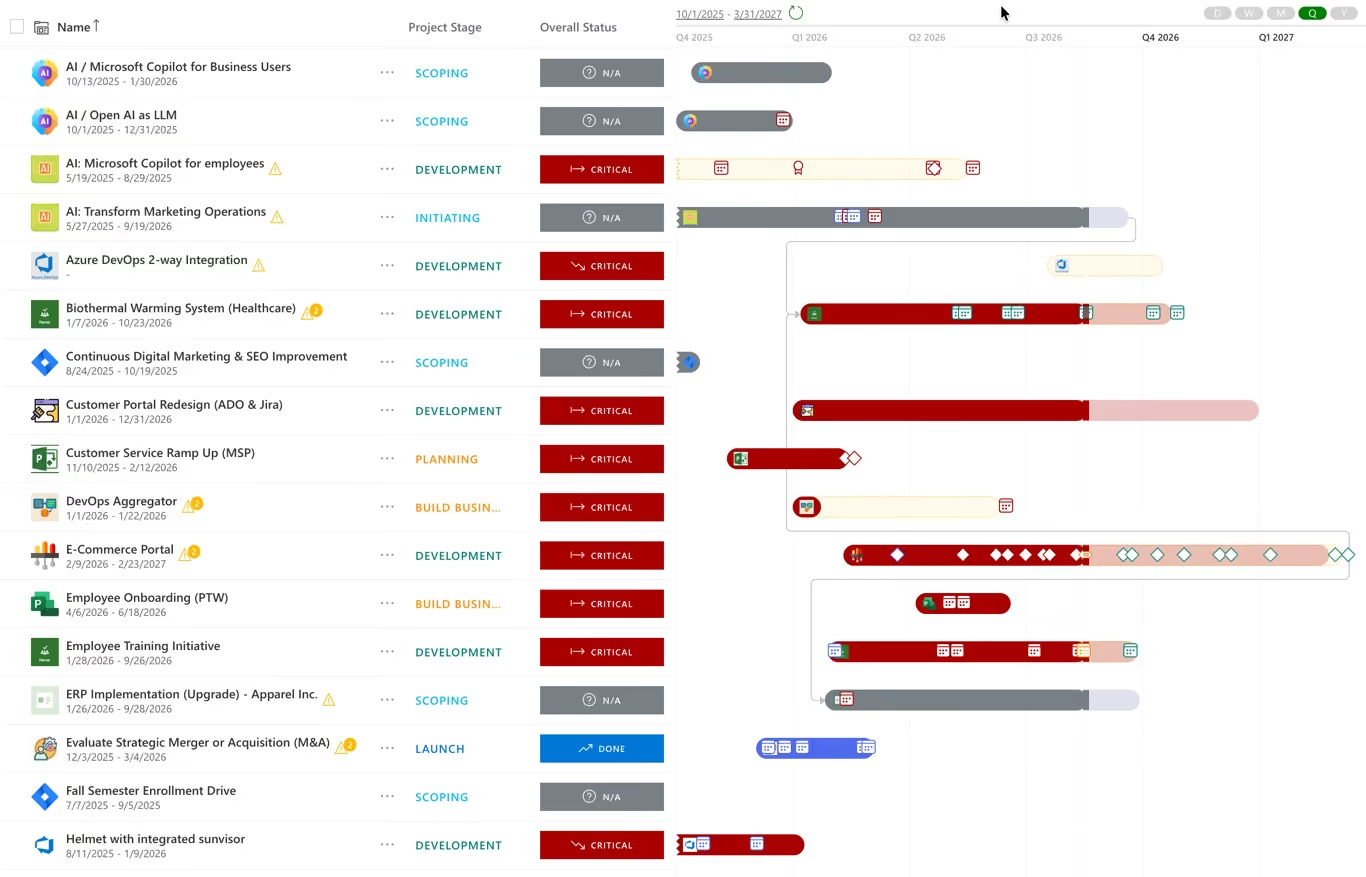
Illustrative product image from the PPM Express website. Product interfaces change over time.
Explore PPM ExpressThis is not a bake-off. Nobody loaded the same dataset into both products. What it does check is whether each vendor publicly documents a capability that meets the requirement, and what edition, integration or service you need to get it.
The full method is published. The eighteen requirements, the weightings, the three buyer scenarios, the evidence rules and the limitations are all set out on the comparison methodology page.
Requirement coverage, plans, integrations and published pricing.
For a portfolio office, yes. Both hold initiatives, work, reporting and integrations. They start from different places: monday.com from team work management, PPM Express from portfolio governance. Which one is the alternative depends on whether the gap you are filling is team execution or portfolio control.
Pro lists at $19 per seat per month billed annually, so 250 seats works out at $57,000 a year. monday.com sells in seat tiers and directs teams above 40 seats to request a quote, so treat that number as list arithmetic. PPM Express Ultra is $25,000 a year with unlimited users.
PPM Express, on the requirement set used here. Portfolio financials, benefits, enterprise capacity planning and governance are packaged rather than assembled, and broad participation does not change the bill. monday.com is stronger where flexible team work management and adoption are the priority.
Both document integrations, but not on equal terms. PPM Express includes two-way Jira and Azure DevOps synchronization in the evaluated plan. monday.com documents Jira connectivity; Azure DevOps scope and packaging should be confirmed, along with the automation and integration action limits on your plan.
No. PPM Express Ultra and monday.com Pro package different things, and several capabilities a portfolio office needs sit in monday.com Enterprise. The pricing rows are subscription arithmetic, not a claim that the bundles match.
Where funding, scoring, gates and benefits live. Strategic portfolio management
The constraint most portfolios actually fail on. Resource capacity planning and utilization
Test a funding mix before you commit to it. Portfolio what-if scenario planning
All material feature and pricing statements are based on public vendor sources accessed on or before August 21, 2026. Product packaging and functionality may change.
.svg)


