
For the PMO
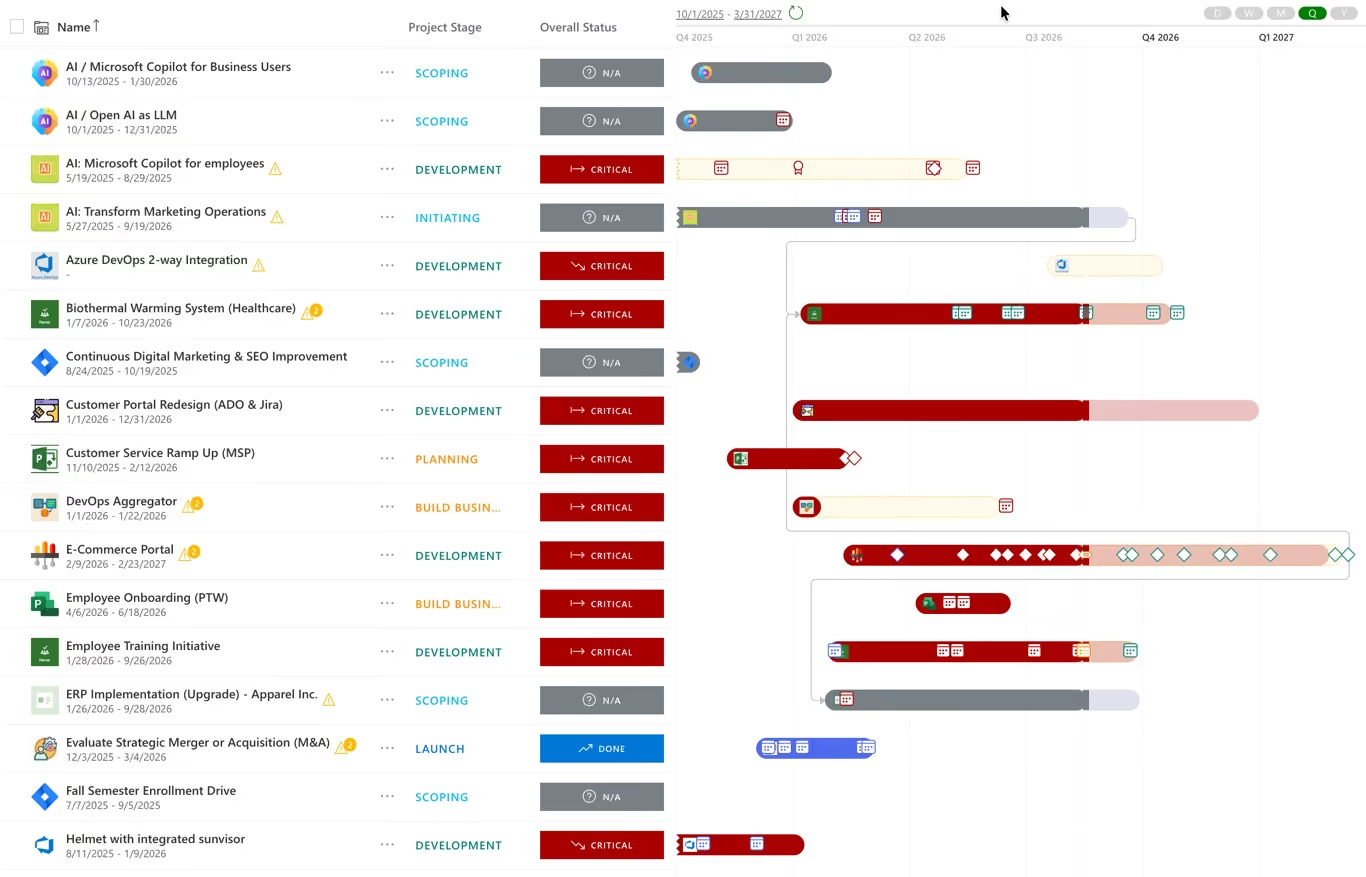
Two-way sync with Azure DevOps and Jira on Ultra; Microsoft Project, Planner, Project for the Web, Smartsheet and monday.com read into the portfolio. Nobody switches tools; the portfolio assembles itself.
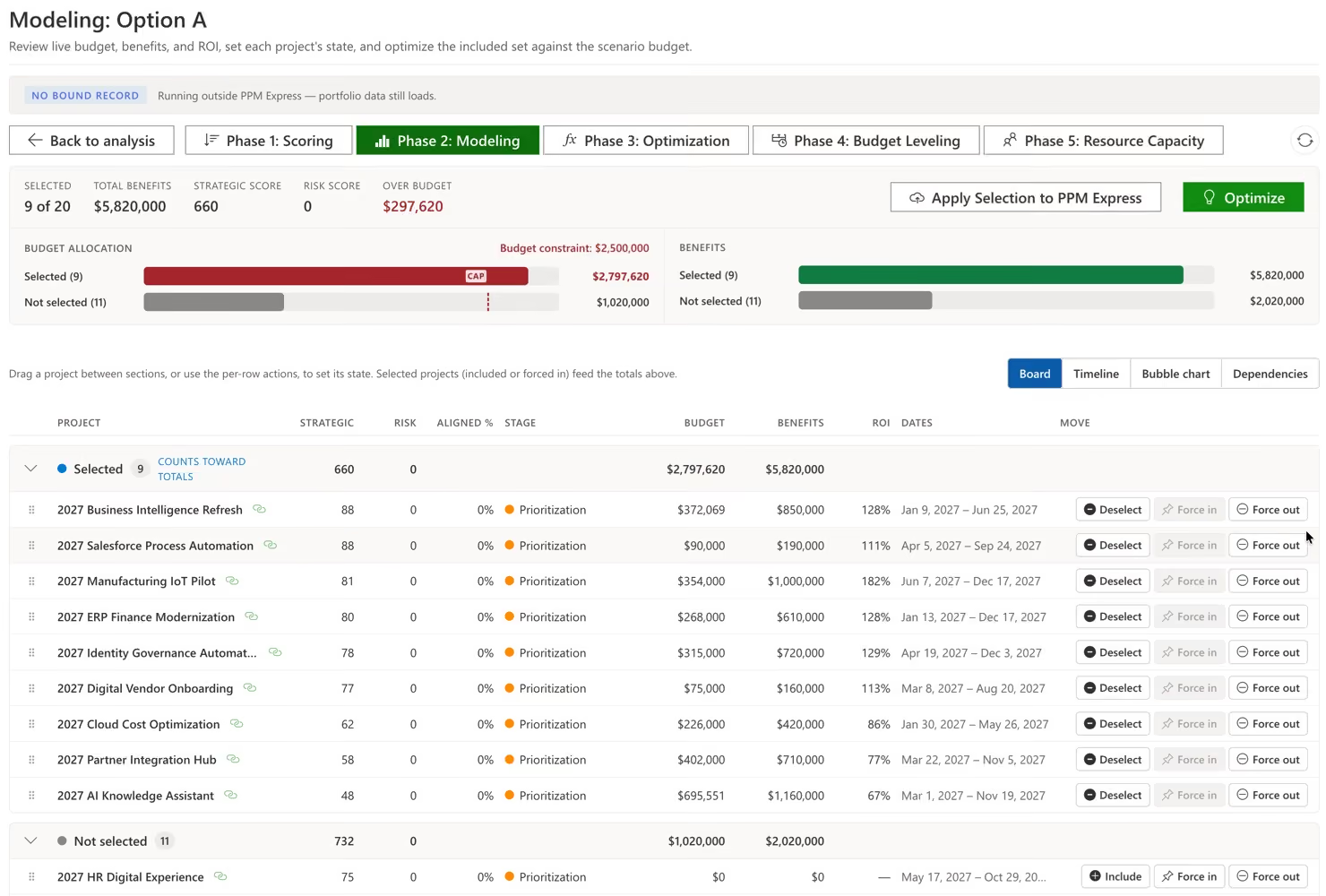
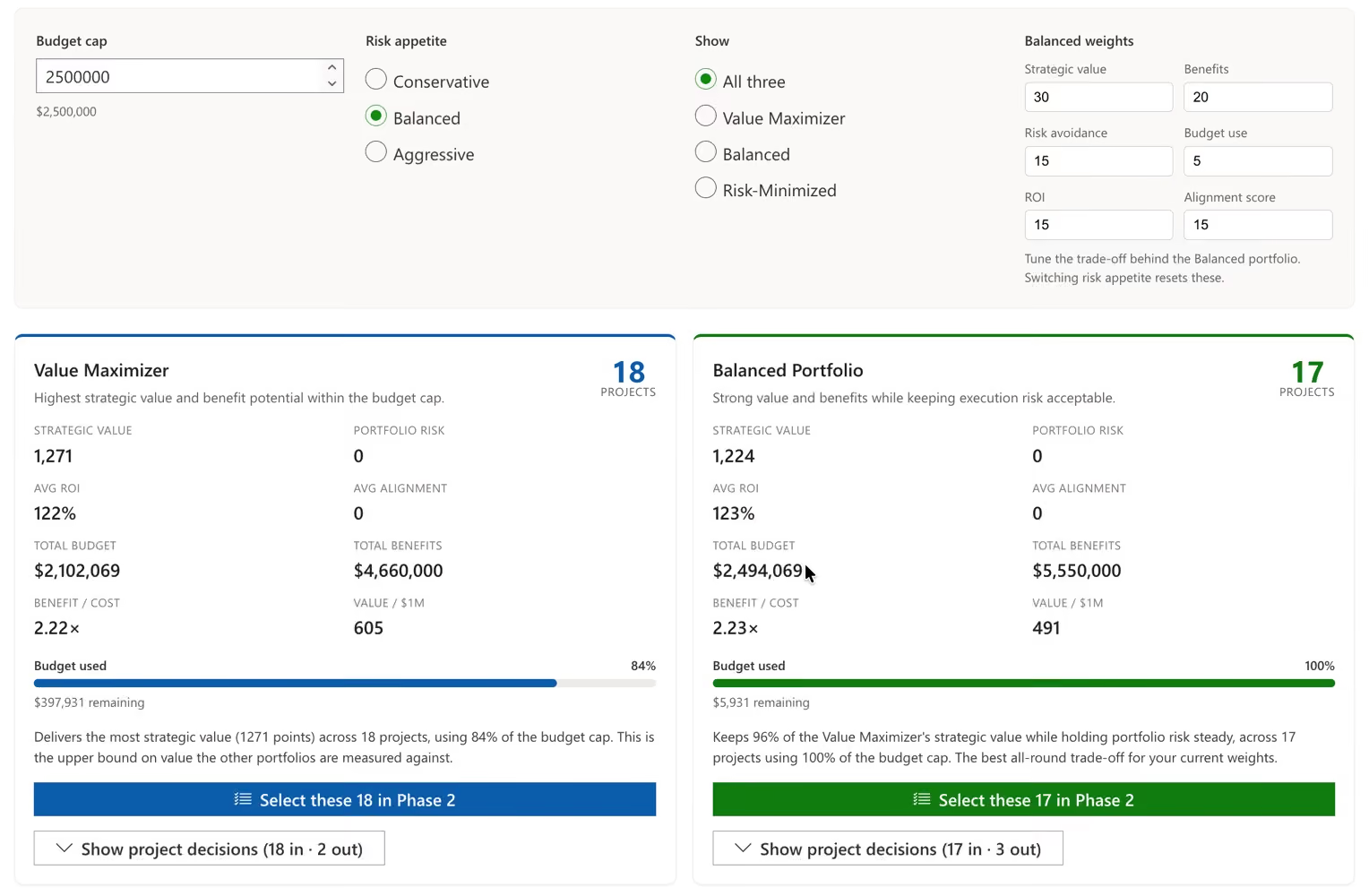
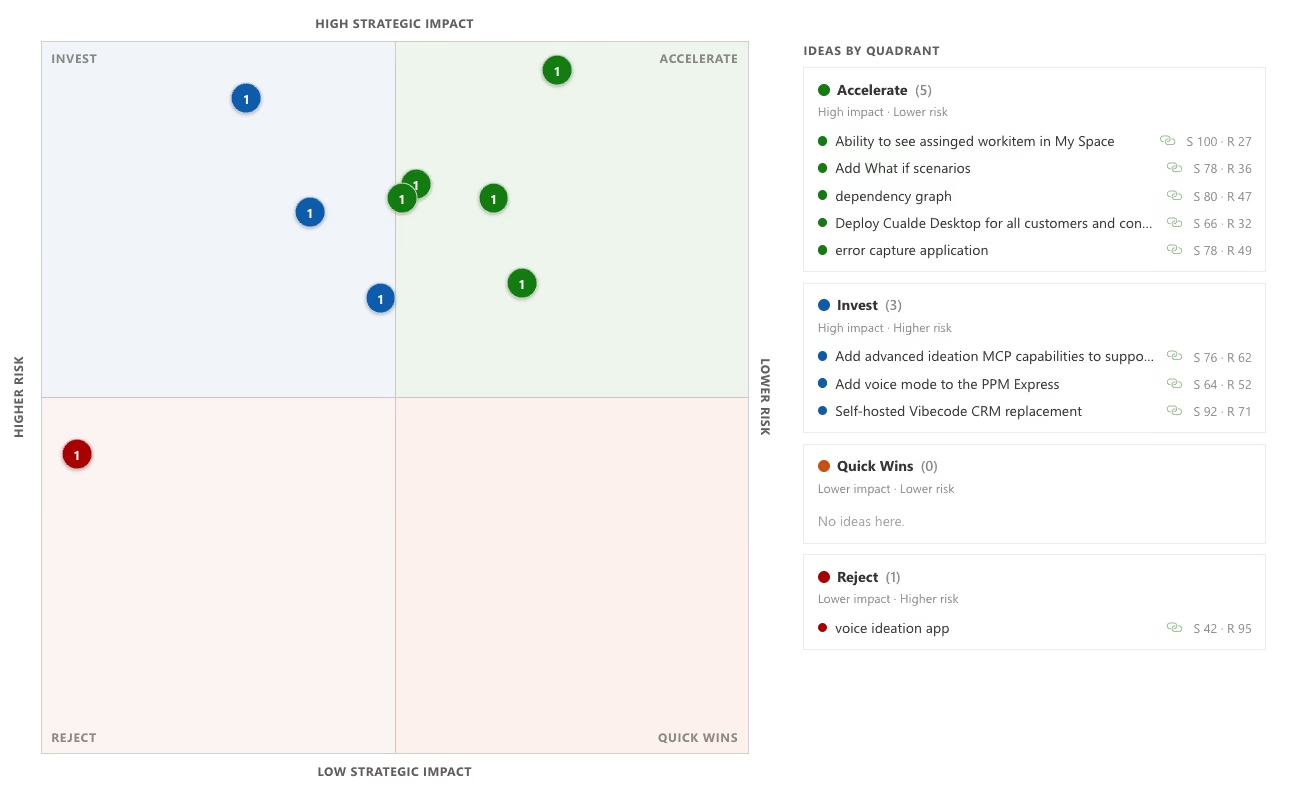
Score against weighted strategic and risk criteria, rank with MoSCoW or a model, build funding scenarios against one budget ceiling, and publish the decision onto every project.
AI-written status from live data, 200+ Power BI reports, and conversational access for the executives who will never log in.
Enterprise PPM platforms cover broadly the same ground. Where they differ most is what it costs to give your whole organization access to it.
| PPM Express | Planview | Planisware | Meisterplan | ServiceNow SPM | |
|---|---|---|---|---|---|
| Portfolio and programme hierarchy | Yes | Yes | Yes | Yes | Yes |
| Weighted scoring and prioritization | Yes | Yes | Yes | Yes | Yes |
| What-if funding scenarios | Yes | Yes | Yes | Yes | Yes |
| Resource capacity planning | Yes | Yes | Yes | Yes | Yes |
| Gated intake with configurable approval workflow | Yes | Yes | Yes | Limited | Yes |
| Budgets, forecasts and benefit realization | Yes | Yes | Yes | Yes | Yes |
| Automated status reporting across every project | AI-drafted | Yes | Yes | Limited | Yes |
| Portfolio AI over Copilot, Claude or ChatGPT | MCP server | Limited | Limited | No | Limited |
| Dashboards and portfolio reporting | Yes | Yes | Yes | Yes | Yes |
| Microsoft Project, Planner and Project for the Web | Native two-way | Yes | Limited | Limited | Limited |
| Jira and Azure DevOps | Native two-way | Yes | Limited | Limited | Yes |
| Power BI reporting pack | 200+ reports | Limited | Limited | Limited | Limited |
| Unlimited users included | Yes | No, per seat | No, per seat | No, per seat | No, per seat |
| Typical annual cost | $8,000 to $25,000 flat | $100,000+ | $100,000+ | Mid five figures | $100,000+ with platform |
Planview is the broadest suite in the category and the strongest analyst position. If you need enterprise architecture, value stream management and PPM from one vendor, it covers more ground than we do. It also carries the longest implementation and the highest cost, and per-seat licensing is why most PMOs end up rationing visibility to the seats they could justify.
Planisware is genuinely excellent at R&D and new product development pipeline modelling. For an enterprise PMO governing a mixed portfolio of IT, transformation and operational work, that depth is largely unused and still paid for.
Meisterplan is fast to deploy and very good at lean capacity and scenario planning. If resource contention is your single problem, it will solve it quickly. It is deliberately lighter on financials, benefit realization, gated intake and delivery-tool integration, so growing PMOs tend to outgrow it.
ServiceNow SPM is a strong choice if you already run ServiceNow for ITSM, because the platform and data are already there. If not, you are buying the platform to get the portfolio module, and integration with Microsoft delivery tooling is thinner than it looks on a feature list.
PPM Express covers the same core portfolio capabilities on one flat annual subscription with unlimited users. We are not the deepest R&D pipeline tool or the broadest enterprise suite. We are the portfolio layer for PMOs that consolidate hundreds of projects across Microsoft and Jira without an eighteen-month implementation.
Every planning cycle turns on questions nobody can answer defensibly. What comes out if the budget lands 15% lower? Which twenty of these forty projects should we fund? Today those answers come from a spreadsheet one analyst owns: invisible to everyone else, stale the day after it is built, and impossible to defend when a sponsor asks why their project was cut.
Security & Trust
Enterprise-grade security is built into our platform. We offer US and EU data residency, full GDPR compliance, and custom DPAs to meet strict regulatory requirements.
Need app availability in your region/country to meet data residency requirements? We can provide.
Microsoft 365 and Okta SSO ensure secure identity management, while centralized user management, advanced permissions, detailed audit logs, and strict data isolation protect sensitive enterprise data.
Bring your security reviewers to the same call.
Book Enterprise Demo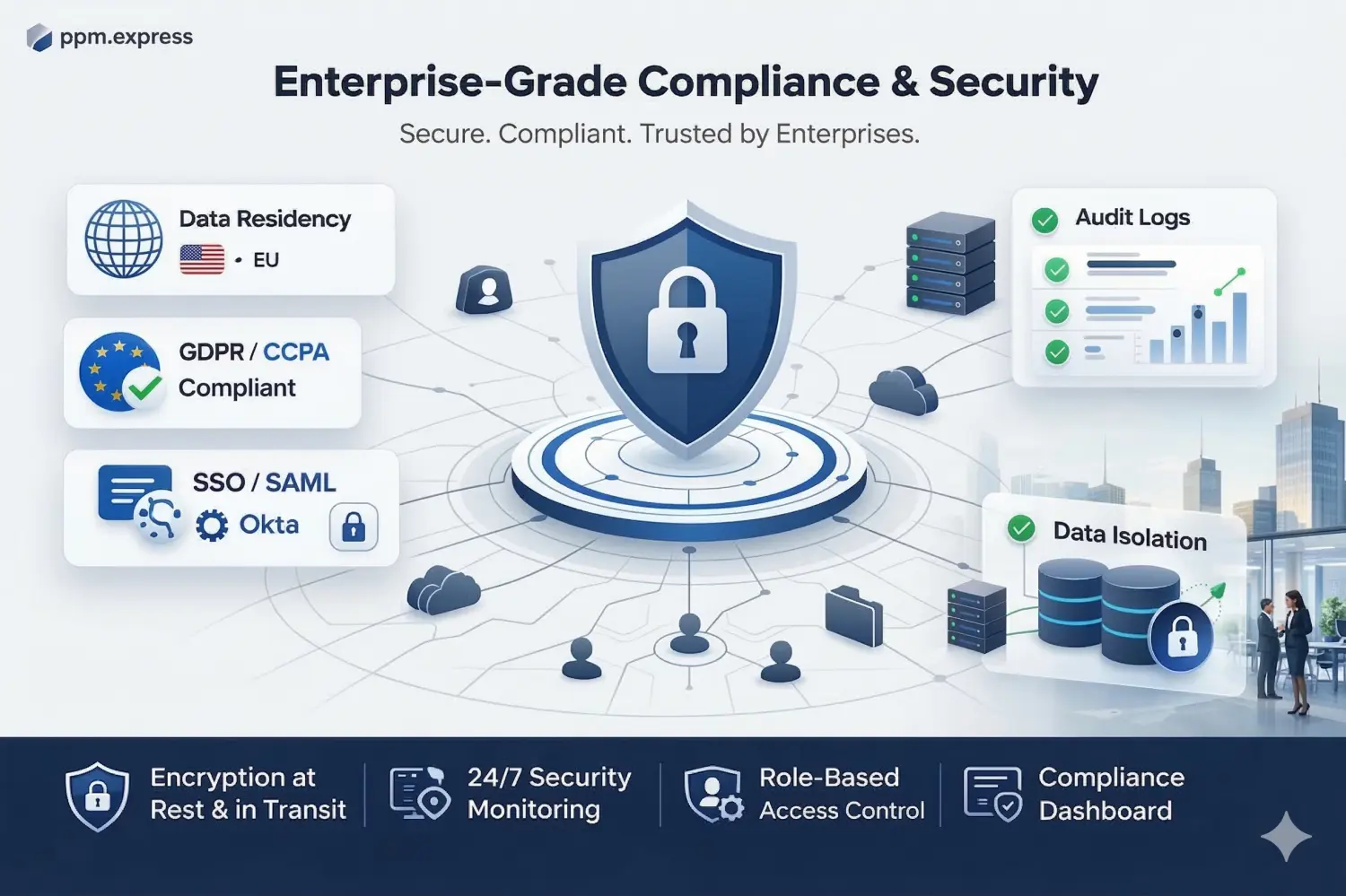


What our clients say
250+
Customers
use our software daily
100 hours
Saved every year
on monitoring state and statuses of projects, per PM
100K+
Projects
tracked on the PPM Express platform
Unlimited
Users
on every paid plan, so visibility is never rationed
Data residency
US & EU Data Residency
Encrypted in transit and at rest, with SSO, audit logs and tenant isolation. No customer data used to train AI models.
Reporting
200+ ready-to-use reports
Power BI reports built on live portfolio data, so stakeholders get self-service dashboards instead of a request queue.
Pricing
One flat annual subscription
$25,000/year for large enterprises, $8,000/year for SMB. No per-seat penalty.

Streamline Project Portfolio Management and Visibility at Scale
Integrations


Capture new project request, streamline evaluation and prioritization
Product

Structured Approach for prioritizing and aligning portfolios with strategic priorities and resource constraints
Product
Last updated 20 August 2026
PMO portfolio management, answered.
A PMO governs how projects get delivered. An EPMO governs which projects exist at all. Your PMO standardizes method, reporting and delivery assurance inside a function or division. The enterprise PMO sits above that and owns the link between strategy and the portfolio: what gets funded, what gets stopped, who is available to do it. Organizations usually outgrow a PMO because nobody has been given that second job.
Project management software helps one team deliver one project. Tasks, dates, owners, progress. Portfolio management software helps an organization choose between many of them: scoring and ranking, checking plans against real capacity and budget, modeling trade-offs, tracking benefits after approval. They solve different problems, and you generally need both. PPM Express reads from the project tools your teams already use instead of replacing them.
Strategic portfolio management starts with an objective and asks which investments deliver it. Project portfolio management starts with a pipeline of proposals and asks which ones to run. The practical difference is where the conversation begins. PPM Express supports either approach: you define weighted strategic and risk factors with published value ranges, and every project carries its score, budget, forecast and benefits against them.
Stage-gate splits work into stages separated by decision points, where a project has to earn the next tranche of funding. PPM Express ships this as a configurable process: seven phases, each holding multiple stages, with gates between them. You choose which stages need approval. Project managers assign approvers, who review in the Approval Center. When every approver signs off the project advances automatically. One rejection and it stays where it is.
None of those tools can answer a portfolio question. Each holds the truth about its own projects, in its own structure, with no shared view of money, people or strategic value. PPM Express connects to Azure DevOps, Jira, Microsoft Project, Microsoft Planner, Smartsheet and Monday.com, then builds the portfolio layer above them. Delivery teams carry on exactly where they are. The PMO stops re-keying their data into a spreadsheet.
Settle the criteria before you rank anything. In PPM Express, weighted strategic and risk factors each carry a published value range, so a 3 means the same thing whoever enters it. Projects rank against the model rather than against whoever argues hardest. What people then debate is the weighting, not their own project, and that debate only has to happen once.
Most PPM tools ask delivery teams to record their work twice: once in their own tool, once in the portfolio system. Predictably, the second copy goes stale. PPM Express doesn't work that way. Project managers stay in Jira, Azure DevOps, Microsoft Project or Planner, and the portfolio is built from what they already record. The people who need new accounts are the ones who want the portfolio view.
Yes. PPM Express Project Publisher is an add-in for the Microsoft Project Desktop client (2016, 2019 and 2021 are supported). Your planners keep building schedules where they always have, then publish them into PPM Express from the ribbon. Project Online and Project for the Web connect too. Worth knowing up front: a published plan brings across up to 2,000 tasks and ten levels of hierarchy.
Look at capacity before you approve, not after. PPM Express derives resource capacity from each person's work week and calendar exceptions, then shows allocation against it in hours, percent or FTE. Overallocation is color-coded, so a plan that needs more of somebody than exists is visible while it's still a proposal. Most portfolios fail here rather than at the funding stage.
Bring a live portfolio instead of a month-old deck. Budgets, forecasts, benefits, dates and resource plans in PPM Express reflect the current state of the connected tools, so the numbers in the room match the numbers in the systems. More than 200 ready-made reports cover the standard views, and scenario comparison lets the committee see the trade-off rather than one recommended answer.
There's no data migration to run. Because PPM Express connects to tools you already use, the portfolio fills from live projects rather than from a re-entry exercise. What does take real time is the governance design: agreeing your strategic factors, their weights and their value ranges. That conversation is unavoidable, and it belongs to your PMO rather than to the software.
PPM Express Enterprise is $8,000 per year. PPM Express Ultra is $25,000 per year. Both are annual subscriptions, priced flat for unlimited users rather than per seat. For a PMO that difference matters more than the headline number, because per-seat pricing is usually what keeps portfolio visibility locked to five people instead of reaching sponsors and delivery leads.
Data residency is available in the US and the EU, with full GDPR compliance and custom DPAs where your legal team needs them. Microsoft 365 and Okta SSO handle identity, so joiners and leavers follow the directory you already run. Each customer's data is strictly isolated, and detailed audit logs record what changed and who changed it.
.svg)


