
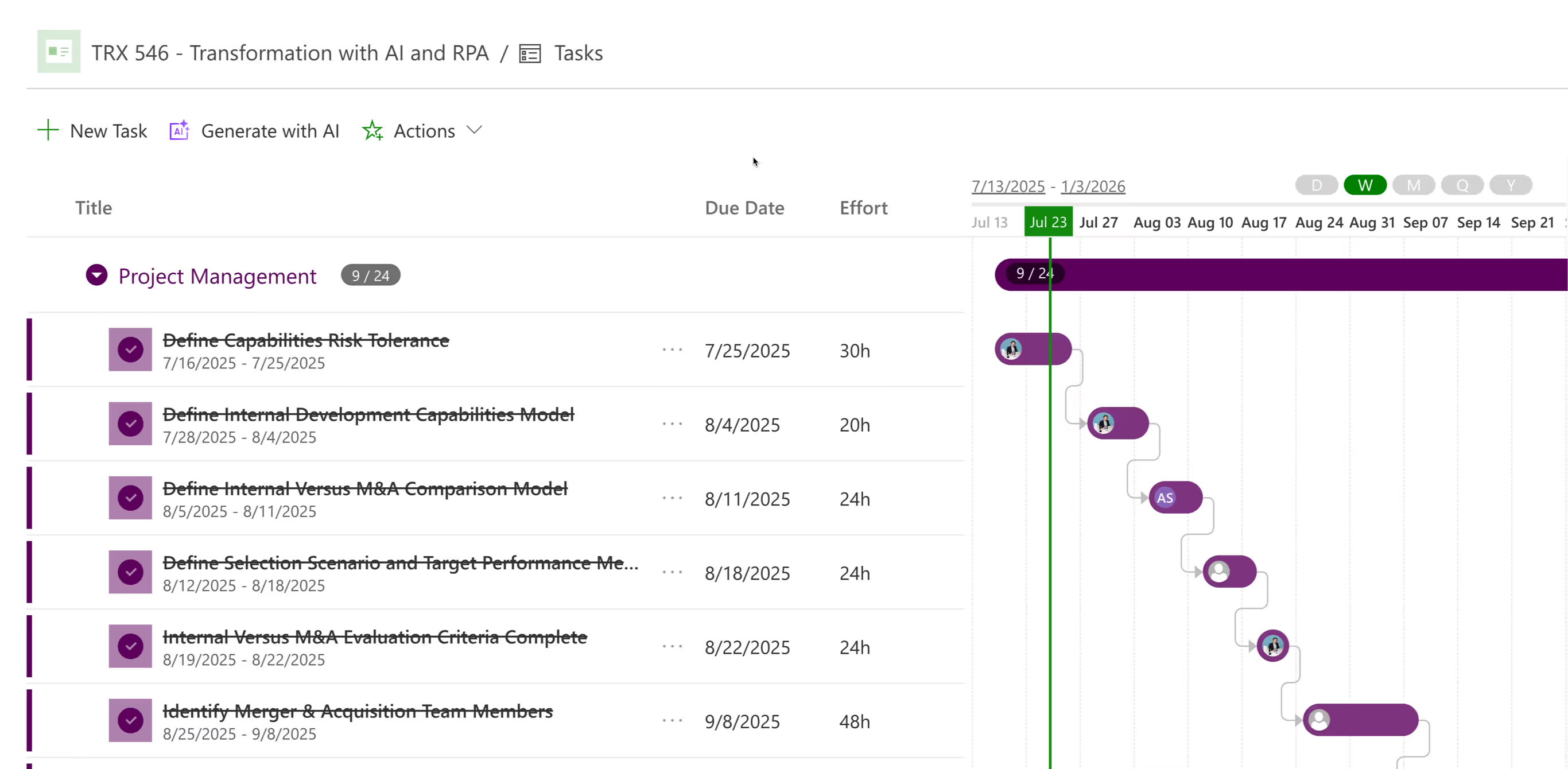
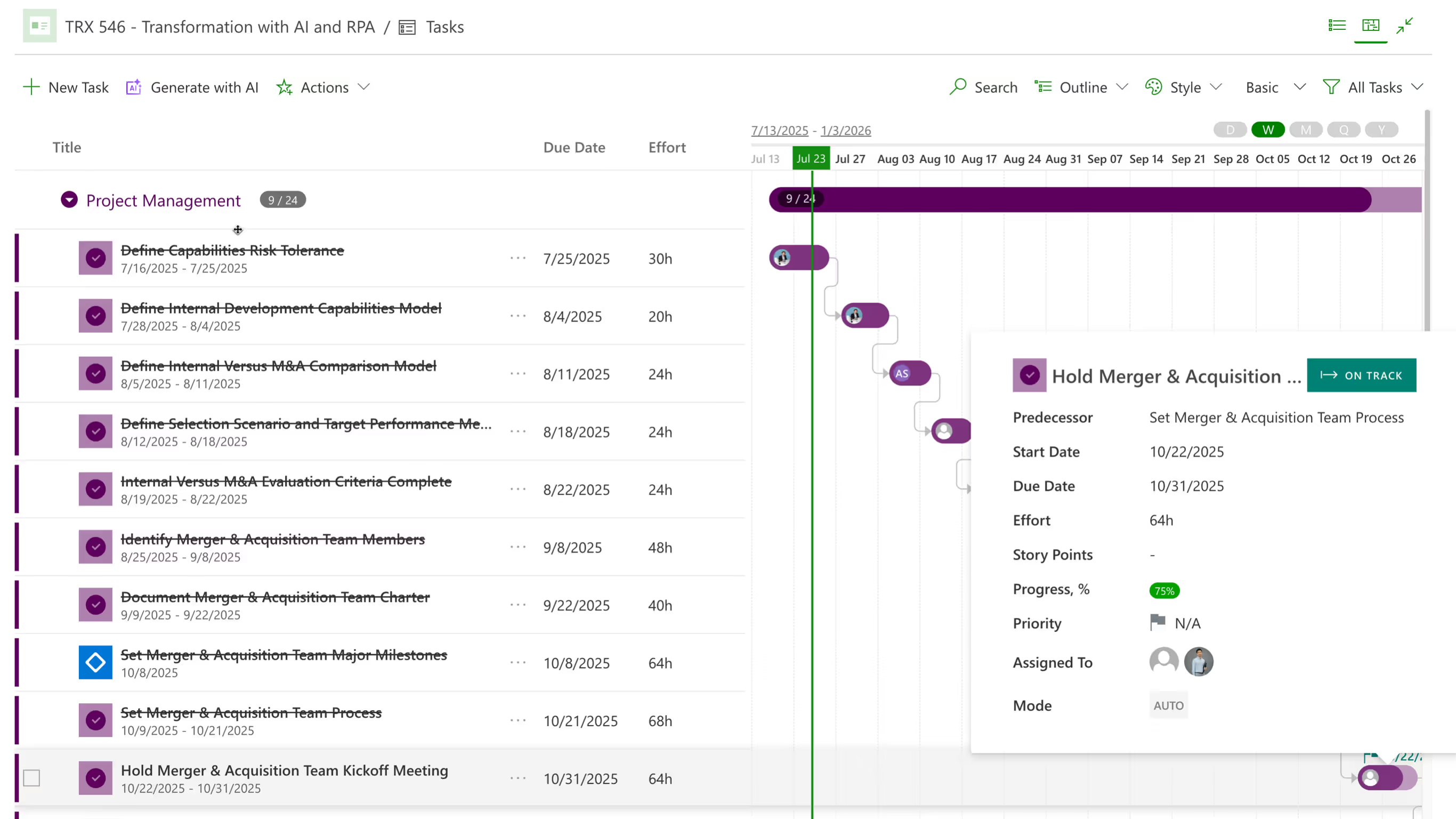
PPM Express handles both halves. Teams get tasks with dependencies, hierarchy up to ten levels, inline editing and a timeline they can drag. Managers get the view above it, showing who is committed to what across every project at once. Tasks can be created here, imported from a Microsoft Project plan, or read from Jira, Azure DevOps, Planner, Smartsheet and Monday.com. That is work management software that does not stop at the edge of a single team, which is where most of them quietly do.
No credit card required




Follow these simple steps to use PPM Express to match your unique work management workflow perfectly.


key features
Tasks
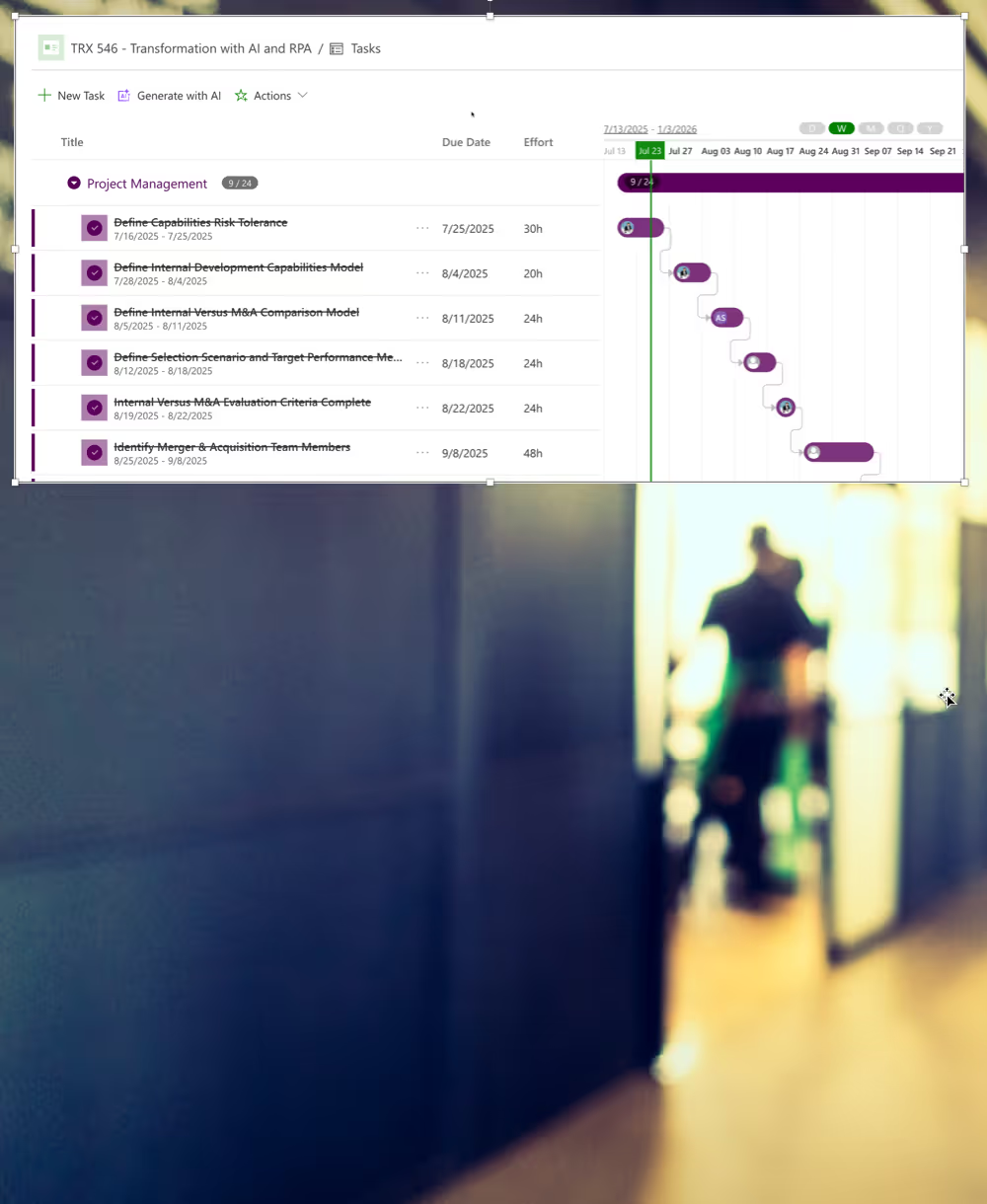
Build Task List / Project Schedule using our Grid Control. Simple to enter and extremelly configurable with standard fields and unlimited customization with fields.
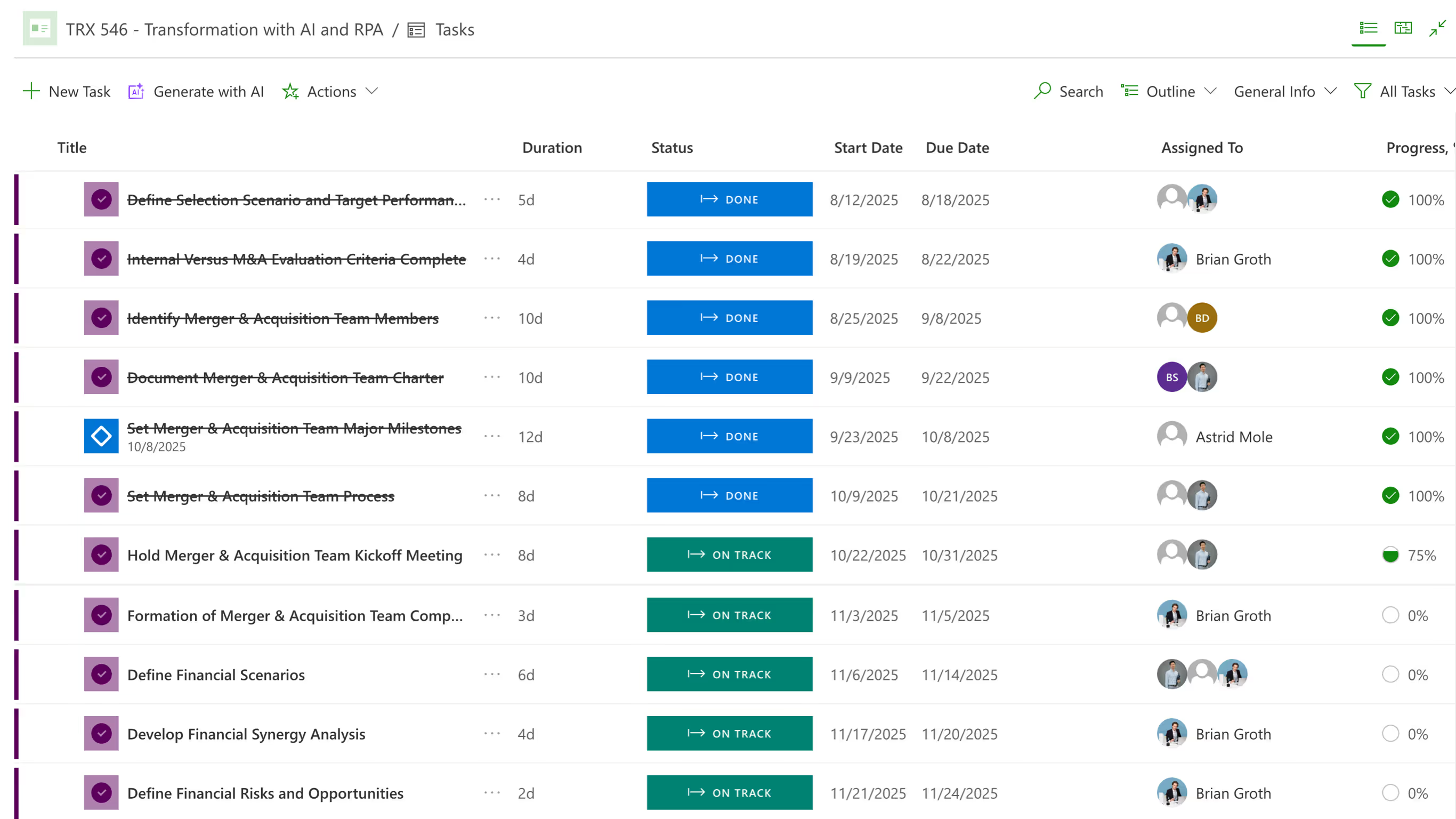
Gantt chart
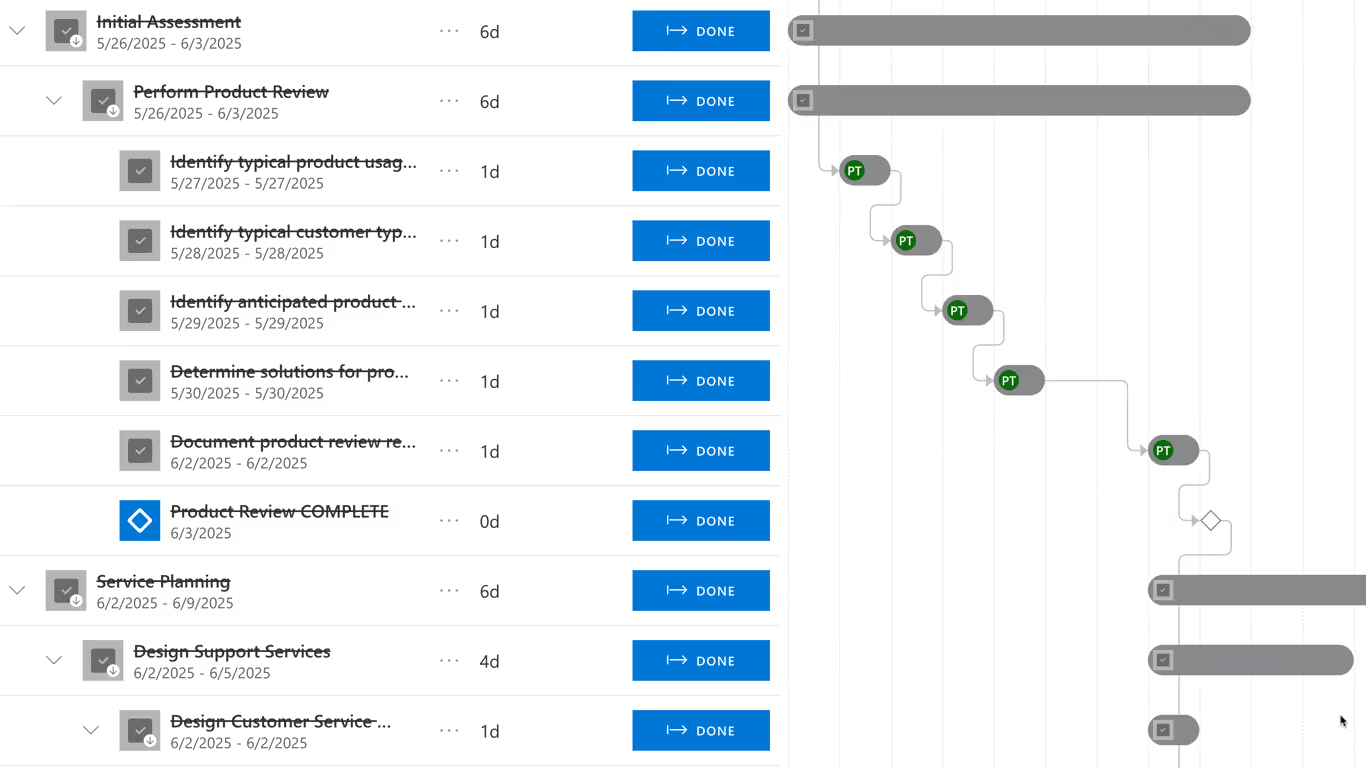
Visualize project schedule, hierarchy and task dependencies using PPM Express Timeline / Gantt chart.
advanced
Baseline the entire project or individual tasks. View Baseline data and variances, roll-up to project level and view baselines on the Timeline.
dependencies
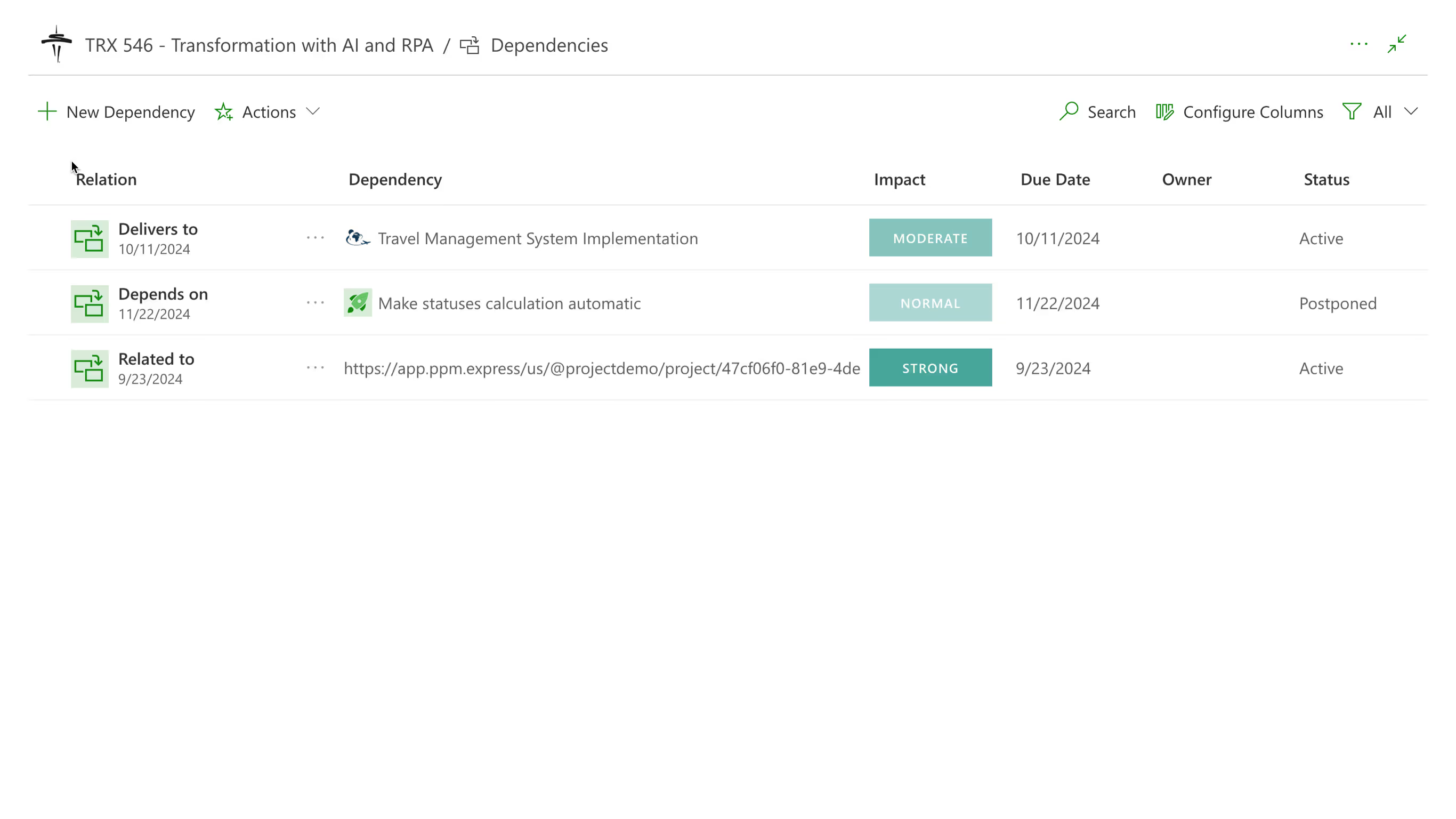
Track project dependencies with other projects, ideas and external factors, vendors and stakeholders.
AI-enhanced insights
Enable intelligent AI Insights - smart signals that help project managers to stay on top of their projects and address issues and variances before they become critical.

milestone
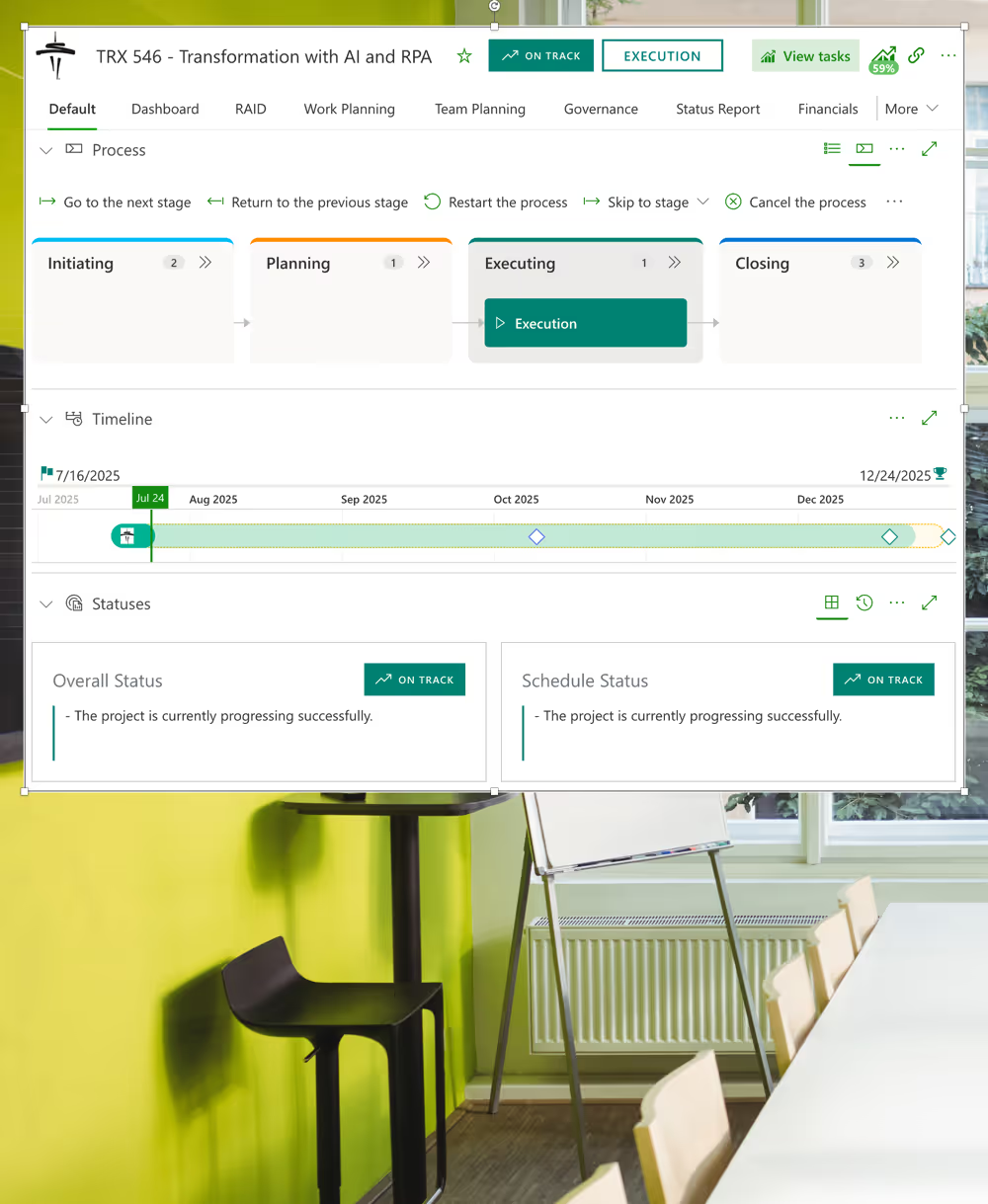
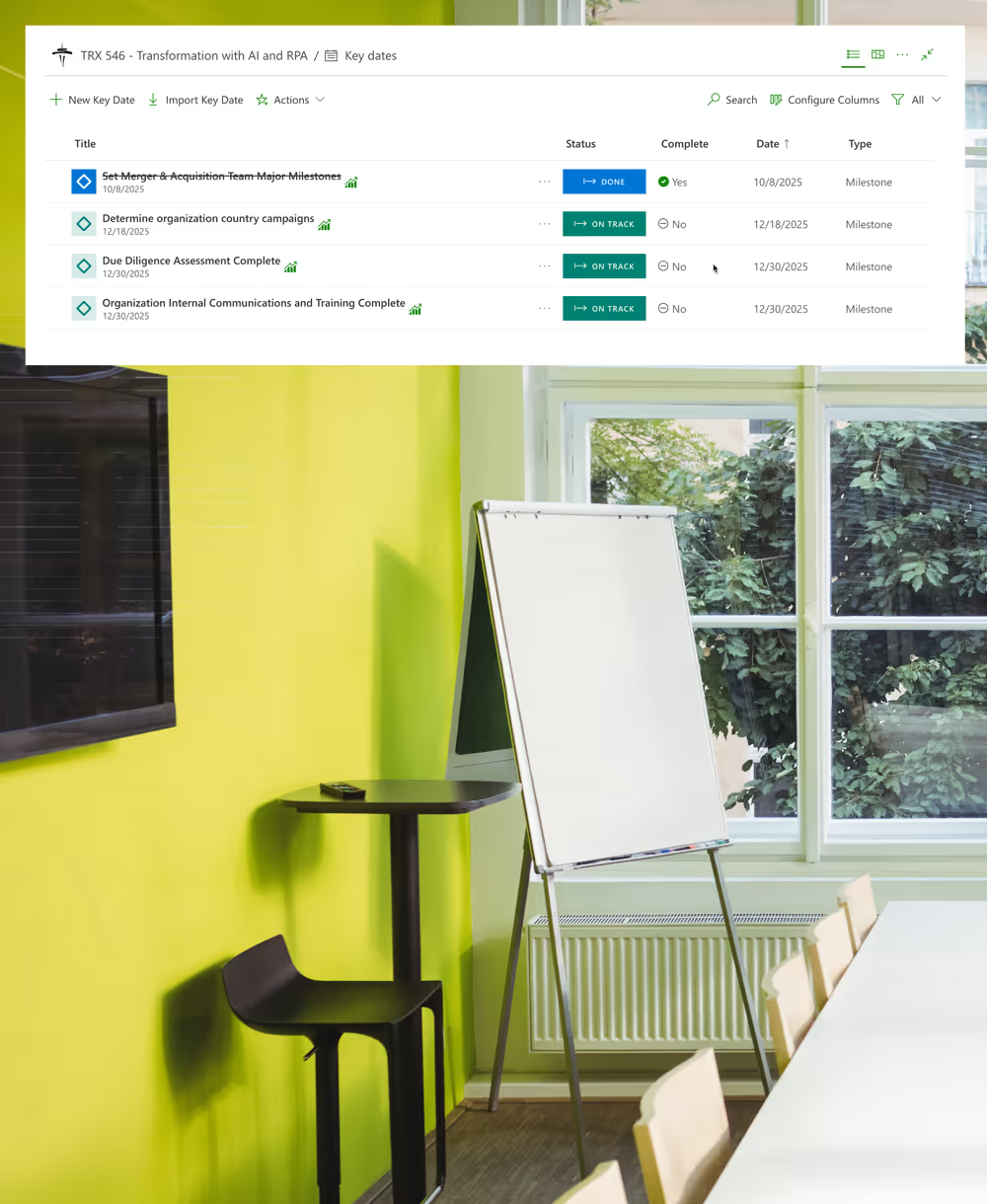
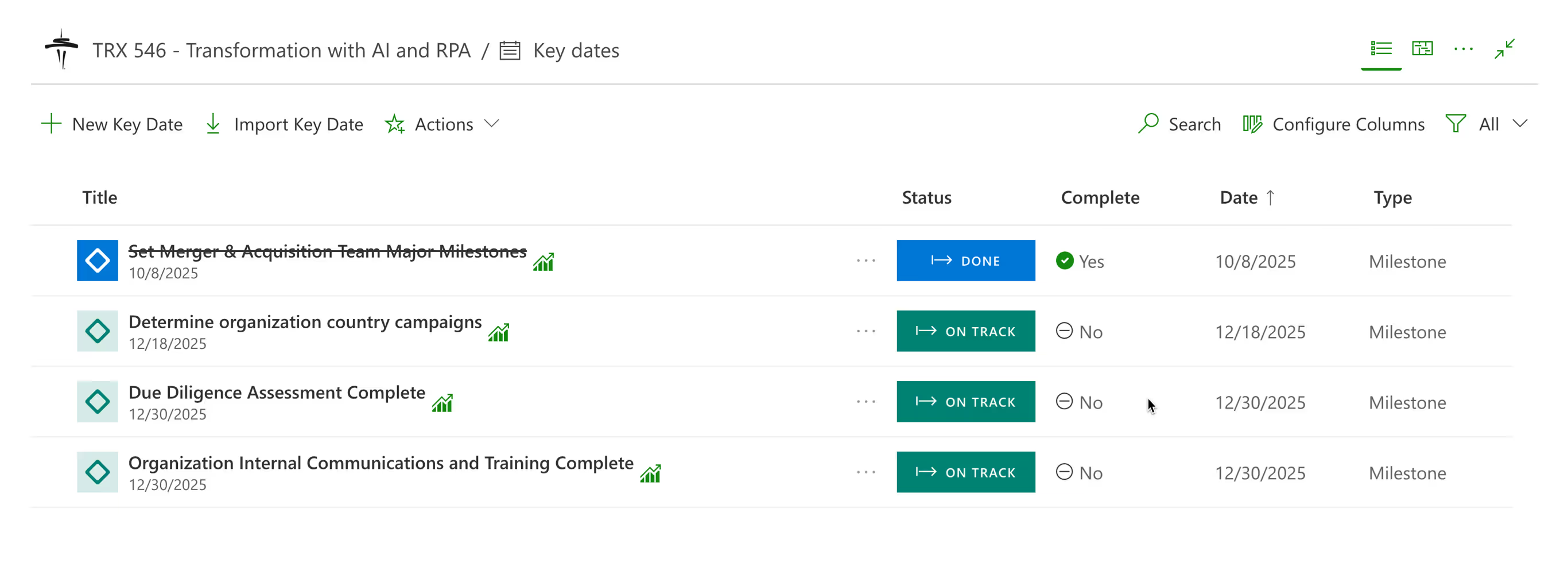
PPM Express provides ability to track Key Dates for the project. They include Milestones, Key Dates and Release Dates.

Most task management tools stop at lists, boards and simple dependencies. PPM Express runs a full scheduling engine underneath the task list. The matrix below benchmarks that engine against Microsoft Project Online, the reference point enterprise PMOs use to measure scheduling depth, and shows where every capability stands today.
How to read this: Microsoft Project Online is the scheduling benchmark most enterprise PMOs still measure against, and it retires on 30 September 2026. Items marked In release are in active delivery with the target month shown. The full matrix, including the migration path, is on the Project Online migration page. Reviewed August 2026.



No credit card required

Plan, schedule and track delivery without leaving your existing tools.
Product

Capacity from real work weeks, so over-allocation surfaces before you commit.
Product

Bring Planner work into portfolio-level visibility.
Integrations
Last updated 20 August 2026
Task Management, answered.
A tool for breaking work into tasks with owners, dates and dependencies, then tracking them to done. At enterprise scale the harder question is not managing tasks within a project but seeing across projects, which is where standalone task tools tend to run out and a portfolio layer starts earning its place.
Task management is about the individual unit of work. Work management is broader: the flow, the handoffs, the people and the capacity behind them. In practice the distinction matters when you try to answer whether a team can take on more, because that is a work management question and no task list can answer it.
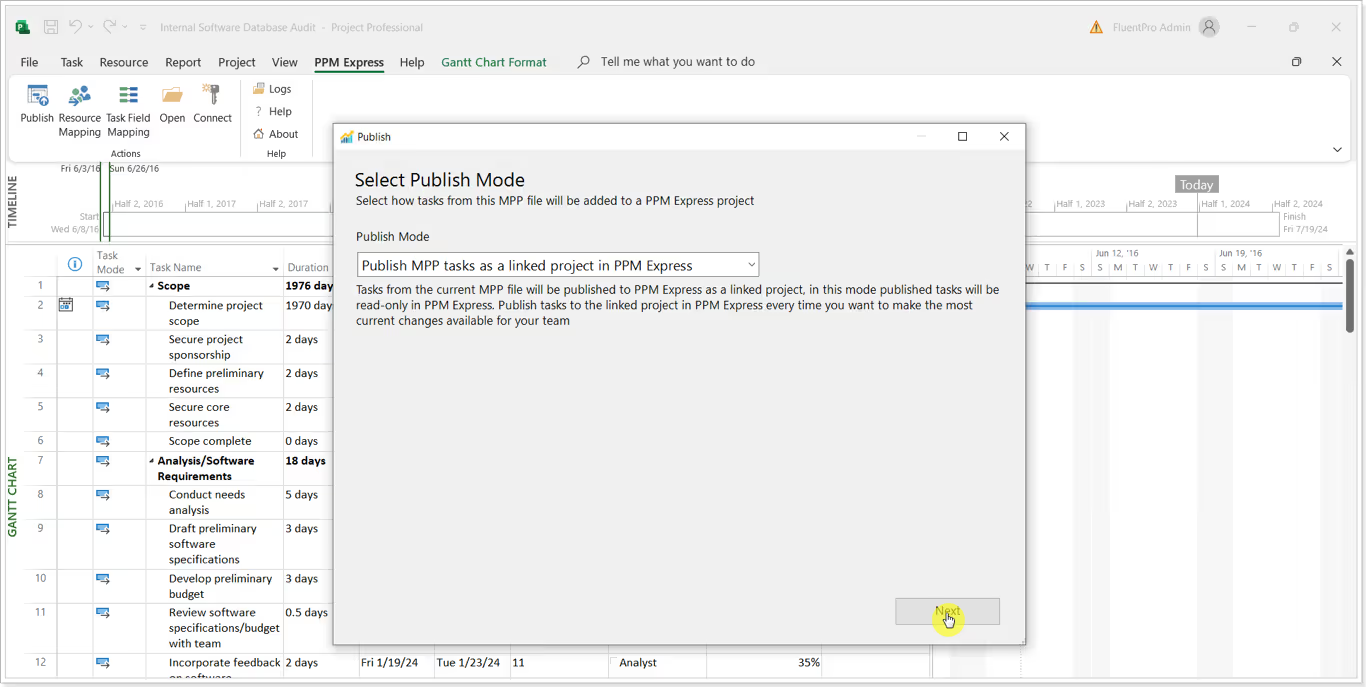
Yes. Jira, Azure DevOps, Microsoft Planner, Smartsheet and Monday.com are supported connections. Schedules built in the Microsoft Project Desktop client are published in through the PPM Express Project Publisher add-in, up to 2,000 tasks and ten levels of hierarchy per plan.
Native PPM Express tasks are fully editable, including inline edits and dragging dates on the timeline. Tasks imported from a Microsoft Project plan arrive editable too, because the import is a one-time transfer rather than a live link. Tasks in a connected project behave differently: those stay editable in their source tool.
Table, Timeline and Workload. Table for detail and bulk edits, Timeline for sequence and dependencies, Workload for who is carrying what. Views can be filtered and saved, so the same underlying tasks serve a delivery standup and a resource conversation without anyone rebuilding a report.
Team members record actual time against tasks, and those actuals feed the resource views alongside planned effort. That closes a loop most task tools leave open, because planned effort on its own tells you what someone was asked to do rather than what the work actually took.
That is what the Workload view and the resource dashboard are for. Allocation shows against calculated capacity, drawn from each person's work week and calendar exceptions, and overallocation is color-coded. Within capacity shows green, a single overloaded day yellow, genuine overallocation red.
Yes. Microsoft Planner, Smartsheet, Monday.com and Microsoft Project are supported precisely because a great deal of operational, capital and marketing work never goes near a developer tool. Nothing in the task, capacity or reporting model assumes sprints or story points.
.svg)


