
Written for enterprise PMOs running a real evaluation. Eighteen requirements, the edition each capability actually ships in, how each vendor licenses, and the places each product is the weaker choice.
Commercial disclosure: PPM Express produced and funded this comparison. Every assessment was drafted with AI from the vendors’ own published documentation, then reviewed and approved by PPM Express Analysts before publication. It evaluates publicly documented product capabilities against a defined requirement set; it is not independent analyst research or a benchmark test of both systems on the same dataset.Read the method
Meisterplan is a lean portfolio and capacity planning layer, and it is very good at that: scenarios that are full copies of the plan of record, drag-and-drop ranking against a live capacity histogram, an allocation heatmap with configurable thresholds. It also licenses by planned resource rather than by user, so participation is free — the same principle as PPM Express, arrived at differently. The difference is scope. Its task timeline is read-only by design; it is not work-execution software and does not claim to be. If you need portfolio governance and delivery execution in one place, that is the deciding fact.
Primary trade-off: On scenario modelling and capacity planning specifically, Meisterplan is the more focused and arguably the more elegant product.
Primary trade-off: The task timeline is read-only and tasks only exist when imported. Only Jira syncs bidirectionally, AI reporting is on the roadmap, and Pro passes $25,000 a year from the 150-resource package upward.
The default scenario is an enterprise hybrid PMO with 250 modeled users, 75 to 250 active initiatives, several delivery systems in play, and a need for centralized portfolio, resource, financial and executive reporting.
Wants everyone in the portfolio, governance across the tools teams already use, resource and financial control, and a cost that does not move when headcount does.
Leads at the default 250-user benchmark because governance has to span execution as well as planning, and two-way synchronization across several delivery tools is mandatory here.
Strong on the planning half and its licensing model handles broad participation well. It loses this scenario on execution governance and on write-back to anything other than Jira.
| Customer requirement | Priority | PPM Express | Meisterplan |
|---|---|---|---|
Connect strategy, objectives, and execution Map initiatives to strategy and track progress against objectives or key results. Strategy | Mandatory | ✓ MeetsIncluded in UltraStrategy and OKR modules are included in the evaluated Ultra plan.Sources [2] | ◐ Partially meetsPro / PremiumA Goals view lets you define and structure goals and subgoals, assign projects and track progress, and the roadmap can be grouped by goals. Progress is a single computed completion percentage derived from actual time worked against planned allocations for projects above the cut-off line. There are no measurable key results, targets or custom metrics, so this is strategic goal alignment rather than OKR management.Sources [8], [9], [10] |
Manage portfolio and project hierarchy with roll-ups Centralize initiatives and provide governed portfolio-level health, status, dates, risks, and decisions. Portfolio governance | Mandatory | ✓ MeetsIncluded in UltraUnlimited portfolio, program, and project management are included in the evaluated Ultra plan.Sources [2] | ◐ Partially meetsAll editionsPrograms are a real entity: a program displays as a bar spanning all its projects and program details show summed KPIs of the contributing projects, with projects attaching through a system field. Portfolios and sub-portfolios are filter-defined views. The hierarchy is two levels and container-style rather than recursive — deleting a program does not delete its projects — and there is no documented project-to-subproject work breakdown structure.Sources [11], [12] |
Capture ideas and prioritize proposed work Collect requests, score them consistently, and move approved initiatives into delivery. Intake & prioritization | Important | ✓ MeetsIncluded in UltraInnovation and ideation plus standard prioritization frameworks are included in the evaluated Ultra plan.Sources [2], [3] | ◐ Partially meetsAll editionsThere is a native configurable Add Project form supporting up to a hundred fields, each optional or required, nine preconfigured stage gates beginning with idea, in definition and seeking review, and a board view documented for collecting new project initiatives. What is missing is a structured business case object and a native approval workflow; approval routing is done through Power Automate rather than in the product.Sources [13], [14], [15], [16] |
Compare advanced portfolio what-if scenarios Model competing investment mixes using strategy, budget, capacity, timing, targets, and dependencies. Portfolio modeling | Important | ◐ Partially meetsIn Ultra; depth worth checkingPrioritization, optimization, roadmaps and resource what-if reporting are all documented. If you model several competing investment mixes side by side, check that depth against your own decision process.Sources [3], [4] | ✓ MeetsPro / PremiumThis is the product's core strength and it is documented thoroughly. Scenarios are full copies of the plan of record storing project movement, breaks, rank changes, duration, program membership, milestones, dependencies, financial events and allocations, and any scenario can be compared against the plan of record or another scenario, rendered as a shadow above the project bar. Prioritization is drag-and-drop rank against a live capacity histogram, or automatic through a configurable priority score.Sources [17], [10], [9] |
Plan resource capacity and utilization Balance demand and capacity across roles, named resources, teams, projects, and time periods. Resources | Mandatory | ✓ MeetsIncluded in UltraThe evaluated plan supports hours, percent, and FTE planning, capacity, availability, and proposed and committed allocations.Sources [4] | ✓ MeetsAll editionsRoles act as allocation placeholders so capacity needs are accounted for before named people are known, later resolved through a staff-role function that shows role demand and filters candidates by skill. Planned effort is entered per week, month, quarter or year depending on zoom level. The allocation heatmap highlights over-allocated roles and resources in red and under-allocated in blue, with configurable thresholds and export.Sources [18], [19], [20] |
Manage budgets, forecasts, actuals, benefits, and ROI Provide portfolio and project financial control and connect spend to expected value. Financials & benefits | Mandatory | ✓ MeetsIncluded in UltraBuilt-in financials support budgets, forecasts, actuals, benefits, fiscal and non-fiscal values, and estimated ROI.Sources [5] | ✓ MeetsPro / PremiumFinancials cover operational and capital expenditure with planned allocation costs and financial events for each, cost budgets by month, quarter or year, approved budget against actual costs, benefit targets and net value. Resources carry a cost per hour with a role-level fallback and historical rates. Benefit targets display in grey until reached, so benefit tracking against a target exists — a full realization lifecycle with owners and measurement cadence does not.Sources [21], [20], [22] |
Support waterfall, agile, and hybrid delivery Allow teams to use native schedules or external delivery tools without losing portfolio governance. Delivery | Mandatory | ✓ MeetsIncluded in UltraNative task scheduling supports traditional, sprint, and task-list approaches; external schedules can be linked.Sources [1], [2] | ? Not verifiedPro / PremiumThis is a deliberate product boundary rather than a gap. The task timeline is explicitly a read-only view where no data can be edited, and tasks exist in Meisterplan only when a project is connected to an external tool such as Jira or Asana. Agile awareness extends to grouping imported tasks by sprint date, and the vendor notes that if the connected tool has no sprints, nothing appears there. There is no native task authoring, board or sprint execution.Sources [23], [24] |
Track time and effort against work Capture actual effort for projects and tasks and use it in reporting and resource analysis. Time | Important | ✓ MeetsIncluded in UltraUnlimited time tracking, advanced approvals, and custom fields are included in the evaluated Ultra plan.Sources [2] | ◐ Partially meetsPro / PremiumTime tracking genuinely exists, which a planning-only assumption would miss. Actual time worked enters three ways: employees enter and edit their own hours in the My Schedule view, project managers enter it on the project, and it imports from a spreadsheet or automatically from Jira worklogs. No approval workflow is documented anywhere: no submit, approve or reject cycle, no period locking and no approver role.Sources [25], [26], [27] |
Generate and distribute AI-assisted status reports Create standardized executive reports with AI narratives and scheduled PDF or email delivery. Executive reporting & AI | Mandatory | ✓ MeetsIncluded in UltraProject Story supports AI summaries, configurable single- and multi-page reports, scheduled PDF email, and unlimited recipients in the evaluated plan.Sources [6] | ◐ Partially meetsPro / PremiumConventional reporting is solid: a portfolio dashboard with configurable cards, doughnut and bar charts and KPI assessment, customizable pivot reports covering project performance, resource utilization and financial data, and heatmap export. AI-assisted reporting is not yet shipped — portfolio-level AI summaries are listed on the vendor's own AI page as roadmap rather than available.Sources [19], [28] |
Use AI for portfolio and project decision support Ask portfolio questions, identify risk, generate plans, summarize health, and automate routine management work. AI | Important | ✓ MeetsIncluded in UltraPPM Insights, status prediction, project digest, task and risk AI, schedule generation, and advanced AI agents are included in the evaluated plan.Sources [1], [2] | ◐ Partially meetsPro / PremiumThe one generally available AI capability is an MCP server that lets assistants such as ChatGPT or Microsoft Copilot access Meisterplan data. It is read-only, requires at least read rights, exposes projects and their KPIs, scenarios, comments and portfolio filters, and is off by default behind a specific access right. There is no native AI prioritization, risk prediction or in-product summarization; the intelligence comes from the customer's own model.Sources [29], [28] |
Consolidate delivery data from multiple work systems Roll up work from Jira, Azure DevOps, Planner, Project, Smartsheet, monday.com, and other systems into a portfolio view. Integrations | Mandatory | ✓ MeetsIncluded in Ultra, with setup conditionsStandard integrations plus two-way Jira and Azure DevOps are covered by this plan. Confirm setup and the conditions on each connected system.Sources [1], [2], [7] | ✓ MeetsPro / PremiumDocumented by name: Jira through a dedicated connector, plus Azure DevOps, Microsoft Project for the Web and Smartsheet through the task connector, with out-of-the-box project imports from Asana, Wrike, ClickUp, Microsoft Planner Premium and Todoist. Salesforce, Excel and Google Sheets, Power BI, Tableau, Looker Studio, Power Automate, Zapier, Teams, Outlook and Microsoft Forms are all listed, alongside a REST API.Sources [30], [12], [31] |
Synchronize Jira and Azure DevOps work in both directions Create or update connected tasks and work items while preserving team execution in the source system. Bidirectional integration | Mandatory | ✓ MeetsIncluded in UltraTwo-way Azure DevOps and Jira synchronization is included in the evaluated Ultra plan and uses vendor-assisted setup.Sources [7] | ◐ Partially meetsPro / PremiumJira is the one genuinely bidirectional connector, and the documentation is precise: you specify the update direction for each field, mapping system and custom fields, with Meisterplan changes reflected in Jira immediately and Jira changes syncing nightly to the plan of record. Everything else is one way. The task connector explicitly changes no data in either system, and Asana, Wrike, ClickUp, Planner and Todoist are documented as imports.Sources [32], [33], [24], [12] |
Provide API, Power BI, and workflow automation Enable enterprise reporting, data export, integration, and repeatable process automation. Data & automation | Important | ✓ MeetsIncluded in UltraREST API, Power Automate and Zapier connectors, built-in dashboards, and Power BI report packs are included in the evaluated plan.Sources [1], [2] | ✓ MeetsAll editionsTwo distinct APIs. The REST API gives read and write access across projects, portfolios, milestones, dependencies, allocations, absences, actuals, financials, resources, teams, roles, programs, scenarios and SCIM provisioning. The read-only reporting API feeds Power BI, Tableau, Looker Studio and Excel and connects to any BI tool with a REST interface. Workflow automation runs through Power Automate with documented triggers and actions.Sources [34], [35], [36] |
Configure the platform without custom software development Allow PMO administrators to adapt fields, views, templates, rules, and workflows as practices mature. Administration | Important | ✓ MeetsIncluded in Ultra, configured by the PMOTemplates, custom fields, views, filters, layouts and modules are all administrator-managed.Sources [1] | ✓ MeetsAll editionsCustom project fields and custom program fields, project phases and milestones, nine configurable stage gates, an organizational breakdown structure, custom roles, user groups, portfolios and sub-portfolios, project types and custom tabs in project details are all documented, with published field data types and size limits. There is no native rules engine; automation is deliberately externalised to Power Automate and Zapier.Sources [14], [37], [38], [13] |
Support enterprise permissions, audit, and controlled environments Provide access controls, auditability, protected work, sandboxes, and environment options where required. Security & governance | Important | ✓ MeetsIncluded in UltraThe evaluated plan includes private projects, audit, advanced permissions, multiple tenants or sandboxes, dedicated hosting, and premium support options.Sources [2] | ✓ MeetsPro / PremiumISO 27001:2022 and ISO 27018:2019 are claimed, with AWS hosting in Oregon or Frankfurt, TLS in transit and AES-256 at rest. Authentication covers forms, Google, Microsoft work accounts and SAML 2.0 single sign-on documented for Entra ID, Okta, OneLogin and PingOne, with SCIM 2.0 auto-provisioning. Permissions are additive user groups with organizational scoping and field-level control. Note that SOC 2 is not claimed; the SOC 1 reference is about the AWS server locations.Sources [39], [40], [41], [42] |
Allow broad participation without per-seat price growth Give employees, executives, team members, and viewers access without annual cost increasing for every additional user. Commercial model | Mandatory | ✓ MeetsFlat annual plan, UltraUltra is $25,000 per year with unlimited users. Enterprise is listed in the pricing reference table but is not used in the comparison calculations.Sources [1], [2] | ✓ MeetsPro / PremiumThis is where Meisterplan is genuinely strong and unusual, and it deserves saying plainly. Licensing counts planned resources and edition, not users. The vendor states that users are free and unlimited, that an unlimited number of user accounts can be created without a licence change, and that resources — not users — determine price. Broad stakeholder participation therefore costs nothing here, the same principle PPM Express applies from the other direction.Sources [43], [44], [45] |
Run professional services delivery and profitability Manage client delivery, billable utilization, time, costs, charges, and profitability as an integrated operating model. Professional services | Optional | ◐ Partially meetsComponents included in UltraTime, resource planning, task costs, charges and profitability are all there. A complete native PSA operating model is not documented as one.Sources [1], [5] | ◐ Partially meetsPro / PremiumResources carry two distinct rate attributes: a cost per hour that drives allocation costs, and a billing rate per hour that drives allocation and total benefit. The financial management page documents managing resource billability for project profitability and calculating revenue on external customer projects. Invoicing does not exist: no invoice object, no billing run, no receivables and no client or contract rate cards are documented.Sources [20], [22] |
Map enterprise architecture and business capabilities Visualize initiatives, dependencies, capabilities, outcomes, and architecture relationships across the enterprise. Enterprise architecture | Optional | ◐ Partially meetsRoadmaps and strategy visualization in UltraRoadmaps and strategy visualization are available. A dedicated enterprise architecture model is not.Sources [1], [2] | ? Not verifiedPro / PremiumNo vendor page or help article documents application portfolio management, technology or application inventories, lifecycle assessment, capability maps or architecture modelling. Resources in Meisterplan are defined as people, places and things, and the resource pool models people, roles, teams and organizational structure rather than applications. This capability is absent from the vendor's documentation.Sources [46], [20] |
How the score works: Meets = 1, Partially meets = 0.5, Does not meet = 0. Mandatory requirements weigh more than Important ones, and Important more than Optional. Read the table. The percentage is a summary of it, not the result.
Meisterplan's task timeline is a read-only view and tasks exist only when imported from a connected tool. That is a deliberate design decision, not an oversight. PPM Express holds the portfolio and the work, and writes decisions back into the delivery tools. Decide which of those two shapes your PMO actually needs before comparing features.
Both vendors have concluded that charging per seat suppresses adoption. Meisterplan licenses by planned resource and makes user accounts free and unlimited. PPM Express charges one flat annual price with unlimited users. The difference is what happens as the planned workforce grows: our number does not move, theirs does. The crossover is worth knowing in both directions — at the 100-resource package Meisterplan Pro is $19,200 and cheaper than us; from the 150-resource package upward it is $28,620 and is not.
Meisterplan documents per-field sync direction with Jira, immediate outbound and nightly inbound, which is genuinely good. Its task connector for Azure DevOps, Microsoft Project for the Web and Smartsheet explicitly changes no data in either system, and Asana, Wrike, ClickUp and Planner are imports. PPM Express synchronizes two-way across the set.
A comparison that only lists strengths is a brochure. Check each of these against your own operating model, the integrations you actually need, and how much implementation capacity you have.
Packaged enterprise PPM. One price, no seat count.
A lean portfolio and capacity planning layer, licensed by planned resource.
The short version: Meisterplan if capacity-constrained portfolio planning is the whole job and execution stays in other tools. PPM Express if the portfolio layer also has to govern and write back to the work.
Every figure here is an annual cost. Meisterplan publishes its prices, and it is worth being precise about what they are attached to: the licence counts planned resources, not users. Users are free and unlimited, which is the same conclusion PPM Express reached about per-seat pricing, arrived at from the other direction. Packages are sold in fixed steps, so a 250-resource organization buys the 300 package. The Pro edition is used below because it is the tier that carries scenarios, financials, goals, time tracking, the work-management integrations and SAML single sign-on.
Pricing was read from the vendor’s own pricing page on September 3, 2026, at the annual-payment setting.
Default summary scenario: 250 users. Official pricing sources: PPM Express [47] and Meisterplan [45].
Calculation assumption: the rows above model planned resources equal to the user count, which is the least favourable reading for Meisterplan and should be adjusted to your own numbers. Meisterplan licenses by planned resource, not by user, so if 250 people need to see the portfolio but only 150 are actually scheduled on work, the licence is the 150-resource package at $28,620 rather than the 300 package at $51,780. Packages are sold in fixed steps — 50, 100, 150, 200, 300, 400, 500 and upward — so 250 resources rounds up to the 300 package. Published Pro annual prices read on September 3, 2026 are $9,600 at 50 resources, $19,200 at 100, $28,620 at 150, $36,780 at 200, $51,780 at 300, $66,420 at 400, $80,700 at 500 and $147,540 at 1,000; above 1,000 resources Meisterplan quotes individually. The crossover matters and cuts both ways: at the 100-resource package Meisterplan is the cheaper product, and from the 150-resource package upward it is not. Pro is used rather than Premium because Pro carries scenarios, financials, time tracking and SAML single sign-on; Premium adds SCIM auto-provisioning, a sandbox and hosting-location choice and runs $62,705 at 300 resources. The mandatory onboarding fee on Pro and Premium is excluded from the annual rows because it is one-time rather than recurring — Meisterplan publishes it at $6,300 for Essential, $10,500 for Standard and $19,999 for Comprehensive, so year one is that much higher again. PPM Express Ultra remains $25,000 per year with unlimited users and no resource count to manage. Three-year figures assume unchanged list prices and no discounting. Taxes, migration, support and professional services are excluded on both sides.
Lorem ipsum dolor sit amet, consectetur adipiscing elit. Suspendisse varius enim in eros elementum tristique. Duis cursus, mi quis viverra ornare, eros dolor interdum nulla, ut commodo diam libero vitae erat. Aenean faucibus nibh et justo cursus id rutrum lorem imperdiet. Nunc ut sem vitae risus tristique posuere.Paying per planned resource? The Switch terms replace that with one flat price — see the Switch from Meisterplan terms.
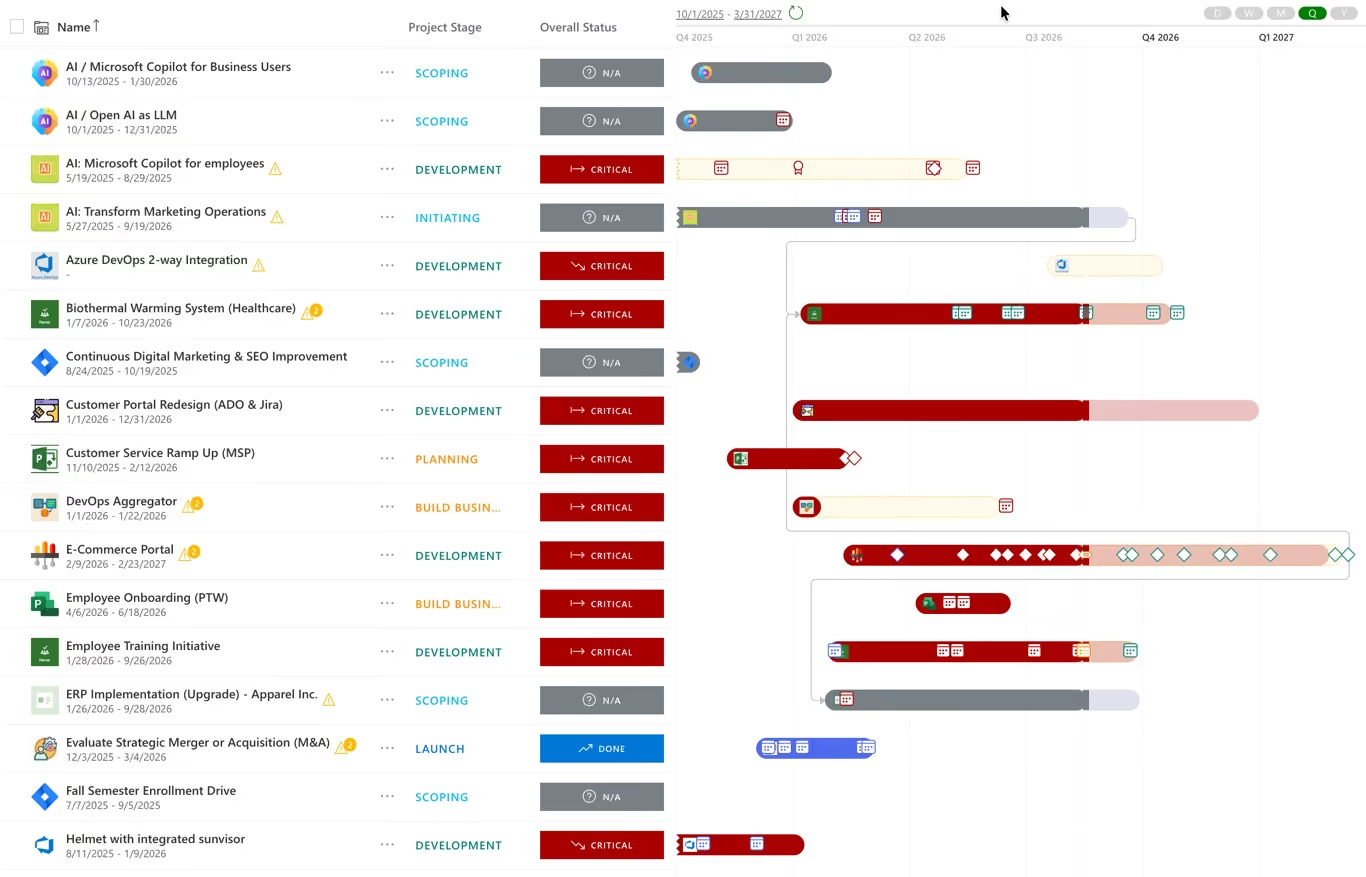
Illustrative product image from the PPM Express website. Product interfaces change over time.
Explore PPM ExpressThis is not a bake-off. Nobody loaded the same dataset into both products. What it does check is whether each vendor publicly documents a capability that meets the requirement, and what edition, integration or service you need to get it.
The full method is published. The eighteen requirements, the weightings, the three buyer scenarios, the evidence rules and the limitations are all set out on the comparison methodology page.
Requirement coverage, editions, licensing by resource, integrations and pricing.
It depends on whether you need execution as well as planning. Meisterplan is a portfolio and capacity planning layer and says so structurally: its task timeline is read-only and tasks exist only when imported. PPM Express holds the portfolio and the work and writes decisions back into delivery tools. If lean capacity planning is the whole requirement, Meisterplan is a strong product and the honest answer is that we are not obviously better at it.
It depends on how many of those 250 people are actually scheduled on work, because Meisterplan licenses by planned resource rather than by user — users are free and unlimited. If all 250 are planned resources you buy the 300-resource package, and Pro is $51,780 a year. If only 150 are scheduled and the other 100 just view the portfolio, it is the 150 package at $28,620. At 1,000 resources Pro is $147,540, and above 1,000 Meisterplan quotes individually. Pro and Premium also carry a mandatory one-time onboarding fee, published at $6,300, $10,500 or $19,999 depending on package. PPM Express Ultra is $25,000 a year with unlimited users and no resource count to manage.
Deliberately not. The task timeline is documented as a read-only view where no data can be edited, and tasks appear only when a project is connected to an external tool such as Jira or Asana. There is no native task authoring, no board for tasks and no sprint execution. This is a design decision, and on a lean-PMO evaluation it is a feature rather than a gap.
Jira, and only Jira. Meisterplan documents per-field sync direction, with Meisterplan changes reflected in Jira immediately and Jira changes syncing nightly. Its task connector for Azure DevOps, Microsoft Project for the Web and Smartsheet explicitly changes no data in either system, and Asana, Wrike, ClickUp, Planner Premium and Todoist are one-way imports. PPM Express includes two-way synchronization across Jira, Azure DevOps, Planner, Project, Smartsheet and monday.com.
One shipped capability: an MCP server that lets an assistant such as ChatGPT or Microsoft Copilot read Meisterplan data. It is read-only, off by default, and gated behind a specific access right. Portfolio-level AI summaries are listed on the vendor's own AI page as roadmap. So the intelligence comes from your model, not from theirs.
Pro or Premium for an enterprise evaluation. On the Basic edition the vendor's own downgrade documentation says scenarios beyond the plan of record are removed, along with the board view, portfolio dashboard, goals, roadmap, all financials data, all actuals, priority score, project types, the reporting API and SAML single sign-on. Basic is capacity planning only.
Where funding, scoring, gates and benefits live. Strategic portfolio management
The constraint most portfolios actually fail on. Resource capacity planning and utilization
Test a funding mix before you commit to it. Portfolio what-if scenario planning
All material feature and pricing statements are based on public vendor sources accessed on or before August 29, 2026. Product packaging and functionality may change.
.svg)


