
Written for enterprise PMOs running a real evaluation. Eighteen requirements assessed against Orchestra specifically rather than the wider Planisware line, what each vendor publishes about price, and the places each product is the weaker choice.
Commercial disclosure: PPM Express produced and funded this comparison. Every assessment was drafted with AI from the vendors’ own published documentation, then reviewed and approved by PPM Express Analysts before publication. It evaluates publicly documented product capabilities against a defined requirement set; it is not independent analyst research or a benchmark test of both systems on the same dataset.Read the method
Planisware sells five products. Orchestra is the turnkey one for project management offices; Enterprise is the large-enterprise platform, and Horizon is the IT and application portfolio one. Most of what makes Planisware impressive on a capability page belongs to Enterprise, and Orchestra's own page describes an upgrade path to it. Assessed on its own documentation Orchestra is genuinely strong on intake, scenario evaluation, capacity, timesheets and executive reporting — and thin on delivery-tool write-back, which is the requirement where the two products differ most.
Primary trade-off: On scenario evaluation with waterline and capacity analysis, and on one-click editable executive presentations, Orchestra is the more complete documented product.
Primary trade-off: The Orchestra Jira connector page never states sync direction or synced objects. Documented bidirectional Jira sync belongs to Planisware Enterprise, and no Orchestra price is published.
The default scenario is an enterprise hybrid PMO with 250 modeled users, 75 to 250 active initiatives, several delivery systems in play, and a need for centralized portfolio, resource, financial and executive reporting.
Wants everyone in the portfolio, governance across the tools teams already use, resource and financial control, and a cost that does not move when headcount does.
Leads at the default 250-user benchmark because the $25,000 annual plan includes unlimited users and two-way governance across several delivery tools is mandatory here.
Covers most of the functional requirements. The multi-tool half is where it is weakest: Microsoft Planner is absent from the integration catalogue and Orchestra's own connector page does not state sync direction.
| Customer requirement | Priority | PPM Express | Planisware Orchestra |
|---|---|---|---|
Connect strategy, objectives, and execution Map initiatives to strategy and track progress against objectives or key results. Strategy | Mandatory | ✓ MeetsIncluded in UltraStrategy and OKR modules are included in the evaluated Ultra plan.Sources [2] | ◐ Partially meetsOrchestraOrchestra documents project prioritization using consistent scoring frameworks and a strategy alignment scoring system, which is real strategic alignment. Objectives and key results are a different matter: OKR definition and AI-suggested OKRs are documented at Planisware capability level across four products, never as an Orchestra entity. Treat scoring as Orchestra and OKRs as unconfirmed for this product.Sources [8], [9], [10] |
Manage portfolio and project hierarchy with roll-ups Centralize initiatives and provide governed portfolio-level health, status, dates, risks, and decisions. Portfolio governance | Mandatory | ✓ MeetsIncluded in UltraUnlimited portfolio, program, and project management are included in the evaluated Ultra plan.Sources [2] | ◐ Partially meetsOrchestraOrchestra version 8 documents exploring all projects across portfolios and units in a consolidated Gantt, and the brochure lists portfolio and program execution monitoring with dependency tracking. The roll-up mechanics are never described: how many hierarchy levels exist, how cost and effort aggregate upward, and whether program is a distinct entity type are all absent. The word units appears once, undefined.Sources [11], [12], [8] |
Capture ideas and prioritize proposed work Collect requests, score them consistently, and move approved initiatives into delivery. Intake & prioritization | Important | ✓ MeetsIncluded in UltraInnovation and ideation plus standard prioritization frameworks are included in the evaluated Ultra plan.Sources [2], [3] | ✓ MeetsOrchestraDemand management for idea capture and business case development is a named Orchestra portfolio function, and intake is workflow-driven rather than a fixed form: the vendor documents configurable workflow definition for idea generation, gates, deliverables, risks and business cases. The current release adds AI-assisted intake that generates ideas or projects from documents with key fields pre-filled.Sources [12], [9], [13] |
Compare advanced portfolio what-if scenarios Model competing investment mixes using strategy, budget, capacity, timing, targets, and dependencies. Portfolio modeling | Important | ◐ Partially meetsIn Ultra; depth worth checkingPrioritization, optimization, roadmaps and resource what-if reporting are all documented. If you model several competing investment mixes side by side, check that depth against your own decision process.Sources [3], [4] | ✓ MeetsOrchestraScenario evaluation with waterline and capacity analysis is documented in the Orchestra brochure, and version 7.0 added an all-in-one financial planning interface by fiscal year with the ability to simulate different planning scenarios within portfolios. The product page adds bubble-chart portfolio analysis and side-by-side comparison of project business cases. Waterline is a specific, checkable term rather than a marketing adjective.Sources [12], [14], [8] |
Plan resource capacity and utilization Balance demand and capacity across roles, named resources, teams, projects, and time periods. Resources | Mandatory | ✓ MeetsIncluded in UltraThe evaluated plan supports hours, percent, and FTE planning, capacity, availability, and proposed and committed allocations.Sources [4] | ✓ MeetsOrchestraResource capacity planning, skills inventory management, utilization rates and bottleneck analysis are documented on the Orchestra product page, and the current release demonstrates multi-dimensional capacity views comparing requests against available staff, analysable across roles, teams, departments or individual resources. The brochure adds staffing forecasts with team, role, individual and skill-based allocation views.Sources [8], [13], [12] |
Manage budgets, forecasts, actuals, benefits, and ROI Provide portfolio and project financial control and connect spend to expected value. Financials & benefits | Mandatory | ✓ MeetsIncluded in UltraBuilt-in financials support budgets, forecasts, actuals, benefits, fiscal and non-fiscal values, and estimated ROI.Sources [5] | ◐ Partially meetsOrchestraThe current Orchestra release documents full visibility into budgets, forecasts, actuals and multiple baselines, with performance tracked over time; version 7.0 added fiscal-year financial planning and version 8 added period-based data entry for investment portfolios. Benefits realization is the gap. No Planisware page documents benefit baselining, benefit owners or post-completion benefit tracking for Orchestra.Sources [13], [14], [11], [12] |
Support waterfall, agile, and hybrid delivery Allow teams to use native schedules or external delivery tools without losing portfolio governance. Delivery | Mandatory | ✓ MeetsIncluded in UltraNative task scheduling supports traditional, sprint, and task-list approaches; external schedules can be linked.Sources [1], [2] | ✓ MeetsOrchestraWaterfall, agile, hybrid and phase-gate are all named on the Orchestra product page, with gate workflows configurable alongside deliverables and risks. The work management capability page, which names Orchestra as its primary product, documents agile, SAFe, waterfall and hybrid in a single execution model with list, board and timeline views and backlog, sprint, milestone and release alignment. Version 8 adds a RAID log and task-scheduling constraints.Sources [8], [9], [15], [11] |
Track time and effort against work Capture actual effort for projects and tasks and use it in reporting and resource analysis. Time | Important | ✓ MeetsIncluded in UltraUnlimited time tracking, advanced approvals, and custom fields are included in the evaluated Ultra plan.Sources [2] | ✓ MeetsOrchestraPlanisware publishes an Orchestra-specific timesheet page documenting the full loop: users import project and non-project activities into one sheet and submit directly to the project manager, who can review the entries and approve or reject them, then generate a team activity report in a single click. The Jira connector page reinforces the single-timesheet model, and the brochure claims mobile timesheets.Sources [16], [17], [12] |
Generate and distribute AI-assisted status reports Create standardized executive reports with AI narratives and scheduled PDF or email delivery. Executive reporting & AI | Mandatory | ✓ MeetsIncluded in UltraProject Story supports AI summaries, configurable single- and multi-page reports, scheduled PDF email, and unlimited recipients in the evaluated plan.Sources [6] | ✓ MeetsOrchestraFlash reports and shared dashboards with real-time status, cost and utilization tracking are documented, and the executive output mechanics are specific: one-click PowerPoint export producing fully editable presentations rather than static images, automated portfolio presentations in a single step, and role-based pages. AI assistance sits at exactly this point, with dashboard widget generation and automated flash report creation.Sources [13], [8], [9], [18] |
Use AI for portfolio and project decision support Ask portfolio questions, identify risk, generate plans, summarize health, and automate routine management work. AI | Important | ✓ MeetsIncluded in UltraPPM Insights, status prediction, project digest, task and risk AI, schedule generation, and advanced AI agents are included in the evaluated plan.Sources [1], [2] | ◐ Partially meetsOrchestraThe one Orchestra-specific AI scope statement names exactly three use cases: augmented report generation, risk management process support and schedule construction, implementable gradually and fully or partially deactivatable. Version 8 adds generating items with OpenAI. What is not documented for Orchestra is predictive risk scoring, machine-learning forecasting and portfolio swarm optimisation, which the vendor attributes to Planisware Enterprise.Sources [18], [11], [13], [19] |
Consolidate delivery data from multiple work systems Roll up work from Jira, Azure DevOps, Planner, Project, Smartsheet, monday.com, and other systems into a portfolio view. Integrations | Mandatory | ✓ MeetsIncluded in Ultra, with setup conditionsStandard integrations plus two-way Jira and Azure DevOps are covered by this plan. Confirm setup and the conditions on each connected system.Sources [1], [2], [7] | ◐ Partially meetsOrchestraPlanisware publishes a large integration catalogue, but for delivery tools specifically only two are tied to Orchestra by name in the vendor's own sentence: Jira and Azure DevOps. Microsoft Project appears only as schedule export and import under a generic all-products tag, and Microsoft Planner is not listed anywhere on the integration page. Everything else carries the generic tag rather than an Orchestra-specific statement.Sources [20], [17] |
Synchronize Jira and Azure DevOps work in both directions Create or update connected tasks and work items while preserving team execution in the source system. Bidirectional integration | Mandatory | ✓ MeetsIncluded in UltraTwo-way Azure DevOps and Jira synchronization is included in the evaluated Ultra plan and uses vendor-assisted setup.Sources [7] | ? Not verifiedOrchestraPlanisware does document genuine bidirectional Jira synchronization, where every edit from either system synchronizes — but only for Planisware Enterprise version 7.0.6 and above, on a page that does not mention Orchestra. The Orchestra Jira connector page makes outcome claims only and never states the sync direction, the synced objects or write-back behaviour. The agile capability page describes the flow as pulling operational data into portfolio views.Sources [17], [21], [22], [20] |
Provide API, Power BI, and workflow automation Enable enterprise reporting, data export, integration, and repeatable process automation. Data & automation | Important | ✓ MeetsIncluded in UltraREST API, Power Automate and Zapier connectors, built-in dashboards, and Power BI report packs are included in the evaluated plan.Sources [1], [2] | ✓ MeetsOrchestraThe REST API claim is explicitly version-scoped to Orchestra 7.0 and above, documented to OpenAPI specification and dynamically generated from the customer's own data model, which makes it checkable rather than aspirational. Workflow automation is Orchestra-attributed: automate approvals and updates using built-in business rules. Business intelligence connectors carry only the generic all-products tag.Sources [20], [23], [8], [13] |
Configure the platform without custom software development Allow PMO administrators to adapt fields, views, templates, rules, and workflows as practices mature. Administration | Important | ✓ MeetsIncluded in Ultra, configured by the PMOTemplates, custom fields, views, filters, layouts and modules are all administrator-managed.Sources [1] | ◐ Partially meetsOrchestraOrchestra documents configurable workflows across a named object set covering idea generation, gates, deliverables, risks and business cases, plus customizable workflows and best-practice template sharing, a personal and shareable filter system, configurable views, rearrangeable panels and role-based pages. The extensibility half is not published: custom fields, data-model extension, custom object types and scripting are undocumented.Sources [9], [8], [14], [13] |
Support enterprise permissions, audit, and controlled environments Provide access controls, auditability, protected work, sandboxes, and environment options where required. Security & governance | Important | ✓ MeetsIncluded in UltraThe evaluated plan includes private projects, audit, advanced permissions, multiple tenants or sandboxes, dedicated hosting, and premium support options.Sources [2] | ◐ Partially meetsOrchestraPlanisware's platform page displays ISO 27001, 27017 and 27018, SOC 1, SOC 2, TISAX Level 3 and more, but does not state which certification covers which product. The Orchestra brochure independently claims SOC 1 and SOC 2 Type 2 and ISO 27001. The Orchestra SaaS terms are weaker than the marketing, committing only to procedures consistent with industry standards such as ISO and SOC, with US data centres and GDPR coverage.Sources [24], [12], [25], [20] |
Allow broad participation without per-seat price growth Give employees, executives, team members, and viewers access without annual cost increasing for every additional user. Commercial model | Mandatory | ✓ MeetsFlat annual plan, UltraUltra is $25,000 per year with unlimited users. Enterprise is listed in the pricing reference table but is not used in the comparison calculations.Sources [1], [2] | ? Not verifiedOrchestraThe Orchestra terms document a named-user subscription: an end user is an individual authorised to access the service, licensed for the term and number of end users specified in the order, with fees paid in full at the start and neither cancellable nor refundable. Exactly one user class is defined. No free, viewer, read-only or team-member tier is documented, and no price is published anywhere.Sources [25], [26], [27] |
Run professional services delivery and profitability Manage client delivery, billable utilization, time, costs, charges, and profitability as an integrated operating model. Professional services | Optional | ◐ Partially meetsComponents included in UltraTime, resource planning, task costs, charges and profitability are all there. A complete native PSA operating model is not documented as one.Sources [1], [5] | ? Not verifiedOrchestraThe Planisware professional services solution page names no product, and the corresponding campaign asset is titled Planisware Enterprise for Professional Services Organizations and does not mention Orchestra at all. Neither page documents billable rate cards, margin calculation, invoicing or revenue recognition as features. No vendor source attributes billing or rate-card functionality to Orchestra.Sources [28], [29] |
Map enterprise architecture and business capabilities Visualize initiatives, dependencies, capabilities, outcomes, and architecture relationships across the enterprise. Enterprise architecture | Optional | ◐ Partially meetsRoadmaps and strategy visualization in UltraRoadmaps and strategy visualization are available. A dedicated enterprise architecture model is not.Sources [1], [2] | ? Not verifiedOrchestraThis capability belongs to a different Planisware product. Horizon is positioned as IT strategic portfolio management, connecting applications, IT services and digital products with investments and mapping applications to business capabilities. Orchestra is positioned as a PPM solution for project management offices, with no application, technology asset or capability model entity documented anywhere.Sources [30], [10], [20] |
How the score works: Meets = 1, Partially meets = 0.5, Does not meet = 0. Mandatory requirements weigh more than Important ones, and Important more than Optional. Read the table. The percentage is a summary of it, not the result.
Orchestra, Enterprise and Horizon are separate products with separate version numbers. Predictive AI, bidirectional Jira sync and professional services automation are documented for Enterprise; application portfolio management is Horizon. When a capability matters to you, ask Planisware to confirm in writing that it is in Orchestra.
PPM Express synchronizes two-way with Jira, Azure DevOps, Planner, Project, Smartsheet and monday.com. Planisware documents genuine bidirectional Jira sync for Enterprise; the Orchestra connector page states no direction at all. If your operating model depends on portfolio decisions landing back in the delivery tool, that is the question to settle first.
PPM Express is $25,000 a year with unlimited users, on the website. Orchestra is a named-user subscription priced per deal, prepaid and non-refundable, with exactly one user class defined in its terms. Broad stakeholder participation therefore has a per-head cost on one side and none on the other.
A comparison that only lists strengths is a brochure. Check each of these against your own operating model, the integrations you actually need, and how much implementation capacity you have.
Packaged enterprise PPM. One price, no seat count.
Turnkey PPM for project management offices, sold as a named-user subscription.
The short version: Orchestra if stage-gated portfolio governance with waterline scenario analysis is the requirement and a named-user agreement is acceptable. PPM Express if broad participation and two-way delivery-tool governance are what you are buying.
Every figure here is an annual cost at 250 users. Ultra is the plan being compared; PPM Express Enterprise appears as a price reference only. Planisware publishes no Orchestra price on the product page, the campaign page, the brochure page, the managed services page, the free-trial page or the SaaS terms. There is no estimated figure on the Planisware Orchestra side of this table. Planisware Orchestra publishes no price, and putting a number in its column would be inventing one.
Pricing was verified from each vendor’s public website on August 29, 2026.
Default summary scenario: 250 users. Official pricing sources: PPM Express [31] and Planisware Orchestra [25].
Calculation assumption: there is none, on the Planisware Orchestra side. Planisware Orchestra does not publish a price for any edition at any user count, so this page states that rather than modelling a figure. Third-party “starting from” prices circulate for most products in this category; they are not vendor sources and none is used here. What the Orchestra terms do establish is the shape of the commercial model: a named-user subscription licensed for a specified number of end users, prepaid, non-cancellable and non-refundable, on net-30 invoicing, with exactly one user class defined. PPM Express Ultra is $25,000 per year with unlimited users, published on the pricing page. Taxes, discounts, implementation, migration, integrations, support and professional services are excluded on both sides.
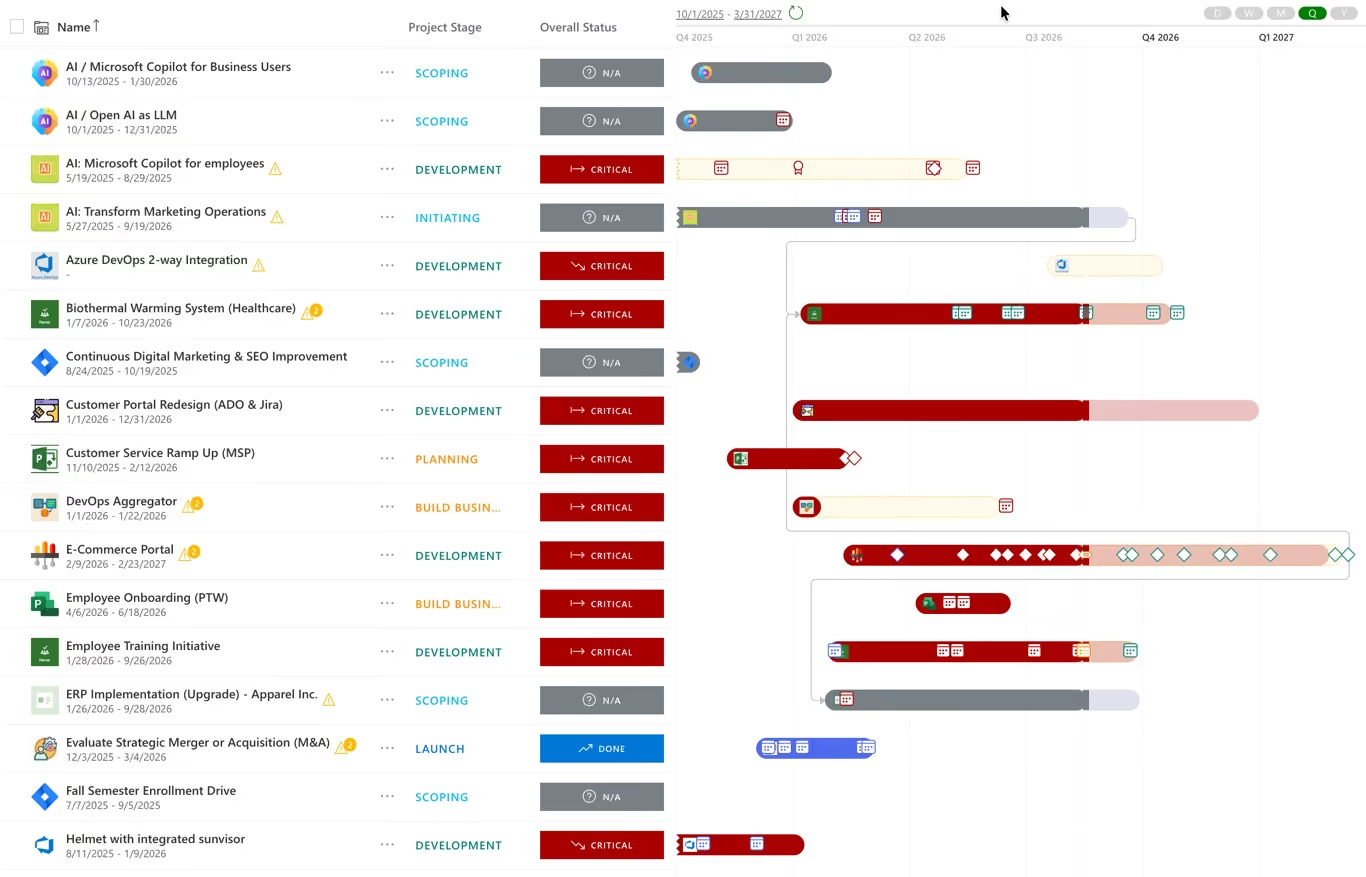
Illustrative product image from the PPM Express website. Product interfaces change over time.
Explore PPM ExpressThis is not a bake-off. Nobody loaded the same dataset into both products. What it does check is whether each vendor publicly documents a capability that meets the requirement, and what edition, integration or service you need to get it.
The full method is published. The eighteen requirements, the weightings, the three buyer scenarios, the evidence rules and the limitations are all set out on the comparison methodology page.
Requirement coverage, which Planisware product does what, integrations and pricing.
They target the same buyer — a project management office that needs portfolio governance without a multi-year implementation. Orchestra is stronger on stage-gated governance and waterline scenario analysis. PPM Express is stronger on two-way integration with delivery tools and on participation economics. Both are turnkey rather than heavily configured platforms.
Planisware publishes no Orchestra price anywhere, so there is no honest arithmetic to show. Its terms describe a named-user subscription licensed for a specified number of end users, paid in full at the start and non-refundable, which means participation has a per-head cost. PPM Express Ultra is $25,000 a year with unlimited users.
The vendor does not say. Planisware documents genuinely bidirectional Jira synchronization — every edit from either system synchronizes — but on a page scoped to Planisware Enterprise version 7.0.6 and above that does not mention Orchestra. The Orchestra Jira connector page makes outcome claims and never states direction or synced objects. Ask for it in writing.
Some of them. The one Orchestra-specific AI scope statement names three use cases: augmented report generation, risk management process support and schedule construction. Predictive risk scoring, machine-learning forecasting and portfolio optimisation are attributed to Planisware Enterprise, not Orchestra.
No. That is Planisware Horizon, a separate product positioned as IT strategic portfolio management that connects applications and IT services with investments. Orchestra documents no application, technology asset or capability model entity.
There is no way to say. PPM Express publishes $25,000 a year with unlimited users; Planisware publishes no Orchestra figure. This page states that rather than modelling one, because inventing a number for a competitor's column is how comparison pages lose their credibility.
Where funding, scoring, gates and benefits live. Strategic portfolio management
The constraint most portfolios actually fail on. Resource capacity planning and utilization
Test a funding mix before you commit to it. Portfolio what-if scenario planning
All material feature and pricing statements are based on public vendor sources accessed on or before August 29, 2026. Product packaging and functionality may change.
.svg)


