
Microsoft has not been updating Project Online since 2018. Microsoft Planner Premium is not a direct replacement for Microsoft Project Online - it is missing tons of features and capabilities.
Start with PPM Express - and we will migrate your projects from Microsoft Project Online instantly, for free to the PPM Express.
PPM Express supports 100% of the capabilities of Project Online, supports the Microsoft Project Desktop client, Microsoft Planner, and Microsoft Planner Premium and has Unlimited Users.



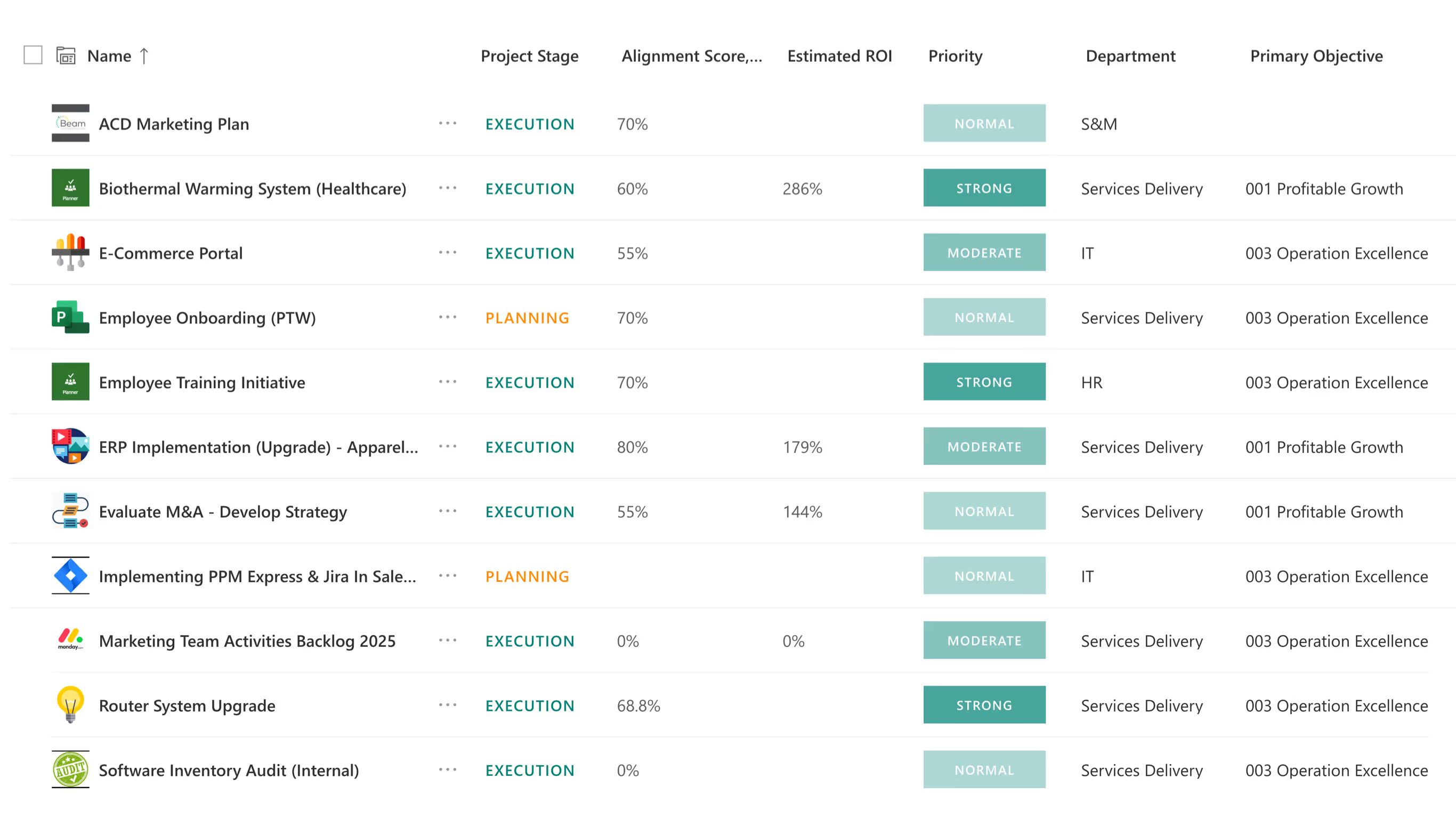

In today's dynamic business environment, managing projects and portfolios extends far beyond merely tracking tasks and timelines. It is fundamentally about connecting every initiative to your overarching strategy, optimizing every investment, and ensuring your teams consistently deliver tangible business value.
Envision a world where every project aligns seamlessly with strategic goals, resources are perfectly utilized, and real-time insights are always at your fingertips.
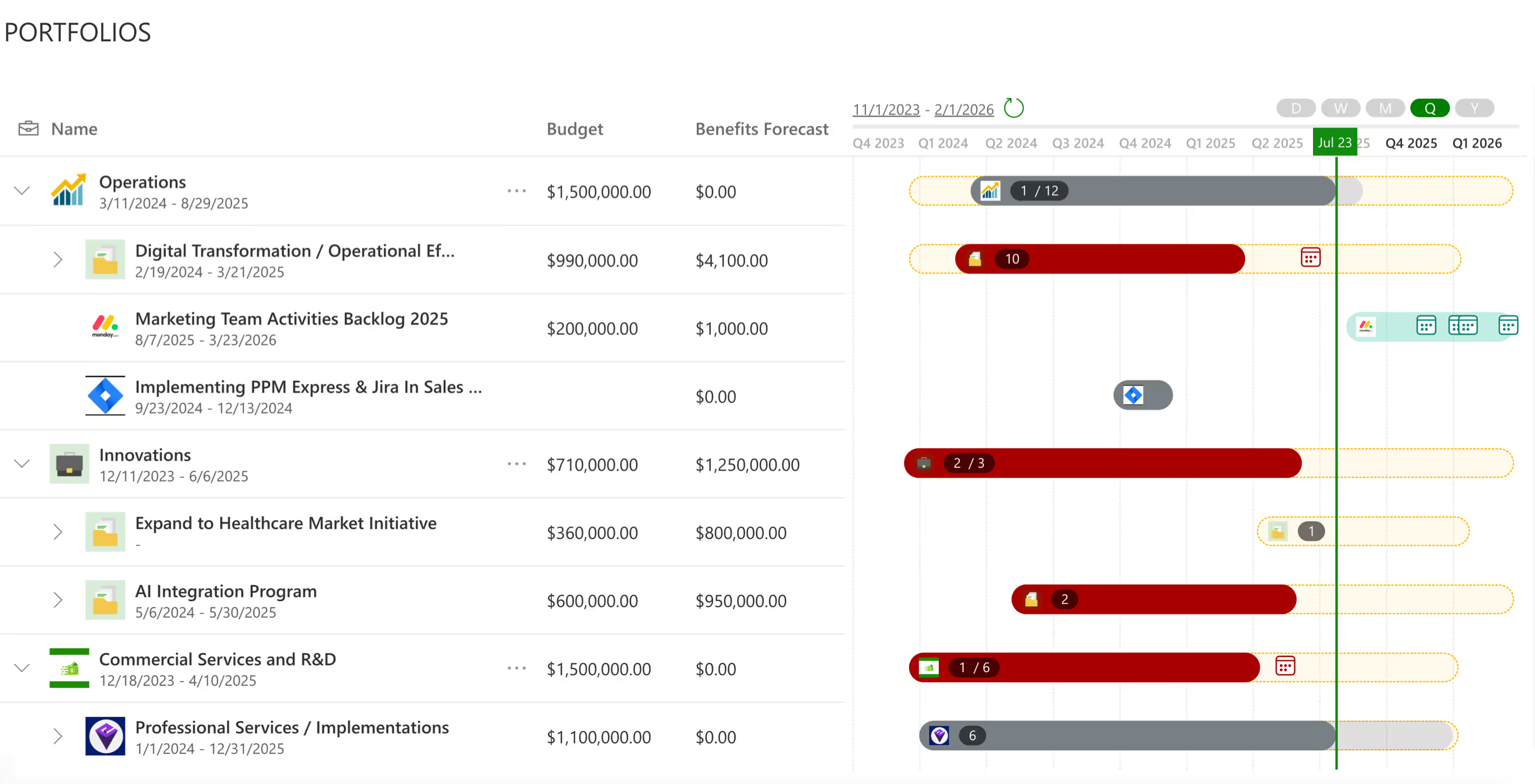
Your single source of timely and reliable information from initiatives and projects across all departments and tools. Keep focus on strategic objectives and delivering business results. Get immediately alerted of risks, delays, resource conflicts, budget overruns and take action.
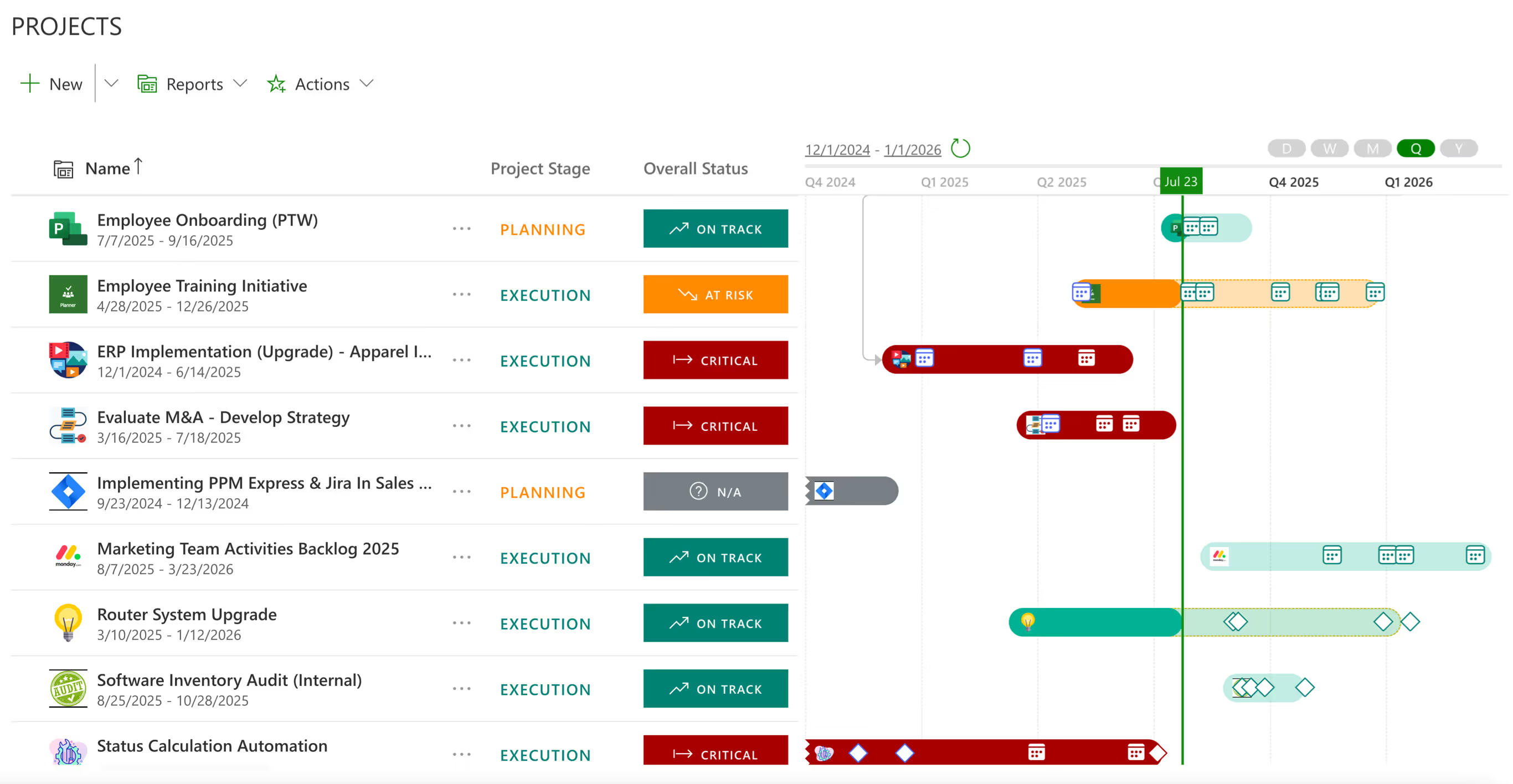
Make better strategic decisions on project priorities, use of resources, budget allocation, scheduling, and delivery. Realize greater project success and improved confidence of delivering customer commitments.

Our AI for Project Management automates & eliminates manual work that your Project Managers do every day.
We will give your Project Managers back at least 2 hours a week, 100+ hours/year.

Be forewarned of pending issues and risks and advised of options. Built-in dashboards and reports bring visibility to stakeholders. AI Insights guide new project managers while AI automation handles routine management and reporting tasks.

Easily adopt work management tools to boost team efficiency and capacity, while lowering costs, and reducing waste. You monitor your portfolio's health, identify risks, address constraints, re-evaluate budget allocations, re-deploy resources and reprioritize projects.

As a SaaS consumer, you are paying a constantly increasing, high price for complex traditional PPM tools, unused features, and runaway operational costs.
PPM Express is different. You get Unlimited Users and a Simple, Flat-Price Subscription save over 80% vs any competitor. Guaranteed.



Migrating from Microsoft Project Online, answered.
PPM Express has a built-in connector to Microsoft Project Online, so migration is a product capability rather than a consulting engagement. Project schedules are copied into PPM Express task management with the structure preserved — WBS and outline, Baseline 0, dependencies, lead and lag time, and custom fields. Because the connector does the work, there is no separate implementation fee.
No. Project Sites are not migrated. We recommend keeping enterprise documents where they already live — SharePoint, OneDrive or Microsoft 365 — and linking each project in PPM Express to its SharePoint site after migration. That leaves document governance with the platform built for it instead of duplicating a document store inside the portfolio tool.
Project schedules with their WBS and outline structure, Baseline 0, task dependencies, lead and lag time, and custom fields. What does not come across is Project Sites and anything that lived only in SharePoint alongside the project. Establishing that boundary at the start is usually the difference between a migration that finishes and one that stalls.
Usually one of three reasons. The administration overhead has outgrown the value it returns; the interface is too heavy for the people who need to read a portfolio rather than build a schedule; or delivery has spread into Azure DevOps, Jira, Planner, Smartsheet and monday.com, and Project Online can no longer see most of it. The third is the one that normally forces the decision.
No. Project Online stays a supported connection, so you can run both in parallel — read Project Online into PPM Express, prove the portfolio layer with real data, and move schedules when the organization is ready. Treating cutover as a transition rather than an event is how most enterprises do it.
Yes. One of the largest law firms in the United States — over 2,000 attorneys across 14 offices worldwide — runs 7 IT portfolios and more than 200 projects in PPM Express. Read-only portfolio access means the executives, finance partners and sponsors who only need to look at the portfolio do not have to be set up as full users.
Yes, and it is a common way in. A single PMO, IT function or business unit can run its own portfolio without a company-wide program, then extend once the model has proven itself. Nothing about the setup assumes you control the whole estate on day one.
A help centre, video guides, an in-product AI assistant and direct access to the support team, with a ticket for anything that needs a person. Enterprise migrations also run through the same discovery, demo and supervised trial sequence as every other engagement, so the first migration is not the first time anyone has looked at your data.
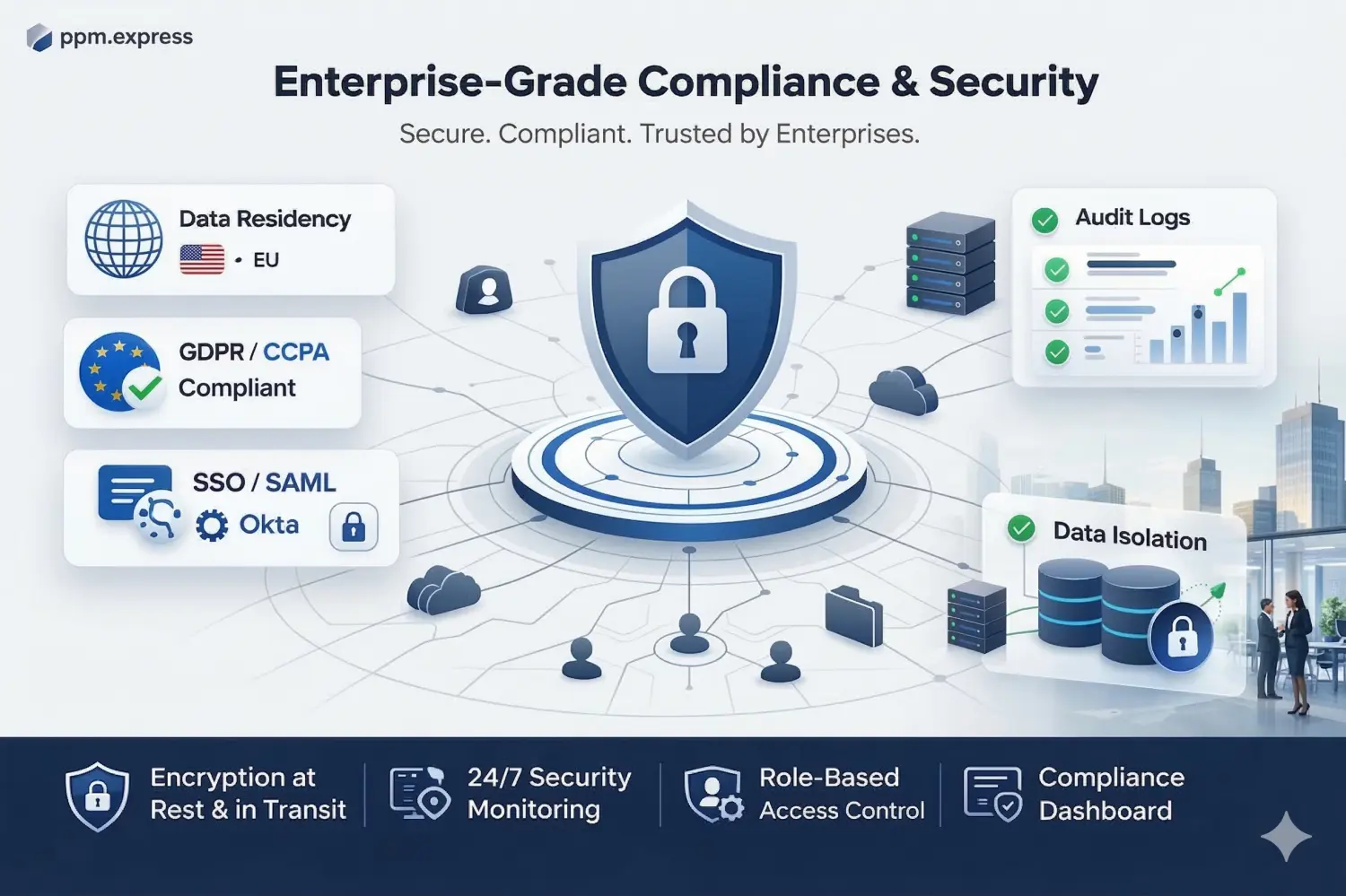
US and EU data residency, GDPR compliance, and custom DPAs where regulation requires them. Identity runs through Microsoft 365 or Okta SSO, with centralized user management, advanced permissions, detailed audit logs and strict data isolation.
Yes, and for a migration that matters more than a sandbox. The sequence is a discovery call, a demo against your scenario, then a supervised trial with your real schedules — because what you actually need to see is your own data arriving intact. No credit card is required to start.
A full refund within 30 days.



What leadership sees when every delivery tool reports into a single portfolio view.
Strategy

Capacity from real work weeks, so over-allocation surfaces before you commit.
Product

Portfolio dashboards and Power BI datasets built from live delivery data.
Product
Last updated 20 August 2026
.svg)


