
Looking for an Altus PPM alternative? This one is written for enterprise PMOs running a real evaluation. Eighteen requirements, the tier each capability actually ships in, both vendors’ published prices, and the Microsoft licences a Dataverse product needs on top.
Commercial disclosure: PPM Express produced and funded this comparison. Every assessment was drafted with AI from the vendors’ own published documentation, then reviewed and approved by PPM Express Analysts before publication. It evaluates publicly documented product capabilities against a defined requirement set; it is not independent analyst research or a benchmark test of both systems on the same dataset.Read the method
Altus is a serious piece of PPM engineering. Governance registers, resource planning, timesheets and financials are all documented in unusual technical detail, the data never leaves your own Microsoft tenant, and the Microsoft Project Desktop integration is the deepest in this comparison set. Two things shape the buying decision. Altus is built on Microsoft Dataverse, so every hands-on user needs a standalone Power Apps licence, which does not appear on the Altus pricing page, and a deployment of this kind normally sits on Planner and Project licensing as well. And the strategy, prioritisation, optimisation and benefits capabilities a portfolio office usually shops for sit in the top Strategy tier, not the Portfolio plan assessed here.
Primary trade-off: If your data residency requirements say the portfolio must live inside your own tenant, that is a genuine architectural difference Altus offers and PPM Express does not.
Primary trade-off: Every hands-on user needs a Power Apps licence bought from Microsoft on top, over and above the Planner and Project licensing a deployment of this kind normally sits on. Strategic goal tracking, prioritisation, optimisation and benefits realisation require the higher Strategy tier.
The default scenario is an enterprise hybrid PMO with 250 modeled users, 75 to 250 active initiatives, several delivery systems in play, and a need for centralized portfolio, resource, financial and executive reporting.
Wants everyone in the portfolio, governance across the tools teams already use, resource and financial control, and a cost that does not move when headcount does.
Leads at the default 250-user benchmark because the $25,000 annual plan includes unlimited users and broad participation is mandatory.
Functionally close on governance, resources and time. Per-seat Altus pricing on top of per-seat Power Platform licensing is what costs it on broad participation.
| Customer requirement | Priority | PPM Express | Altus |
|---|---|---|---|
Connect strategy, objectives, and execution Map initiatives to strategy and track progress against objectives or key results. Strategy | Mandatory | ✓ MeetsIncluded in UltraStrategy and OKR modules are included in the evaluated Ultra plan.Sources [2] | ◐ Partially meetsStrategy planStrategic Themes, Strategic Goals and Benefits are first-class records, and goals can be linked to projects. Strategic goal tracking sits in the Strategy tier rather than the Portfolio plan assessed here, and no objectives-and-key-results construct is documented.Sources [8], [10] |
Manage portfolio and project hierarchy with roll-ups Centralize initiatives and provide governed portfolio-level health, status, dates, risks, and decisions. Portfolio governance | Mandatory | ✓ MeetsIncluded in UltraUnlimited portfolio, program, and project management are included in the evaluated Ultra plan.Sources [2] | ✓ MeetsPortfolio planPortfolio, program and project are explicit Dataverse entities with lookups on the project record, and separate registers cover risks, issues, decisions, deliverables, change requests and lessons learned. Portfolio roll-up reporting is delivered as embedded Power BI dashboards rather than native views.Sources [9], [14] |
Capture ideas and prioritize proposed work Collect requests, score them consistently, and move approved initiatives into delivery. Intake & prioritization | Important | ✓ MeetsIncluded in UltraInnovation and ideation plus standard prioritization frameworks are included in the evaluated Ultra plan.Sources [2], [3] | ◐ Partially meetsStrategy planThe intake chain is documented end to end: challenges generate ideas, ideas generate proposals, approved proposals become projects, with an Intake Insights dashboard covering cost, ROI, effort and resource demand. The scoring and ranking half lives in the Strategy module and is sold in the Strategy tier.Sources [8], [9], [10] |
Compare advanced portfolio what-if scenarios Model competing investment mixes using strategy, budget, capacity, timing, targets, and dependencies. Portfolio modeling | Important | ◐ Partially meetsIn Ultra; depth worth checkingPrioritization, optimization, roadmaps and resource what-if reporting are all documented. If you model several competing investment mixes side by side, check that depth against your own decision process.Sources [3], [4] | ◐ Partially meetsStrategy planAn Optimisation feature finds the combination of initiatives that maximises strategic value within time and financial constraints, with named scenarios and IN/OUT grouping. It is part of the Strategy tier, not the Portfolio plan, and the documented constraint is budget rather than resource capacity.Sources [8], [10] |
Plan resource capacity and utilization Balance demand and capacity across roles, named resources, teams, projects, and time periods. Resources | Mandatory | ✓ MeetsIncluded in UltraThe evaluated plan supports hours, percent, and FTE planning, capacity, availability, and proposed and committed allocations.Sources [4] | ✓ MeetsPortfolio planResource management and resource plans are in the Portfolio tier. The model documents bookable resources, calendar capacity, requests and assignments, with role-level availability by month, demand forecasting across both proposals and active projects, and committed effort against timesheet actuals.Sources [9] |
Manage budgets, forecasts, actuals, benefits, and ROI Provide portfolio and project financial control and connect spend to expected value. Financials & benefits | Mandatory | ✓ MeetsIncluded in UltraBuilt-in financials support budgets, forecasts, actuals, benefits, fiscal and non-fiscal values, and estimated ROI.Sources [5] | ◐ Partially meetsPortfolio planBudget, forecast and actuals are three distinct financial types, with cost items grouped by financial category and actuals derived from approved timesheet hours at the resource cost rate. ROI and financial benefit fields exist on the project. Benefits realisation management is sold in the Strategy tier.Sources [8], [9] |
Support waterfall, agile, and hybrid delivery Allow teams to use native schedules or external delivery tools without losing portfolio governance. Delivery | Mandatory | ✓ MeetsIncluded in UltraNative task scheduling supports traditional, sprint, and task-list approaches; external schedules can be linked.Sources [1], [2] | ◐ Partially meetsPortfolio planWaterfall is the strongest case: an add-in puts Altus governance inside Microsoft Project Desktop. Agile is supported by federation rather than natively; the Work module documents tasks, deliverables and registers, not kanban boards, sprints or backlogs, and sprint publishing requires a Project P3 or P5 licence.Sources [9], [11] |
Track time and effort against work Capture actual effort for projects and tasks and use it in reporting and resource analysis. Time | Important | ✓ MeetsIncluded in UltraUnlimited time tracking, advanced approvals, and custom fields are included in the evaluated Ultra plan.Sources [2] | ✓ MeetsPortfolio planTimesheet management is in the Portfolio tier. Administrator-defined periods, entry against projects or tasks, submission gating, manager approval with comments, separate non-project time, and three automated reminder and notification workflows are all documented. Approved hours flow to financial actuals.Sources [9] |
Generate and distribute AI-assisted status reports Create standardized executive reports with AI narratives and scheduled PDF or email delivery. Executive reporting & AI | Mandatory | ✓ MeetsIncluded in UltraProject Story supports AI summaries, configurable single- and multi-page reports, scheduled PDF email, and unlimited recipients in the evaluated plan.Sources [6] | ◐ Partially meetsPortfolio planStatus reports run on projects and Altus ships paginated Power BI status reports for printing and export. The AI half is preview only: Altus states the Copilot solution is not included in the standard deployment and it is not accepting new deployment requests. Scheduled email distribution is not documented.Sources [9] |
Use AI for portfolio and project decision support Ask portfolio questions, identify risk, generate plans, summarize health, and automate routine management work. AI | Important | ✓ MeetsIncluded in UltraPPM Insights, status prediction, project digest, task and risk AI, schedule generation, and advanced AI agents are included in the evaluated plan.Sources [1], [2] | ◐ Partially meetsPortfolio planWhat is documented is the generic Power Platform AI layer surfaced through an AI Feature Settings page: form-fill suggestions, record summarisation and conversational assistance. Altus-specific portfolio decision support such as prioritisation recommendations or risk prediction is not documented.Sources [9] |
Consolidate delivery data from multiple work systems Roll up work from Jira, Azure DevOps, Planner, Project, Smartsheet, monday.com, and other systems into a portfolio view. Integrations | Mandatory | ✓ MeetsIncluded in Ultra, with setup conditionsStandard integrations plus two-way Jira and Azure DevOps are covered by this plan. Confirm setup and the conditions on each connected system.Sources [1], [2], [7] | ✓ MeetsPortfolio planThis is the core Altus proposition. The integrations list covers Microsoft Project Desktop, Planner, Jira, Azure DevOps, Oracle P6, Smartsheet, monday.com, ServiceNow and others, with Power Platform dataflows pulling external data into Altus entities so governance centralises while teams stay in their own tools.Sources [11], [12] |
Synchronize Jira and Azure DevOps work in both directions Create or update connected tasks and work items while preserving team execution in the source system. Bidirectional integration | Mandatory | ✓ MeetsIncluded in UltraTwo-way Azure DevOps and Jira synchronization is included in the evaluated Ultra plan and uses vendor-assisted setup.Sources [7] | ◐ Partially meetsPortfolio planAltus documents a unidirectional pull: dataflows retrieve data over OData into supporting entities, then plugins create, update or delete records inside Altus. Neither the Jira nor the Azure DevOps configuration page documents write-back. Altus does document write-back for Microsoft Project Desktop, so it describes bidirectionality where it exists.Sources [12] |
Provide API, Power BI, and workflow automation Enable enterprise reporting, data export, integration, and repeatable process automation. Data & automation | Important | ✓ MeetsIncluded in UltraREST API, Power Automate and Zapier connectors, built-in dashboards, and Power BI report packs are included in the evaluated plan.Sources [1], [2] | ◐ Partially meetsPortfolio planPower BI reporting is fully documented, and Power Automate flows plus business process flows cover workflow automation. Altus publishes no API reference or developer documentation of its own; the Dataverse Web API exists underneath but is not documented as a supported Altus integration surface.Sources [9], [16] |
Configure the platform without custom software development Allow PMO administrators to adapt fields, views, templates, rules, and workflows as practices mature. Administration | Important | ✓ MeetsIncluded in Ultra, configured by the PMOTemplates, custom fields, views, filters, layouts and modules are all administrator-managed.Sources [1] | ✓ MeetsPortfolio planThe Power Platform configuration surface is documented in detail: additional fields, calculated columns, forms and views, business process flows, Power Automate flows, command bar visibility and new security roles, with published guard rails on what blocks future updates and why production should carry no unmanaged layers.Sources [16] |
Support enterprise permissions, audit, and controlled environments Provide access controls, auditability, protected work, sandboxes, and environment options where required. Security & governance | Important | ✓ MeetsIncluded in UltraThe evaluated plan includes private projects, audit, advanced permissions, multiple tenants or sandboxes, dedicated hosting, and premium support options.Sources [2] | ◐ Partially meetsPortfolio planAuthentication is Microsoft Entra ID and the permission model is documented across organisation, business unit, user and none scopes. Data stays in the customer's own tenant and region, and Altus holds ISO 27001:2022. SOC 2 is stated as in progress, and SCIM provisioning, SSO configuration detail and application-level audit logging are not documented.Sources [9], [15] |
Allow broad participation without per-seat price growth Give employees, executives, team members, and viewers access without annual cost increasing for every additional user. Commercial model | Mandatory | ✓ MeetsFlat annual plan, UltraUltra is $25,000 per year with unlimited users. Enterprise is listed in the pricing reference table but is not used in the comparison calculations.Sources [1], [2] | ◐ Partially meetsPortfolio planThere is a cheaper participation tier but no free one. The Contributor seat is $5 per user per month, and no guest, viewer or external collaborator seat is documented. Every Contributor also needs a standalone Power Apps licence, which Altus lists as a minimum requirement down to the Team Member role, so the real floor is $25 per user per month rather than $5.Sources [8], [13] |
Run professional services delivery and profitability Manage client delivery, billable utilization, time, costs, charges, and profitability as an integrated operating model. Professional services | Optional | ◐ Partially meetsComponents included in UltraTime, resource planning, task costs, charges and profitability are all there. A complete native PSA operating model is not documented as one.Sources [1], [5] | ◐ Partially meetsPortfolio planThe building blocks exist: sell rate overrides on the project resources tab, timephased cost and sell rate analysis in Resource Insights, and cost actuals from approved timesheets. Margin as a delivered metric, invoicing, revenue recognition and billable flagging are not documented; Dynamics 365 Project Operations and Xero appear as integrations.Sources [9], [11] |
Map enterprise architecture and business capabilities Visualize initiatives, dependencies, capabilities, outcomes, and architecture relationships across the enterprise. Enterprise architecture | Optional | ◐ Partially meetsRoadmaps and strategy visualization in UltraRoadmaps and strategy visualization are available. A dedicated enterprise architecture model is not.Sources [1], [2] | ? Not verifiedPortfolio planNo official source documents enterprise architecture modelling, a business capability model, application portfolio management or capability-to-initiative mapping. The published entity relationship documentation and module list contain no architecture entities.Sources [9] |
How the score works: Meets = 1, Partially meets = 0.5, Does not meet = 0. Mandatory requirements weigh more than Important ones, and Important more than Optional. Read the table. The percentage is a summary of it, not the result.
Altus is built on Dataverse and delivered as model-driven apps. Its technical readiness documentation lists a standalone Power Apps licence as a minimum requirement for every role down to Team Member, and states plainly that the free Power Apps for Office 365 licence does not satisfy it. That is $20 per user per month before Altus charges anything, and it does not appear on the Altus pricing page. Add the Planner and Project Plan 3 licensing a governance layer of this kind normally sits on and the Microsoft side reaches $150,000 a year at 250 users, against a $45,120 Altus bill.
Altus splits its product across three tiers. Portfolio covers program, portfolio, resource and timesheet management. Strategic goal tracking, strategic prioritisation, optimisation and benefit realisation are all in the Strategy tier above it. If your business case is built on scoring the intake queue and modeling investment scenarios, the tier you need is $3,200 per month, not $2,560.
Altus consolidates delivery data from Jira, Azure DevOps, Project, Planner and others, and does it well; that is the core proposition. What the documentation describes is a pull. Dataflows retrieve external data over OData and plugins write it into Altus. Write-back is documented for Microsoft Project Desktop and not for Jira or Azure DevOps, so portfolio decisions do not travel back down into delivery tooling.
A comparison that only lists strengths is a brochure. Check each of these against your own operating model, the integrations you actually need, and how much implementation capacity you have.
Packaged enterprise PPM. One price, no seat count.
PMO product built on Microsoft Dataverse and the Power Platform.
The short version: PPM Express if you want one predictable annual number and unlimited participation. Altus if the portfolio data has to live inside your own Microsoft tenant, you already hold Power Apps and Project licences, and Microsoft Project Desktop is still the scheduling tool of record.
Every figure here is an annual cost. Altus publishes its prices, which is more than most vendors in this category do, and the platform fee bundles ten Manager licences. That fee is not the whole cost. Altus runs on Microsoft Dataverse, and its own technical readiness documentation requires a standalone Power Apps licence for every hands-on user, bought from Microsoft on top of the Altus fee. In practice a product of this kind is deployed as a governance layer over Microsoft Planner and Project rather than instead of them, so the model below also carries Planner and Project Plan 3. The rows below show both sides of that bill.
Pricing was verified from each vendor’s public website on August 23, 2026.
Default summary scenario: 250 users. Official pricing sources: PPM Express [19], Altus [8] and Microsoft [17][18].
Calculation assumption: the Altus Portfolio platform fee is held at its published $2,560 per month at every user count, the ten Manager licences it includes are counted, and every remaining user is priced at the cheapest published seat, the $5 Contributor. So Altus annual cost = $30,720 + (users − 10) × $5 × 12 + users × $50 × 12. That is deliberately generous to Altus on two counts: a real PMO needs Manager seats at $10 rather than Contributor seats for anyone who creates projects or runs reports, and the Strategy tier at $3,200 per month is the one that carries strategic goal tracking, prioritisation, optimisation and benefits realisation. Microsoft list prices read on August 23, 2026 are $20 per user per month for Power Apps Premium, which falls to $12 above 2,000 seats, and $30 for Planner and Project Plan 3. The Power Apps licence is a documented Altus requirement, listed as a minimum for every role down to Team Member. Planner and Project Plan 3 is a modeling choice rather than a vendor requirement: Altus lists Planner and Project licences under optional additional scenarios, but a product of this kind is normally bought as a governance layer over Planner and Project scheduling rather than as a replacement for it, so the model carries the licence that assumption implies. Strip that line if your teams will not schedule in Project. Power BI Pro is deliberately excluded from both sides, because both products report through Power BI and most Microsoft-standardized organizations already hold it. PPM Express Ultra remains $25,000 per year with unlimited users and requires no Power Platform licences. Three-year figures assume unchanged list prices and no discounting. Taxes, implementation, migration, support and professional services are excluded on both sides.
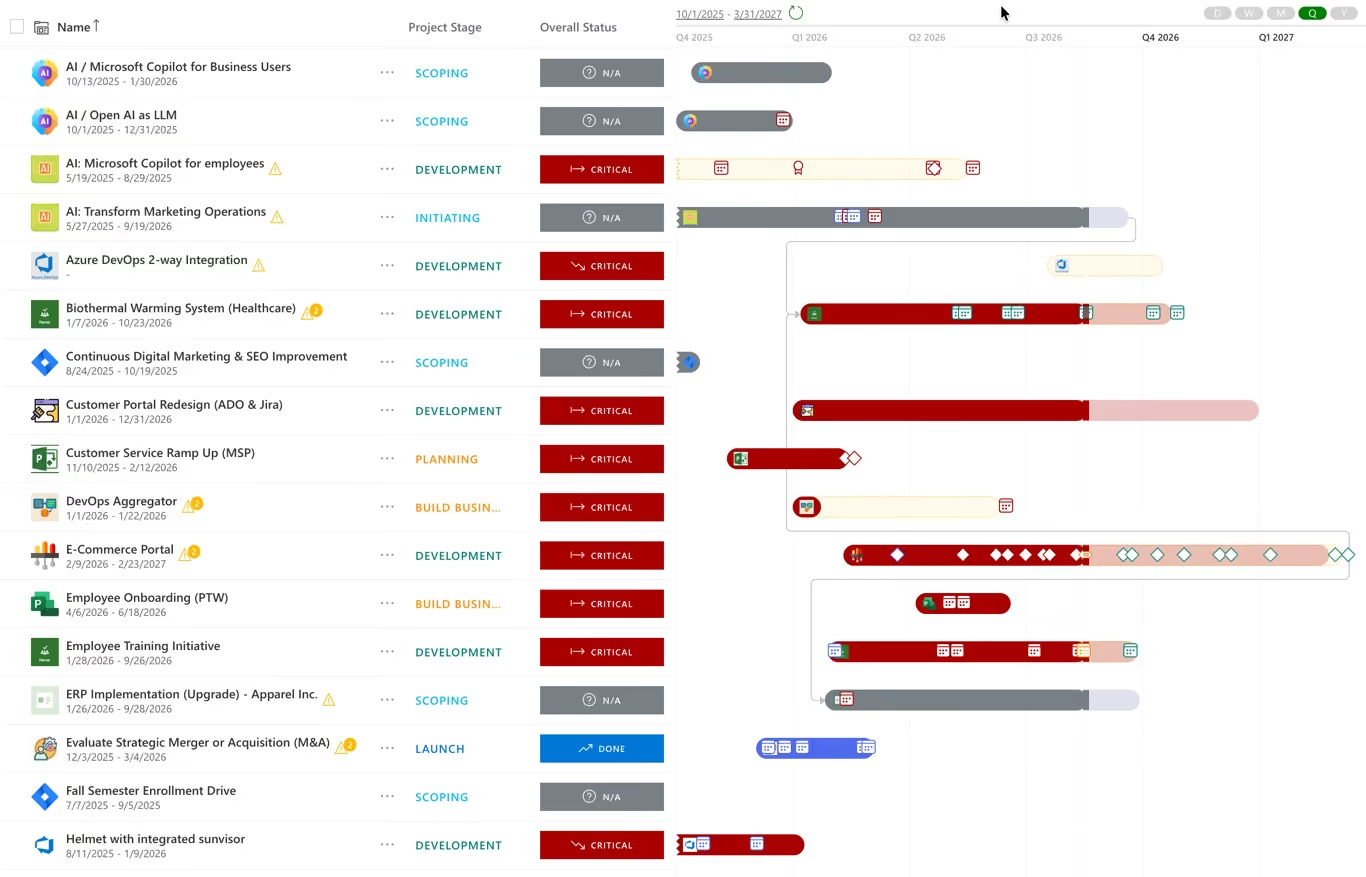
Illustrative product image from the PPM Express website. Product interfaces change over time.
Explore PPM ExpressThis is not a bake-off. Nobody loaded the same dataset into both products. What it does check is whether each vendor publicly documents a capability that meets the requirement, and what edition, integration or service you need to get it.
The full method is published. The eighteen requirements, the weightings, the three buyer scenarios, the evidence rules and the limitations are all set out on the comparison methodology page.
Requirement coverage, Power Platform licensing, integrations and published pricing.
For most enterprise PMOs, yes, and the deciding factor is usually commercial and architectural rather than functional. Both cover a lot of the same PPM ground. PPM Express is one annual fee with unlimited users and no Power Platform dependency. Altus is a tiered platform fee plus per-seat pricing plus a Microsoft licence for every person who opens an app or a report. Altus is the stronger answer when the data has to stay in your own tenant.
The Portfolio tier is $2,560 a month, or $30,720 a year, including ten Manager seats. Pricing the remaining 240 people at the cheapest published Contributor seat adds $14,400. On top of that Altus requires a standalone Power Apps licence for every hands-on user, and a deployment of this kind normally sits on Planner and Project Plan 3 as well. At Microsoft list prices that is $150,000 a year for 250 people, so roughly $195,120 all in, against $25,000 for PPM Express Ultra.
Yes. Altus is built on Microsoft Dataverse and delivered as model-driven apps, and its technical readiness documentation lists a standalone Power Apps licence as a minimum requirement for every hands-on role, including Team Member. It states explicitly that the free Power Apps for Office 365 licence does not meet that requirement. Since Power Apps per app went end of sale for new customers in January 2026, the licence to budget for is Power Apps Premium at $20 per user per month.
Not as a documented requirement. Altus lists both under optional additional scenarios: a Project Plan 3 or Plan 5 licence for people who schedule in Microsoft Project Desktop or publish task boards and sprints, and Planner Premium scenarios that need a Planner or Project plan. Basic Planner task work is covered by an ordinary Microsoft 365 E1, E3 or E5 subscription. In practice, though, Altus is bought as a governance layer over Planner and Project rather than instead of them, which is why the pricing model on this page carries Planner and Project Plan 3. If your teams genuinely will not schedule in Project, take that line out. The one licence Altus does document as a hard minimum is Power Apps, for every role down to Team Member.
Strategic goal tracking, strategic prioritisation and benefit realisation management, plus the Optimisation feature that models which combination of initiatives maximises strategic value within budget constraints. If your evaluation is built on intake scoring or investment scenario modeling, price the Strategy tier at $3,200 per month rather than the Portfolio tier.
Where funding, scoring, gates and benefits live. Strategic portfolio management
The constraint most portfolios actually fail on. Resource capacity planning and utilization
Test a funding mix before you commit to it. Portfolio what-if scenario planning
All material feature and pricing statements are based on public vendor sources accessed on or before August 21, 2026. Product packaging and functionality may change.
.svg)


