
PPM SOFTWARE for Microsoft Planner
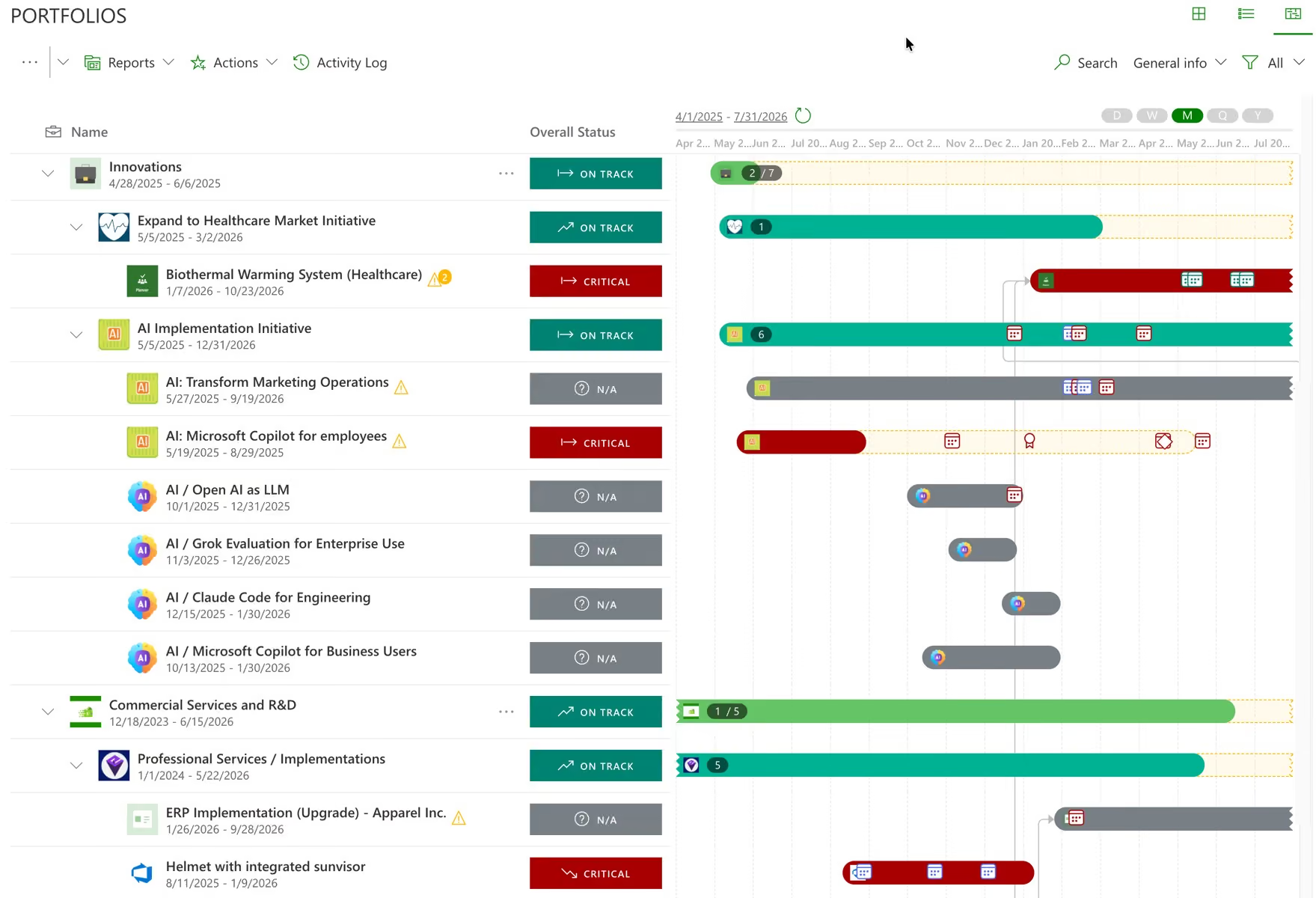
Planner sprawls by design — anyone in Microsoft 365 can start a plan. Choose which ones belong in the portfolio and leave the rest alone. Connecting takes minutes, works for both Planner and Planner Premium including plans created inside Teams, and changes nothing your teams see.
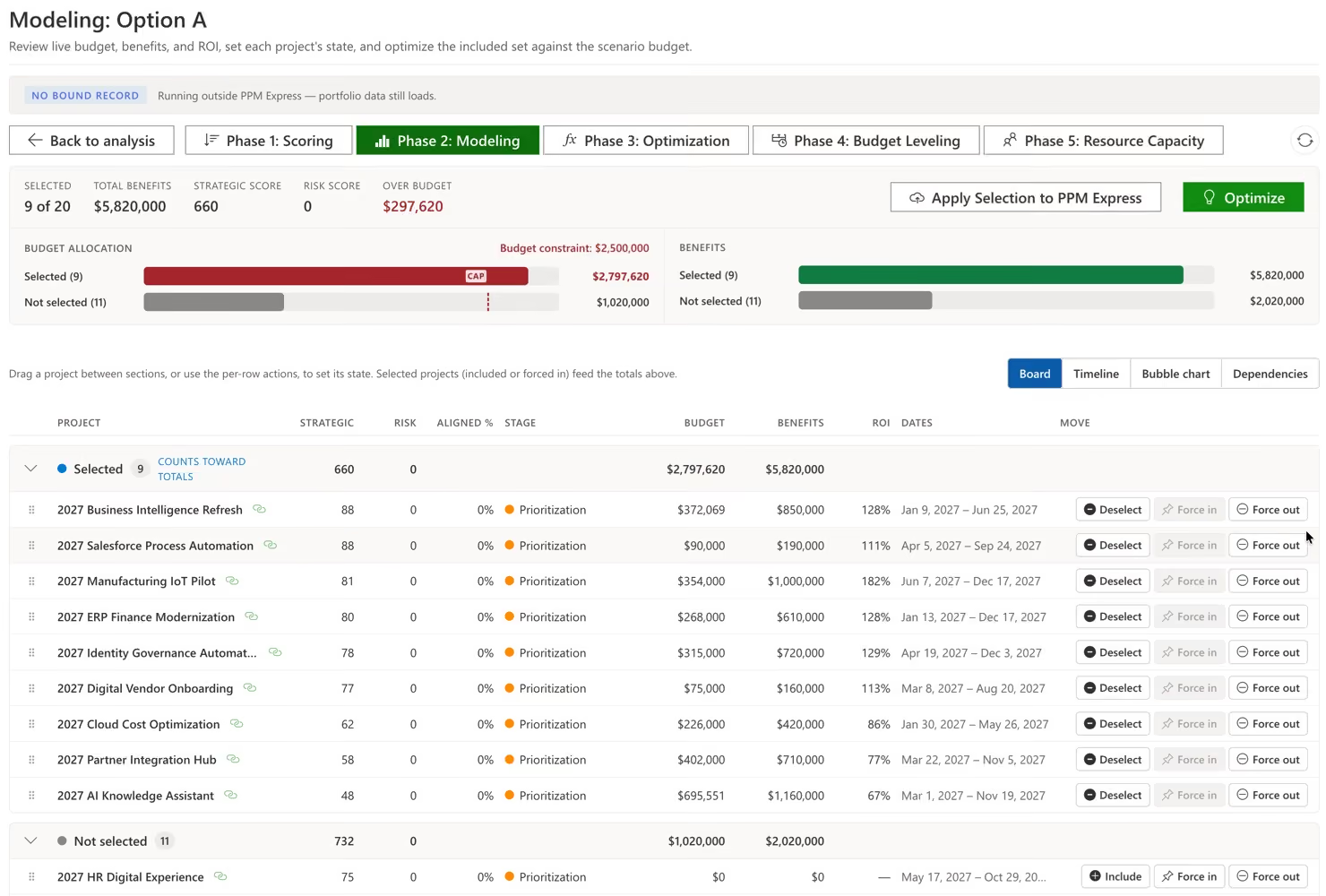
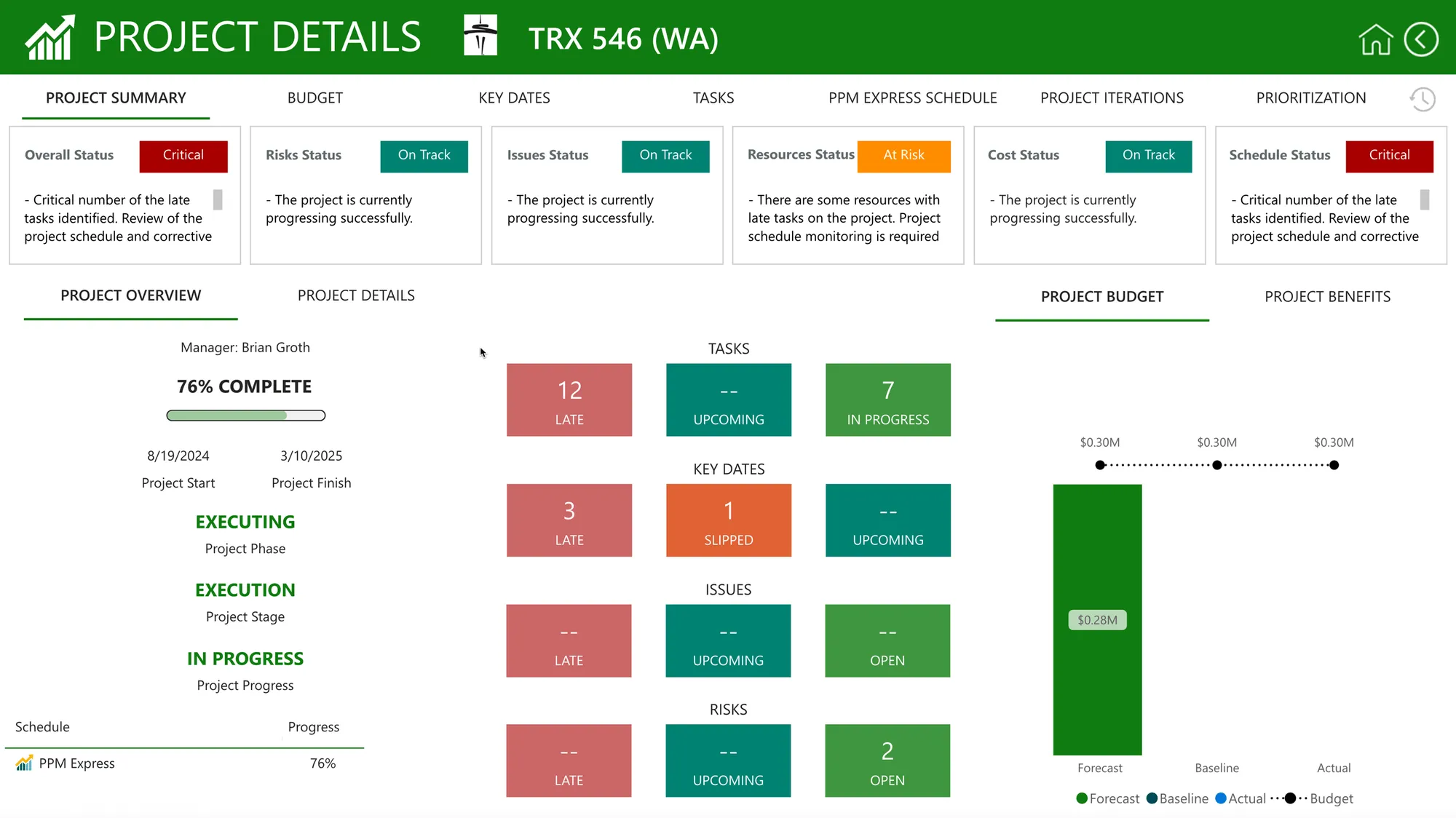
Group plans into portfolios and programs, and attach everything a task board cannot hold: budget and forecast, benefits, strategic score, risks and issues, and the people who have to deliver it.
Prioritise, fund and sequence in PPM Express, and test the result against the capacity you actually have. Your teams carry on in Planner and never see the machinery above them.
Start from what Planner already does, then look at what each option adds on top. Most products in this space are Power Platform solutions deployed into your own Dataverse environment — a real architectural choice with real advantages. Here is the coverage side by side, and what each costs once Microsoft licensing is counted.
| PPM Express | Microsoft Planner | Altus | pmo365 | Wellingtone Accelerator+ | |
|---|---|---|---|---|---|
| Deployment model | Hosted SaaS | Microsoft 365 | Your Microsoft tenant | Your Microsoft tenant | Your Microsoft tenant |
| Connects Microsoft Planner | Both editions | Native | Yes | Yes | Premium only |
| Extra Microsoft licences to use it | None | Premium for scheduling | Power Apps per user | Power Platform | Planner Premium |
| Portfolio and program hierarchy | Yes | Portfolios, Premium | Yes | Yes | Yes |
| Resource capacity planning | Yes | Workload view | Yes | Yes | Plugin for advanced |
| Budgets, forecasts and benefits | Yes | No | Yes | Yes | Plugin for advanced |
| Risks, issues and decisions | Yes | No | Yes | Yes | Yes |
| Stage-gate intake and approvals | Yes | No | Yes | Yes | Yes |
| What-if funding scenarios | Yes | No | Strategy tier | Not published | No |
| Jira and Azure DevOps in the same portfolio | Yes | No | Yes | Yes | No |
| Power BI reporting pack | 200+ reports | No | Yes | Yes | 20+ reports |
| Implementation | Included onboarding | None needed | Scoped separately | Included in subscription | $19,950 fixed price |
| Unlimited users included | Yes | Per user licence | 10 Managers, then per seat + MS licenses | Microsoft licences apply | Microsoft licences apply |
| Typical annual cost | from $8,000/year | Included, or per user | $30,720 plus seats | $31,200 | $19,950 once, plus licences |
Microsoft Planner on its own is the baseline every option here is built on top of, and for a single initiative it is often all you need. Basic comes with Microsoft 365; Premium adds scheduling, dependencies, workload views and Portfolios for rolling several Premium plans together. What no edition holds is budget, benefits, capacity or risk — which is why a portfolio conversation always ends up somewhere else.
Altus is a mature Dataverse PPM product with genuinely complete governance registers and a Microsoft Project Desktop add-in deeper than anything else here. The Portfolio tier lists at $2,560 a month, $30,720 a year, with ten Manager licences bundled; everyone else is a per-seat Contributor or Manager on top, and every hands-on user also needs a Power Apps licence bought from Microsoft. If portfolio data has to stay inside your own tenant, that is a real advantage we do not offer.
pmo365 publishes a Self-Managed tier at $2,600 a month, $31,200 a year, and includes deployment, configuration and support in that figure rather than charging separately — unusual in this category and worth crediting. You own the data and the IP in your own environment. The Power Platform licensing underneath is still yours to buy, and the solution library is broad enough that reaching a first useful portfolio is a configuration exercise rather than a connection.
Power Framework and Wellingtone both ship partner-built Planner apps into your own tenant. Power Framework for Planner is an entry point — a Foundation app with gates, risks, benefits, status collection and Power BI, live in about two weeks with implementation, training and a year of support included; scenario modelling and multi-tool integration sit in their fuller PPM product, and pricing is not published. Wellingtone's Accelerator+ has the clearest commercial model here at $19,950 fixed price with no third-party licence and no monthly fee, from the 2025 global Microsoft Partner of the Year for PPM; it is built on Planner Premium, so Basic plans are out of scope and advanced resource, cost and dependency capability are paid plugins. The table column shows Accelerator+.
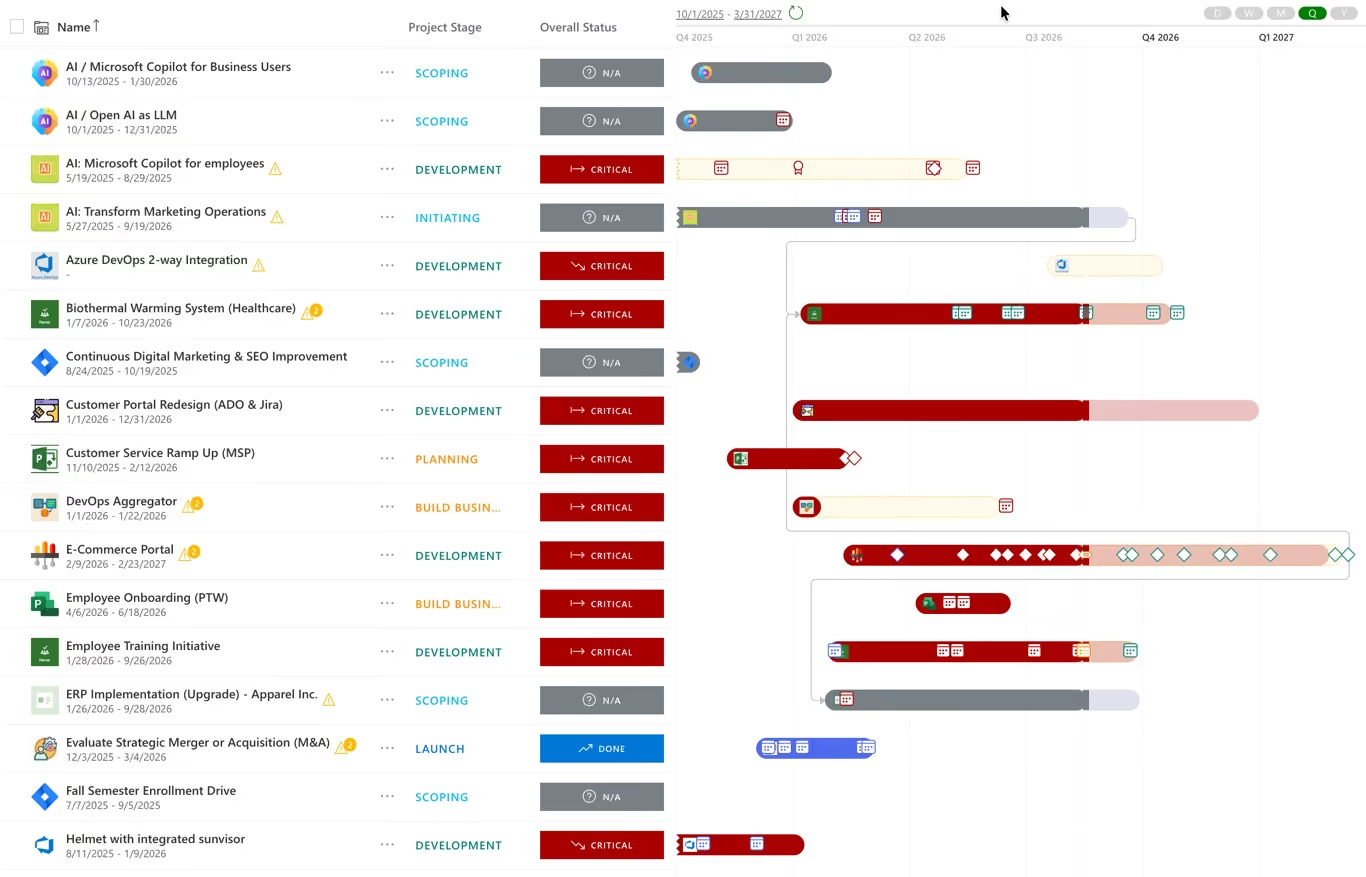
PPM Express is the one option here that is not a Power Platform build. There is nothing to deploy into Dataverse, no Power Apps licence per user, and no configuration project before the first portfolio view — you connect the plans and read the portfolio. Planner Basic is in scope alongside Premium, and Jira, Azure DevOps, Microsoft Project, Smartsheet and monday.com roll into the same portfolio, which matters once delivery is not all in Planner. The trade-off is honest: your portfolio data is hosted by us rather than sitting in your own tenant. If tenant residency is a hard requirement, one of the four above is the better answer.
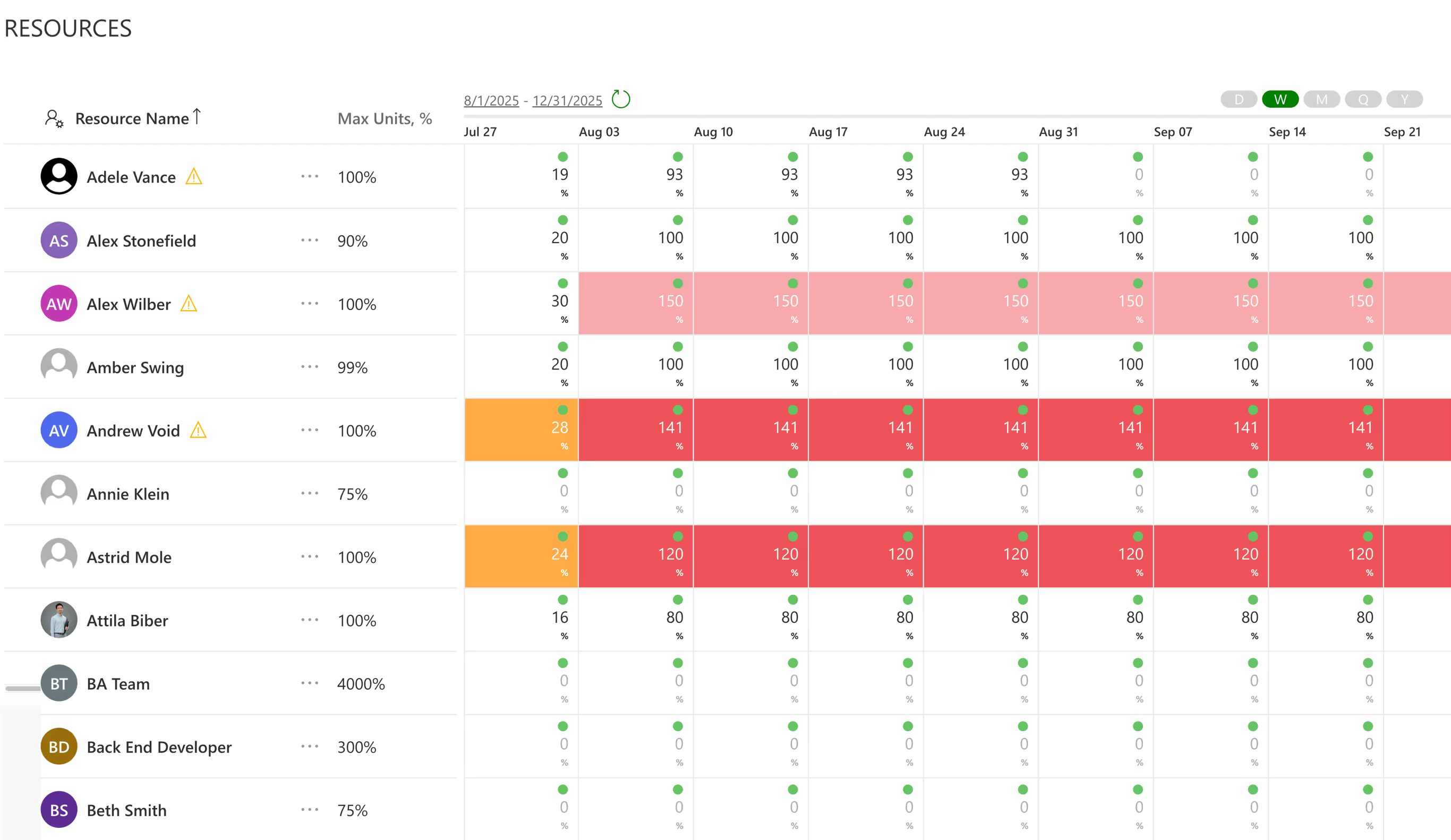
A bucket board has no dependencies, no milestones and no view across plans. Planner tells you a task is assigned; it does not tell you whether that person has any time, what the initiative costs, what it is expected to return, or what might stop it. PPM Express puts all of that on top of the plans you already keep.
Security & Trust
Enterprise-grade security is built into our platform. We offer US and EU data residency, full GDPR compliance, and custom DPAs to meet strict regulatory requirements.
Need app availability in your region/country to meet data residency requirements? We can provide.
Microsoft 365 and Okta SSO ensure secure identity management, while centralized user management, advanced permissions, detailed audit logs, and strict data isolation protect sensitive enterprise data.
Bring your security reviewers to the same call.
Book Enterprise Demo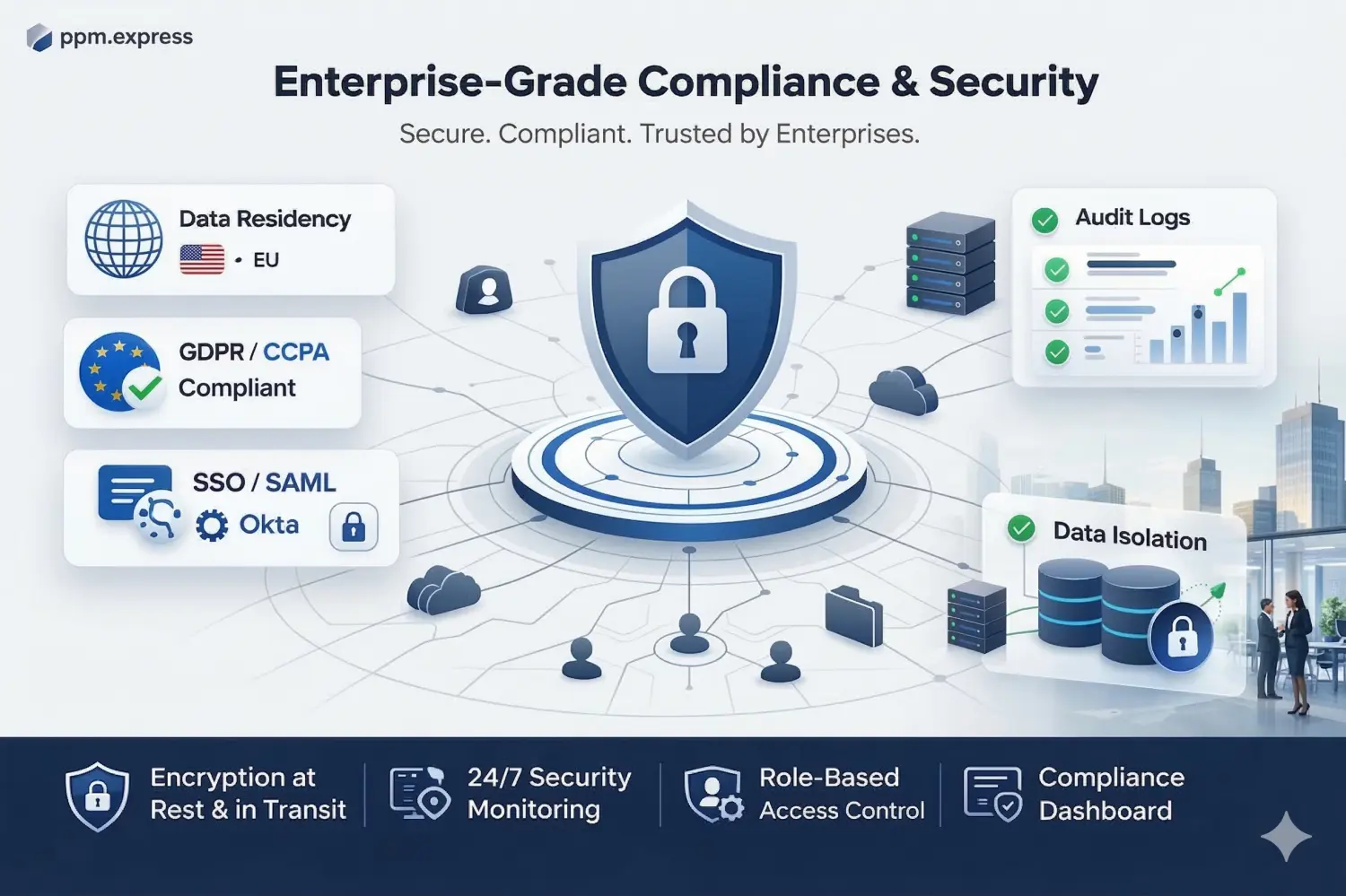


What our clients say
250+
Customers
use our software daily
100 hours
Saved every year
on monitoring state and statuses of projects, per PM
100K+
Projects
tracked on the PPM Express platform
Unlimited
Users
on every paid plan, so visibility is never rationed
Data residency
US & EU Data Residency
Encrypted in transit and at rest, with SSO, audit logs and tenant isolation. No customer data used to train AI models.
Reporting
200+ ready-to-use reports
Power BI reports built on live portfolio data, so stakeholders get self-service dashboards instead of a request queue.
Pricing
One flat annual subscription
$25,000/year for large enterprises, $8,000/year for SMB. No per-seat penalty.

Jira, Azure DevOps, Planner, Microsoft Project, monday.com and Smartsheet in one portfolio
Integrations


Capacity from real work weeks, so over-allocation surfaces before you commit
Product

Status summaries drafted from live plan data, reviewed and distributed on a governed schedule
Product
Last updated 9 September 2026
PPM for Microsoft Planner and Planner Premium, answered.
Not on its own, in either edition. Planner is work management: plans, buckets, tasks and assignments, with Premium adding scheduling and Portfolios for Premium plans. Neither edition has resource capacity, budgets or benefits, or a risk register, so neither can answer what the organization is delivering, what it costs, or whether the people exist to deliver it. PPM Express adds that layer while the plans stay in Planner.
No. Nothing moves and nothing is rebuilt. PPM Express reads the plans you choose to connect, and your teams carry on in Planner exactly as before. If you disconnect later, Planner is untouched.
One-way, for both editions. Plans, buckets and tasks are read into PPM Express and nothing is written back to Planner. Planner stays the single source of truth for the work, which keeps the connection simple to approve and impossible to disrupt.
Yes. Both editions connect and both roll into the same portfolio, including plans created inside Microsoft Teams. Premium adds richer scheduling, dependencies and licensing on the Microsoft side; from the portfolio side it makes no difference which edition a plan came from, and an organization running a mix of the two sees one portfolio, not two.
Plan data only: plans, buckets, tasks, assignments, dates and progress. There is no access to Teams conversations, SharePoint files or mailboxes, which tends to keep the security review short. Identity runs through Microsoft 365 or Okta SSO.
You decide which plans are promoted into the portfolio. Plans a team creates for its own week stay where they are; the ones that represent funded initiatives are connected and given an owner, a budget and a place in a program. Sprawl stays in Planner, where it does no harm.
No. The people doing the work stay in Planner and never open PPM Express. Accounts are for the people asking portfolio questions: the PMO, sponsors, finance partners and leadership. A portfolio tool that makes delivery teams maintain a second set of records is a portfolio tool holding stale data by the end of the quarter.
That is the normal case, and it is a common reason enterprises adopt PPM Express. Planner, Jira, Azure DevOps, Microsoft Project, Smartsheet and monday.com are all supported connections and roll into one portfolio. No group of teams migrates, and nobody maintains a sync layer between trackers purely to produce a leadership report.
The opposite. The portfolio layer is deliberately separate from the tool the work sits in, so different teams can use different tools and a team that outgrows Planner can move to Jira, Azure DevOps, Microsoft Project, Smartsheet or monday.com without the portfolio being rebuilt. Only the connection behind it changes.
Because the pack was built by hand at a point in time and the plans moved afterwards. Reading the portfolio live from Planner removes the gap. When dates or completion change upstream after you have built an analysis, PPM Express shows you exactly what moved and asks whether to take it, rather than absorbing the change silently.
Yes. PPM Express is used by enterprises running hundreds of initiatives across multiple portfolios, with delivery spread across Planner and other tools. Leadership works from live progress, capacity, cost and risk, with reporting automated across every portfolio rather than assembled for each review.
Portfolios roll several Planner Premium plans into one view, and for an organization that is entirely on Premium it may be enough. Two limits are worth knowing before you rely on it: Microsoft documents that Portfolios do not cover Basic plans, and creating or editing one requires a Plan 3 or Plan 5 licence. Beyond that, a portfolio view of tasks is still a view of tasks — capacity, budget, benefits and risk are not held in Planner in either edition.
No. PPM Express connects to Planner Basic plans as well as Premium, so the portfolio does not depend on which Microsoft tier a team happens to hold. If you already run Premium, those plans connect the same way and sit in the same portfolio.
.svg)


