
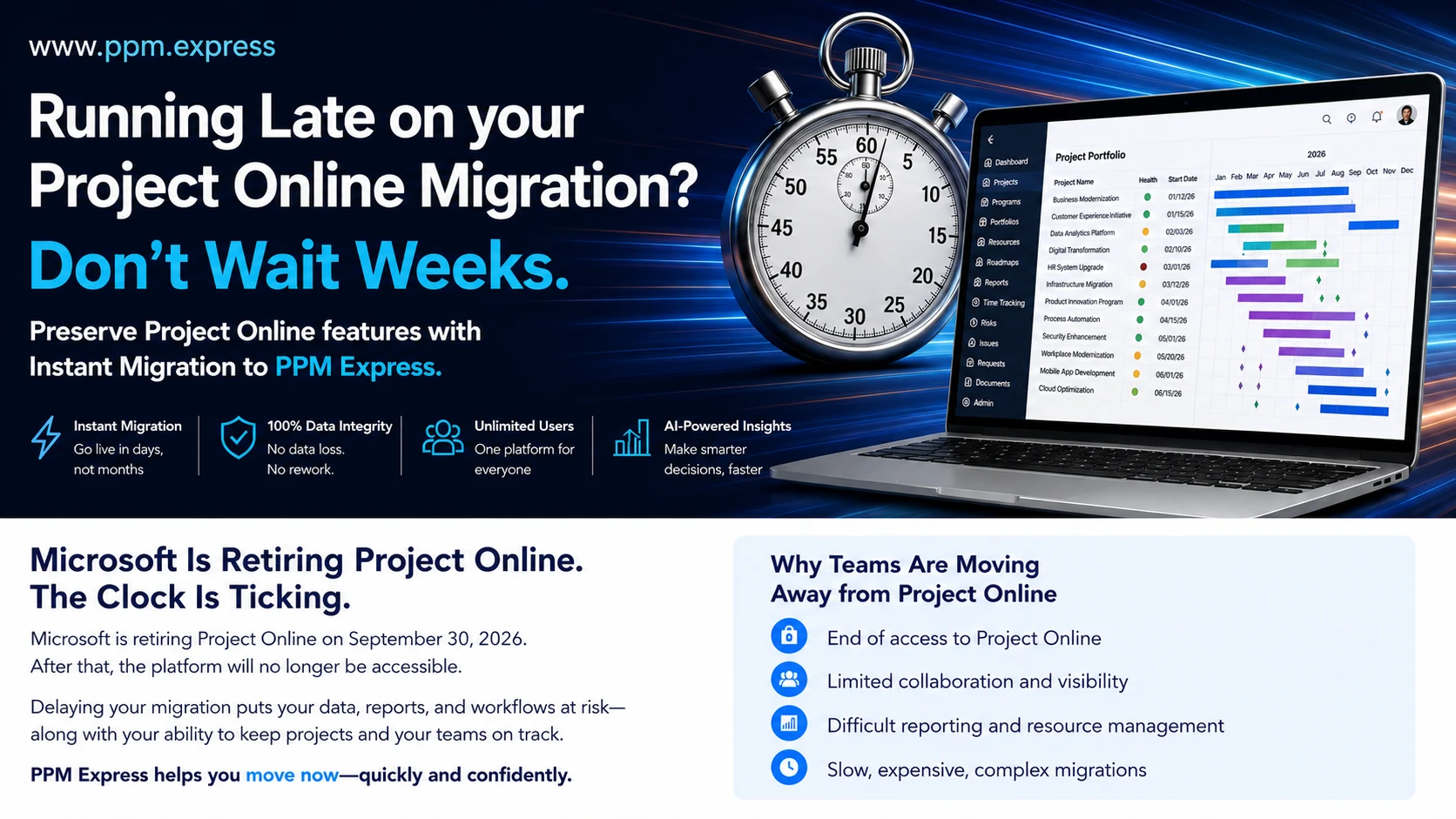

Microsoft Project Online will officially retire on September 30, 2026. After retirement the service will no longer be available, which turns migration from a future modernization initiative into a business-continuity decision.
Verified September 2026: Microsoft lists September 30, 2026 as the retirement date for Project Online. The retirement applies specifically to Project Online. It does not retire Microsoft Project desktop, Project Server Subscription Edition, or Microsoft Planner. Existing Project Online customers can continue using the service until the retirement date. Sources: the Microsoft Project Online lifecycle page and the Microsoft retirement announcement.
If your organization is still planning, evaluating vendors, or waiting for a long consulting engagement to begin, the instinct may be to accept a minimal move and rebuild everything later. That usually creates two projects: an emergency data extraction now, and a real portfolio transformation afterward.
There is a more direct route. PPM Express includes a built-in connection for Project Online and an automated migration path designed to move essential project structures into a modern portfolio platform quickly. You can begin with the data you have, validate it with the people who know it, and improve the operating model without putting continuity at risk.
Migrate instantly now. Use PPM Express free until December 31, 2026. If you are moving off Microsoft Project Online, migrate with the built-in connector and run PPM Express at no cost through December 31, 2026. Connect your environment, migrate your projects, and prove the result against your own data before you commit budget. Start your migration.
The deadline is now an operational issue
A migration can look deceptively simple when it is described as moving project records from one system to another. Project Online, however, is usually woven into years of portfolio decisions: project hierarchies, custom fields, baselines, dependencies, status conventions, reporting logic, permissions, and links to SharePoint or other Microsoft 365 services.
The most common late-stage risk is not that the technology cannot move data. It is that the organization burns its remaining weeks debating a perfect future-state design while the current-state data sits unprofiled. Every unresolved question then becomes a discovery exercise during cutover.
The practical goal is not to reproduce every historical workaround. It is to preserve the information and controls the business relies on, establish a trusted portfolio view, and create a safe path to improve what comes next.
Start by separating three categories:
- Must preserve: information required for delivery, financial oversight, auditability or active decision-making.
- Should redesign: processes that still matter but can be simplified in a modern platform.
- Can retire: stale data, duplicate fields, abandoned workflows and reports nobody acts on.
This classification reduces scope without sacrificing continuity. It also gives your validation team a clear standard: the migration is successful when decision-critical information is complete and usable, not when every obsolete configuration has been recreated.
What a credible migration needs to preserve
Your exact migration boundary depends on how Project Online was configured. Assess these six areas before you move anything.
A note on scope before you read further. Project Online configurations vary substantially between tenants, so the migration boundary described below should be validated against representative projects from your own environment during a supervised trial rather than assumed from any published list — this one included.
Project schedule structure
Project schedules are not flat task lists. The work breakdown structure, outline, milestones, task relationships, lead and lag time and baseline context all contribute to how a plan is understood. The PPM Express automated migration is designed to carry over schedules with their WBS and outline structure, Baseline 0, dependencies, lead and lag time, and custom fields.
Portfolio metadata and governance
Departments often use enterprise custom fields to classify initiatives, assign ownership, indicate strategic alignment, track stage gates and drive reports. Inventory the fields that still drive prioritization, funding, governance or executive reporting. Map those first. Clean up low-value fields after cutover, not before it.
Resource and capacity context
A project plan without capacity context can preserve dates while losing the reason those dates were credible. List the resource assignments, roles, calendars and utilization views your current planning actually depends on. Validate capacity results with resource managers, not only with the migration team.
Reporting and decision logic
Do not migrate reports simply because they exist. Name the reports that support a recurring decision, the metrics that feed leadership reviews, and the calculations that need a historical baseline. Rebuild the decision path, not the old report's formatting.
Documents and Project Sites
Project Sites are not part of the automated PPM Express migration. That boundary should be explicit from day one. Enterprise documents can remain in SharePoint, OneDrive or Microsoft 365, with each PPM Express project linked to its existing site. This keeps document governance in the platform built for it and avoids duplicating a document repository.
Identity, permissions and audit requirements
Executives, portfolio managers, project managers, finance partners, sponsors and delivery teams do not need identical access. Define target roles, sensitive-data boundaries and audit expectations before you onboard anyone beyond the pilot. A rushed move should never become a reason to weaken governance.
What instant migration means in practice
Traditional migrations are often sold as long consulting programs because much of the effort is manual: export, transform, map, rebuild, import, reconcile and repeat. PPM Express changes that starting point with a built-in Project Online connector, so migration becomes a product capability rather than a custom data-conversion project.
Instant does not mean that governance decisions disappear or that validation can be skipped. It means the organization does not need to wait weeks for a bespoke migration mechanism before it can see its Project Online data in the target platform. The sequence is:
- Connect the environment. Establish secure access to the source and confirm the Project Online scope.
- Select and migrate projects. Use the automated path to bring eligible schedule structures and project information into PPM Express.
- Validate representative data. Check active, complex, old and edge-case projects before expanding the batch.
- Reconcile critical controls. Confirm baselines, dependencies, custom-field mappings, ownership, status and reporting outputs.
- Transition users by role. Move portfolio consumers, project managers and governance teams with role-specific guidance.
Fast is valuable when it shortens the time to evidence. The sooner your own projects are visible in PPM Express, the sooner business owners can validate facts instead of debating assumptions.
Migrate instantly now. Use PPM Express free until December 31, 2026. Run this entire sequence — connect, migrate, validate, reconcile, transition — at no cost if you are migrating from Project Online. The free period does not cap how many projects you move or how hard you test them. Start your migration or book a demo.
A compressed plan for teams running late
Run discovery, technical setup and change preparation in parallel. Appoint one accountable migration owner and keep one decision log. Do not convene a committee for every field mapping. Five workstreams, each with an immediate objective and a test of readiness:
- Scope. Classify projects as active, reference, archive or exclude. Ready when you have a named source list with an owner for every exception.
- Data. Profile custom fields, schedule patterns and quality issues. Ready when you have a mapping sheet plus a small set of representative projects.
- Governance. Define target roles, reporting needs and approval points. Ready when the access model and critical report list are signed off.
- Migration. Connect, import, validate and expand in controlled batches. Ready when a pilot is reconciled with documented exceptions.
- Adoption. Prepare role-based onboarding and a clear support route. Ready when users know what changes, when it changes and where to get help.
Name the decision-makers
Assign one person to approve scope, one to approve data mapping and one to approve business readiness. They may be the same person in a smaller PMO. What matters is that unresolved questions have an owner and a response time.
Pilot the exceptions, not only the easy projects
A clean, current project proves very little. Put a large schedule, an old project with historical configuration, a project dense with custom fields, and a project that drives an executive report into the pilot. Clear those four and you know the real boundary.
Freeze only what must be frozen
A long blanket freeze creates pressure and pushes work into spreadsheets nobody governs. Announce a short change window tied to the final migration and reconciliation steps instead.
Reconcile against business questions
Record counts are necessary but insufficient. Can leadership still see which initiatives are at risk? Can resource managers see over-allocation? Can finance identify approved budget and current forecast? Can a project manager explain the critical path? Validation should answer the questions the platform exists to support.
Keep an archive strategy
Not every inactive project belongs in the live portfolio. Decide now what stays searchable, what must be retained for policy or audit reasons, and what is excluded. Write down the archive boundary and name its retention owner.
Do more than replace the old system
Continuity comes first, but a migration is also a chance to remove the friction that accumulated around Project Online. PPM Express combines portfolio and program management, project planning, resource management, financial oversight, risks, roadmaps and executive reporting in a modern cloud experience.
Once the core data is trusted, organizations can move from preserving operations to improving them:
- Connect strategy to delivery. Link initiatives to objectives and make strategic contribution visible during prioritization.
- See across delivery tools. Bring portfolio context together when teams work in different systems.
- Improve resource decisions. Compare demand, capacity, assignments and utilization before committing to more work.
- Strengthen financial control. Monitor budgets, costs, forecasts and portfolio-level investment choices.
- Reduce reporting effort. Replace manual consolidation with live dashboards and ready-to-use Power BI reporting.
- Surface risk earlier. Use centralized status, issues, dependencies and AI-assisted insights to identify trouble before the review meeting.
The goal is not simply to move the old portfolio to a new address. It is to preserve what works, remove what slows the organization down, and create a clearer line from strategy to execution.
Questions to ask before you choose a migration path
When time is short, vendor demonstrations drift into feature tours. Pull the conversation back to migration evidence and ask these eight questions:
- Can we connect to our Project Online environment and test with our own projects before committing?
- Which schedule structures, baselines, dependencies and custom fields come across automatically?
- What is explicitly outside the automated migration boundary?
- How are exceptions identified, reported and resolved?
- Can we migrate in stages and run a controlled transition?
- How do permissions, audit logs, SSO, data residency and data isolation work?
- What support is available during the first migration and after go-live?
- How quickly can stakeholders see a representative set of their own data?
A strong answer is concrete, testable and tied to your data. Replace slideware with a supervised trial — it is the fastest way to take risk out of the decision.
Frequently asked questions
When does Microsoft Project Online retire?
Microsoft lists September 30, 2026 as the official retirement date. Existing customers can continue using Project Online until then, but after retirement the service will no longer be available.
Is this retirement specific to Project Online?
Yes. Microsoft's announcement is specifically about Project Online. It does not retire Microsoft Project desktop, Project Server Subscription Edition, or Microsoft Planner, and this article does not apply the retirement message to those products.
How can PPM Express offer automated migration?
PPM Express has a built-in connector to Project Online, which makes migration a platform capability instead of a separately engineered consulting project. Automated migration from Project Online is included with a PPM Express subscription.
What comes across from Project Online?
The current migration approach covers project schedules with WBS and outline structure, Baseline 0, task dependencies, lead and lag time, and custom fields. Because Project Online configurations vary substantially between tenants, confirm your exact scope against representative projects during a supervised trial rather than relying on a published list.
Are Project Sites included?
No. Project Sites are not migrated. Keep enterprise documents in SharePoint, OneDrive or Microsoft 365 and link PPM Express projects to their existing locations.
Do we need to move everything at once?
No. A staged transition lets you connect Project Online, prove the portfolio layer with real data, validate the migration boundary, and move groups of projects in controlled batches.
Can we test the migration with our own data?
Yes. The recommended sequence is discovery, a scenario-focused demonstration, and a supervised trial with representative schedules. For migration decisions, your own data is more informative than a generic sandbox.
Is there an offer for organizations migrating now?
Yes. Organizations migrating from Microsoft Project Online can use PPM Express free until December 31, 2026. Migrate with the built-in connector, validate the result against your own projects, and run your portfolio through the retirement deadline before your first invoice. Confirm current eligibility and terms with the PPM Express team before you plan around the offer.
Running late does not mean starting over. See your Project Online data in PPM Express, validate the migration path with your own projects, and protect portfolio continuity before September 30. Explore Project Online migration or start a trial.
Migrate instantly now. Use PPM Express free until December 31, 2026. Project Online goes dark on September 30, 2026. Migrate before that date and PPM Express costs you nothing for the rest of the year — three months running your real portfolio before your first invoice. Start your migration.
Sources: Microsoft Project Online lifecycle and the Microsoft retirement announcement. Product and offer details last verified September 2026.
.svg)


