
Every plan, price, entitlement and limit — verified against Microsoft's own pricing and documentation in August 2026, including the parts Microsoft leaves out of the comparison table.
Planner in Microsoft 365 is included.
Planner Plan 1 is $10.00 per user per month.
Planner and Project Plan 3 is $30.00.
Any AI capability costs $30.00 more, per user, per month via Microsoft Copilot.
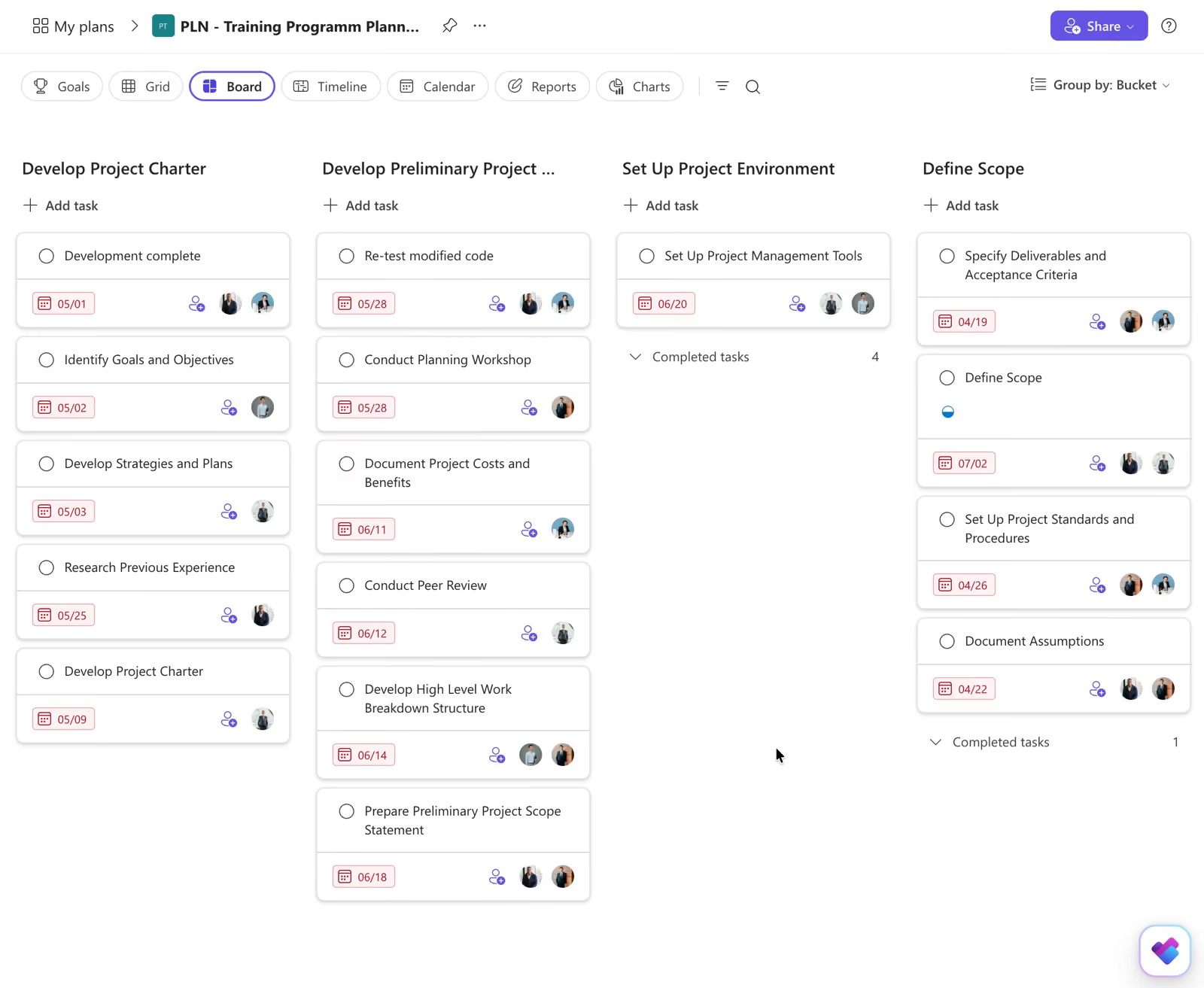


Every AI feature in Planner — templates, goal-to-tasks, automated status reports, the Planner Agent — requires a Microsoft 365 Copilot licence at $30.00 per user per month. Nothing is included with Planner, Plan 1 or Plan 3 on their own.
Microsoft's own comparison gives 9,000 tasks per plan on basic Planner and 3,000 on the premium plans. A programme that fits comfortably in the free tier can hit the ceiling on the plan you paid $30 a seat for.
Schedule view, Outlook calendar integration, SharePoint integration, recurring tasks and Loop integration are present in basic Planner and absent from the premium plans. Moving up is not purely additive.
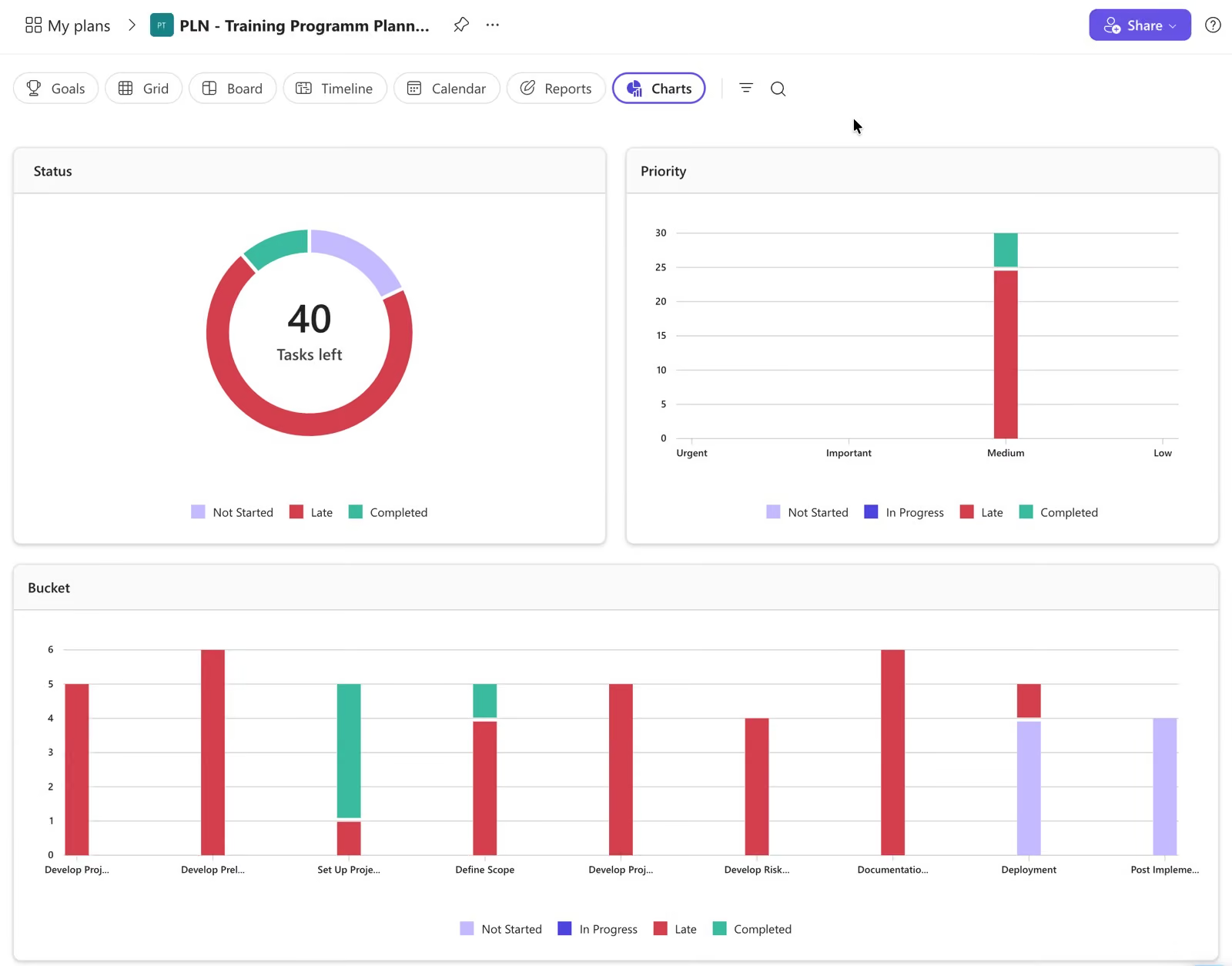
Microsoft's premium line-up is now two paid plans alongside the version included with Microsoft 365. Older comparison articles describe a longer ladder — check that the plan you are quoted still appears on Microsoft's current pricing page before you budget against it.
Board, grid and chart views, labels, checklists, task chat and a selection of templates. Genuinely capable team task management, at no additional cost, if your organisation already has Microsoft 365.
The step from task management to project management. Timeline (Gantt) view, all four dependency types, agile backlogs and sprints, goals, the People workload view, effort and duration, milestones, sub-tasks and up to ten custom fields. Portfolios are read-only at this tier.
Adds what schedulers ask for: baseline capture, critical path, advanced lead-and-lag dependencies, task history, the Assignments view, the ability to create and edit Portfolios, and the Project desktop client on up to five PCs per user.
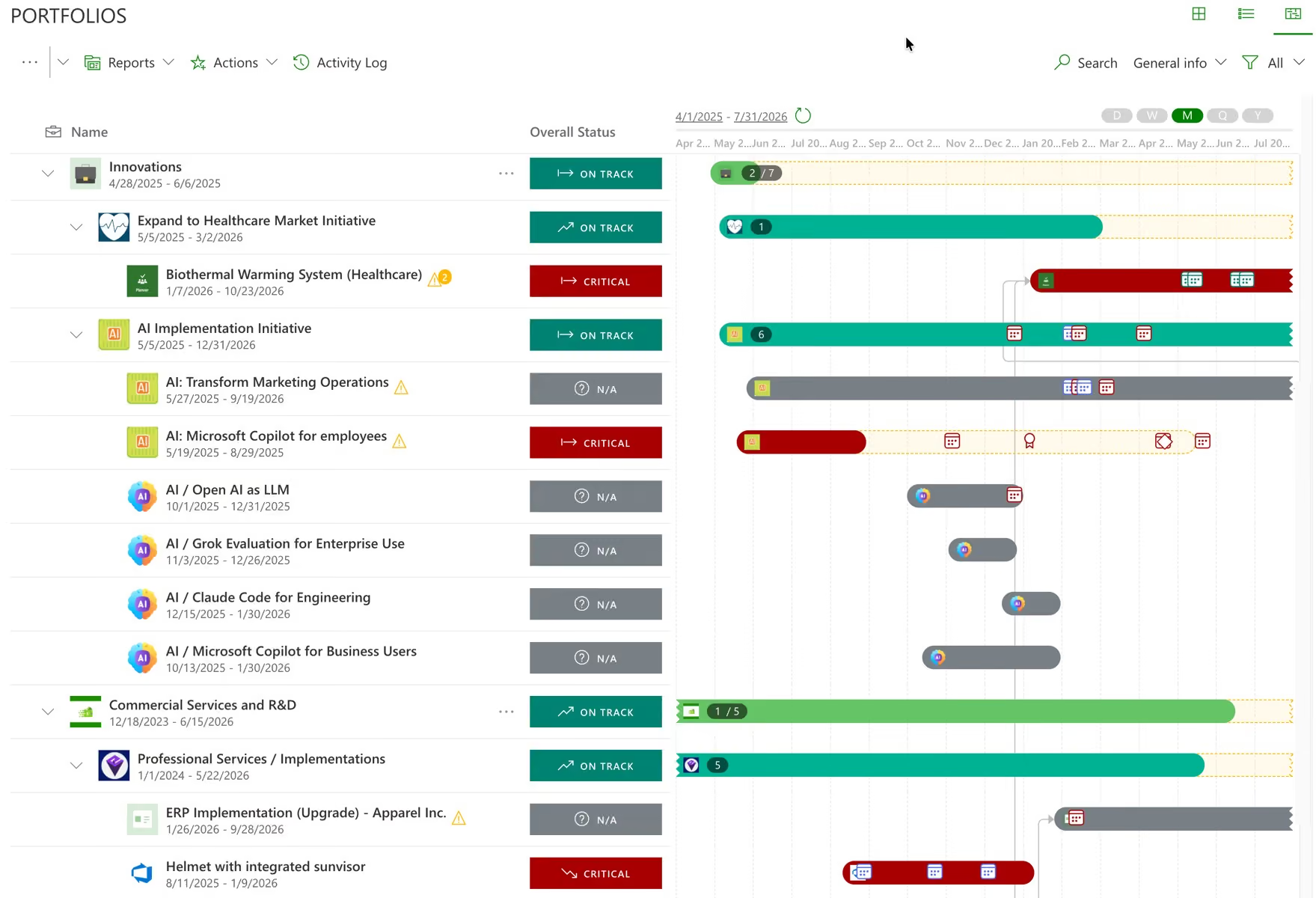
Not the software you install — the service. Licence sales ended in October 2025 and creation of new Project Web App sites was blocked in April 2026. Microsoft's stated reason is that the legacy architecture could not support modern cloud and AI development.
Project Online's stage gates, approvals and change-request routing ran on SharePoint 2013 workflows, which were removed from existing tenants almost six months before the platform itself retires. Many organisations lost the governance layer first, and noticed second.
Portfolios in Planner is the replacement for Roadmap. Separately, Project Server 2016 and 2019 reached end of extended support on 14 July 2026, so the on-premises fallback is Project Server Subscription Edition.
Every AI row in Microsoft's own comparison table is ticked only in the Copilot column. Microsoft 365 Copilot is $30.00 per user per month paid yearly, and requires a qualifying Microsoft 365 licence alongside it. These are the three realistic AI-capable configurations.
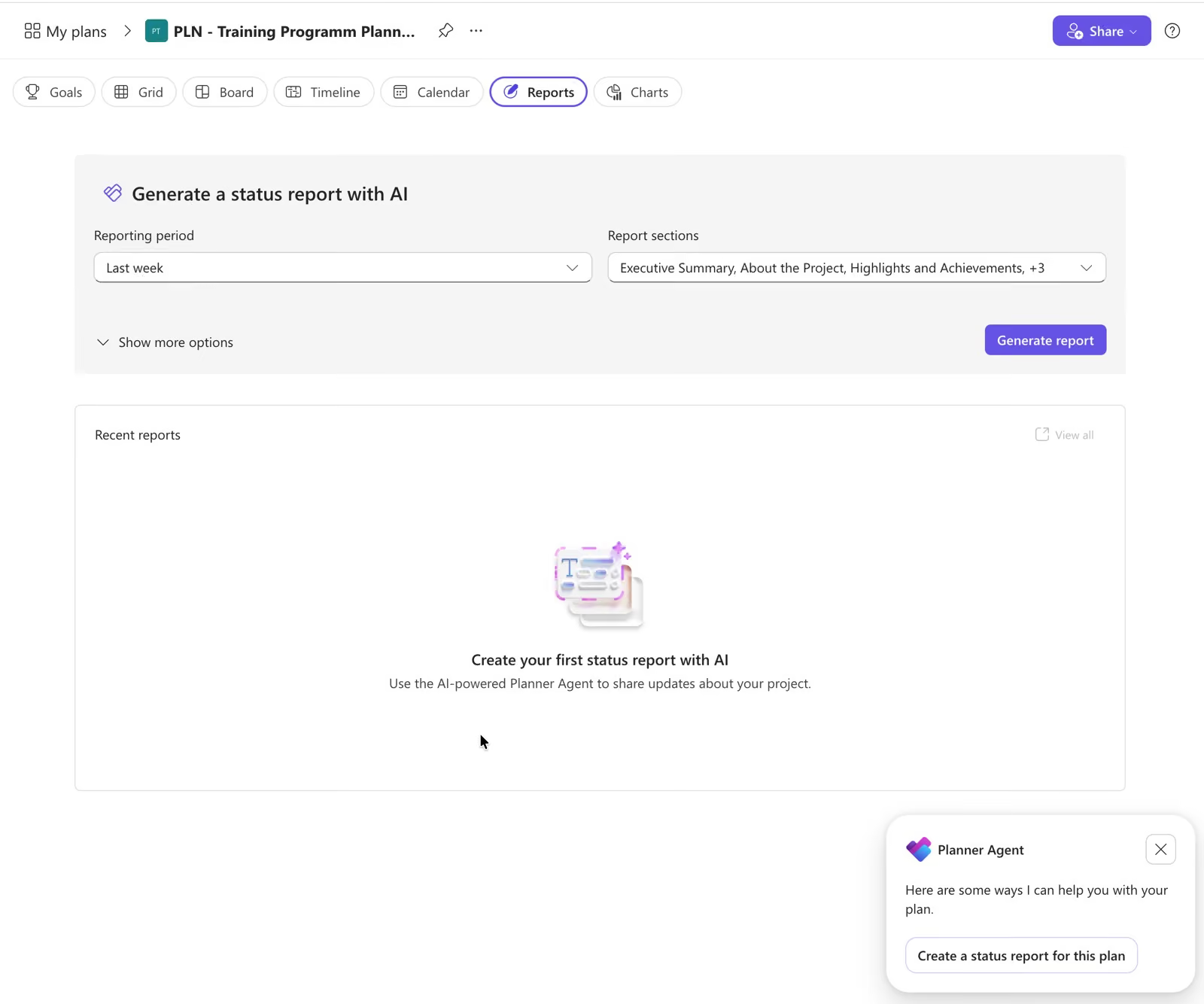
AI assistance over basic Planner. The Planner Agent is generally available and can chat in basic plans, but creating a plan from a prompt is premium-only.
Timeline, dependencies, backlogs and goals, with AI on top. For most organisations this is the sensible AI-capable configuration.
Six times the cost of a Plan 1 seat without AI. Worth reaching deliberately rather than by default — this is the line item that surprises finance.
Worth knowing before you standardise on it. Some of the following is absent at every tier and every price. The rest is capped tightly enough that a portfolio of any size runs into the ceiling inside the first quarter.
Timesheets exist in Project Online, which retires in September, in Project Professional 2024 on the desktop, and in Project Server Subscription Edition on premises. Nowhere in the Planner cloud line. If you capitalise development effort or bill time, that is decisive on its own.
Planner Portfolios documents no budget management, cost tracking or financial rollup, and no benefits realisation. There is no risk or issue register either — the documented workaround is custom fields, of which you get ten.
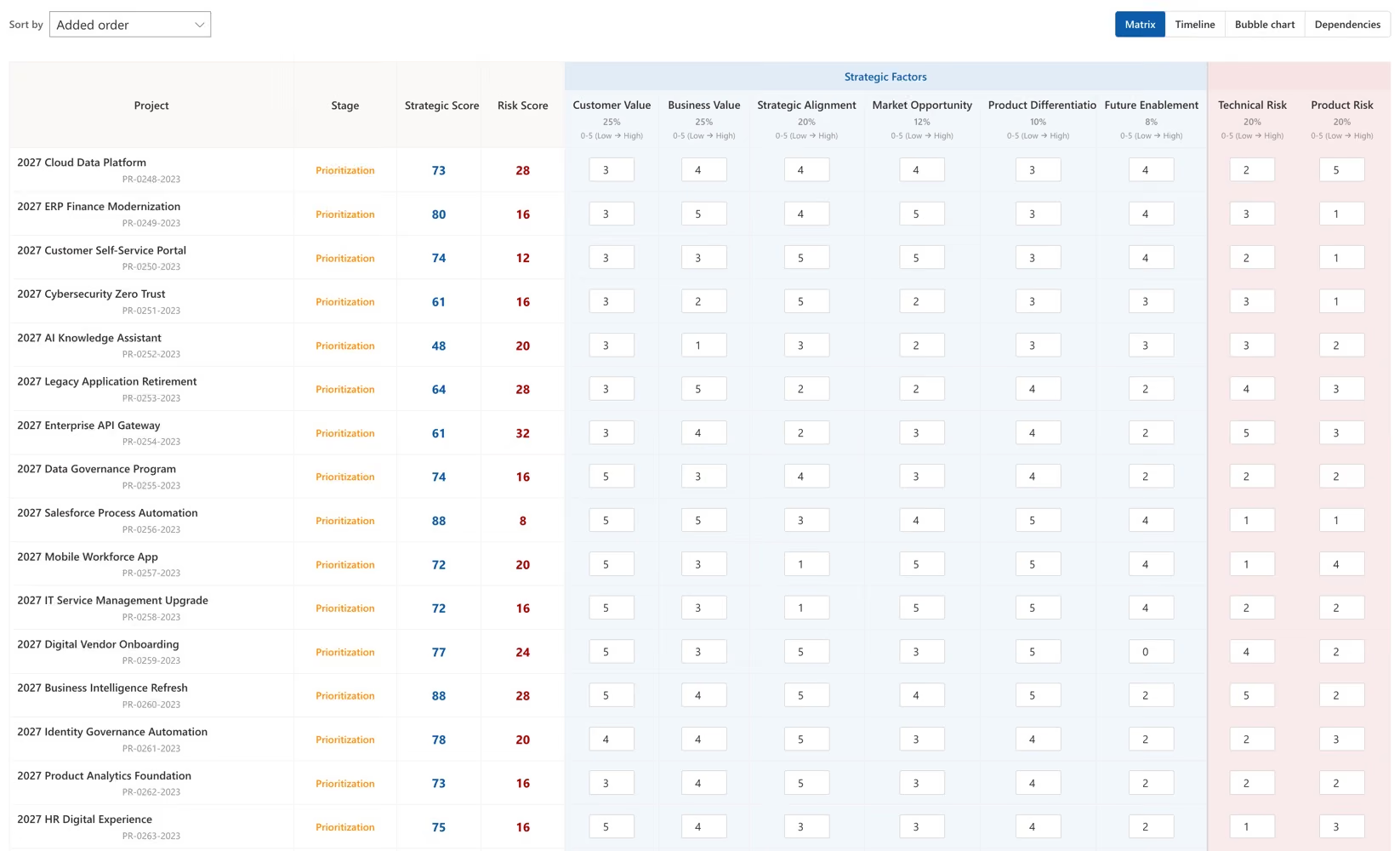
New work in Planner begins the moment somebody creates a plan. There is no request form, no scoring model, no business case and no approval step in front of it. Whatever governs which ideas become funded projects has to live outside the tool, usually in a form, a spreadsheet and a monthly meeting.
Premium gives you ten custom fields per plan, in text, date, number, yes/no and choice. Risk severity, business unit, funding source, benefit owner, strategic pillar and everything else you might want to report on all compete for those ten slots. Portfolio reporting tends to need more than ten dimensions.
Planner has never had one, and the workflows that provided them in Project Online were removed in April 2026. Power Automate cloud flows are the rebuild path, available from Plan 1 upward.
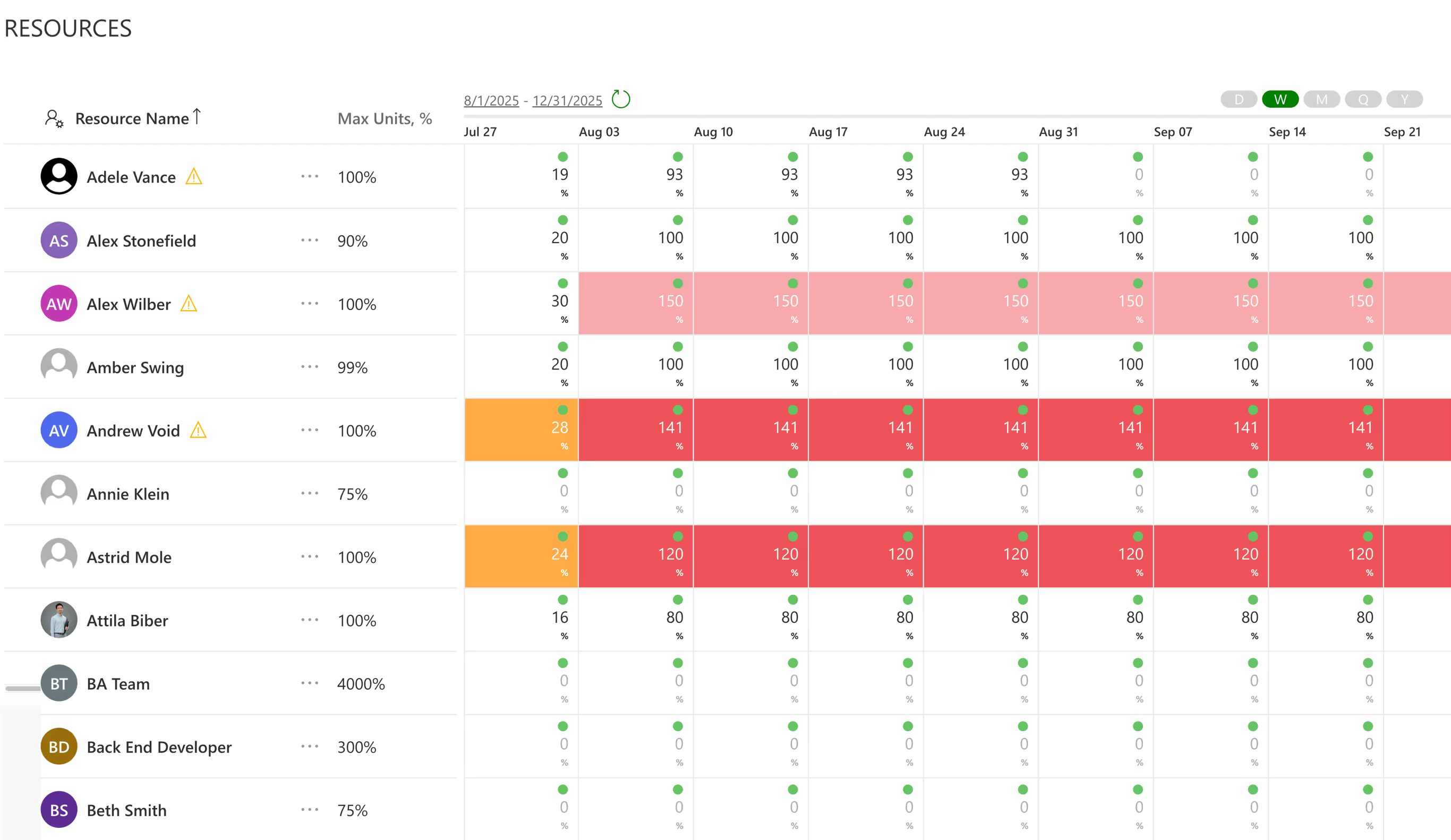
Planner has never had one, and the workflows for resource planning are on the project level, where you can edit assignments by day only.
A Planner portfolio rolls up premium plans and nothing else. Azure DevOps, Jira and Project Online cannot be connected, and basic plans cannot be added at all. Creating and editing a portfolio is a Plan 3 privilege as well, so Plan 1 and basic users are read-only visitors to it. If engineering runs in DevOps and marketing runs in Planner, the portfolio shows you half the estate.
Converting a basic plan to premium removes Schedule view, the Outlook calendar sync, the SharePoint integration, recurring tasks and the Loop integration. The task ceiling drops too, from 9,000 tasks on a basic plan to 3,000 on a premium one. Teams who lived in those features tend to notice within a week, so it is worth telling them first.
Microsoft documents these, but not on the page most buyers read. They are the constraints most likely to derail a rollout six months in, once the plan is already paid for.
Not a typo. The premium plans carry a lower task ceiling than the version included with Microsoft 365, which rules out large programmes on a single plan.
Other documented ceilings worth checking against your reality: 200 buckets per plan, 400 plans owned by a group or user, 100 favourite plans, 20 assignees per task, 20 checklist items per task and 15 references per task.
Text, date, number, yes/no and choice. Every workaround for the missing risk register, financial field or governance attribute competes for the same ten slots.
Portfolios replaced Roadmap in August 2025. It tracks key deliverables and milestones across multiple plans, showing percent complete and status. That is a monitoring view rather than portfolio governance, and Microsoft does not claim otherwise.
Users on Planner in Microsoft 365 and on Plan 1 can view portfolios shared with them in read-only mode, but cannot edit them.
Basic plans are not supported inside a portfolio, so any team you have not licensed at Plan 1 or above is invisible to it.
Microsoft's documentation is explicit that connecting Azure DevOps projects and Project Online projects is not supported. If your delivery teams work in Azure DevOps or Jira, Planner Portfolios cannot see them.
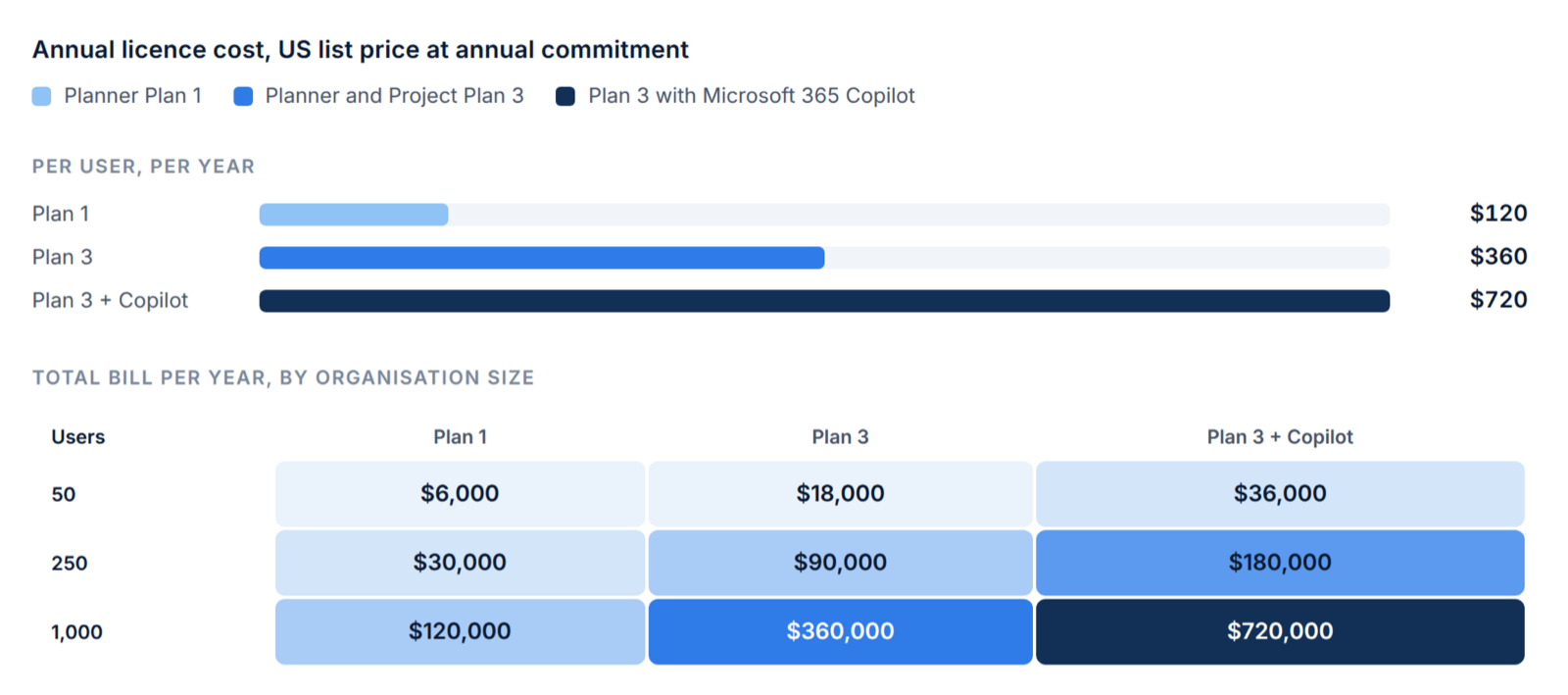
List prices at annual commitment, before whatever your reseller negotiates. Plan 1 is $120 per user per year, Plan 3 is $360, and Microsoft 365 Copilot adds $360 on top of either.
$6,000 a year on Plan 1. $18,000 on Plan 3. $36,000 on Plan 3 with Copilot for everyone.
$30,000 a year on Plan 1. $90,000 on Plan 3. $180,000 on Plan 3 with Copilot for everyone.
$120,000 a year on Plan 1. $360,000 on Plan 3. $720,000 on Plan 3 with Copilot for everyone.
The deadline is 30 September 2026, and the practical deadline was April, when the approval workflows stopped. The underlying platforms differ — SharePoint stack to Power Platform — so reports, workflows and custom fields are a rebuild rather than a migration.
Tasks, owners, dates, finish-to-start dependencies, critical path and a baseline.
The enterprise resource pool, capacity planning, timesheets, cost rates, portfolio rollups and stage gates. Plan for rebuilding these somewhere, rather than for moving them.
Move to Planner Premium and either accept the gaps or fill them with a portfolio layer. Move to Project Server Subscription Edition, still sold and still complete, at the cost of running infrastructure. Or migrate active work and archive the history.
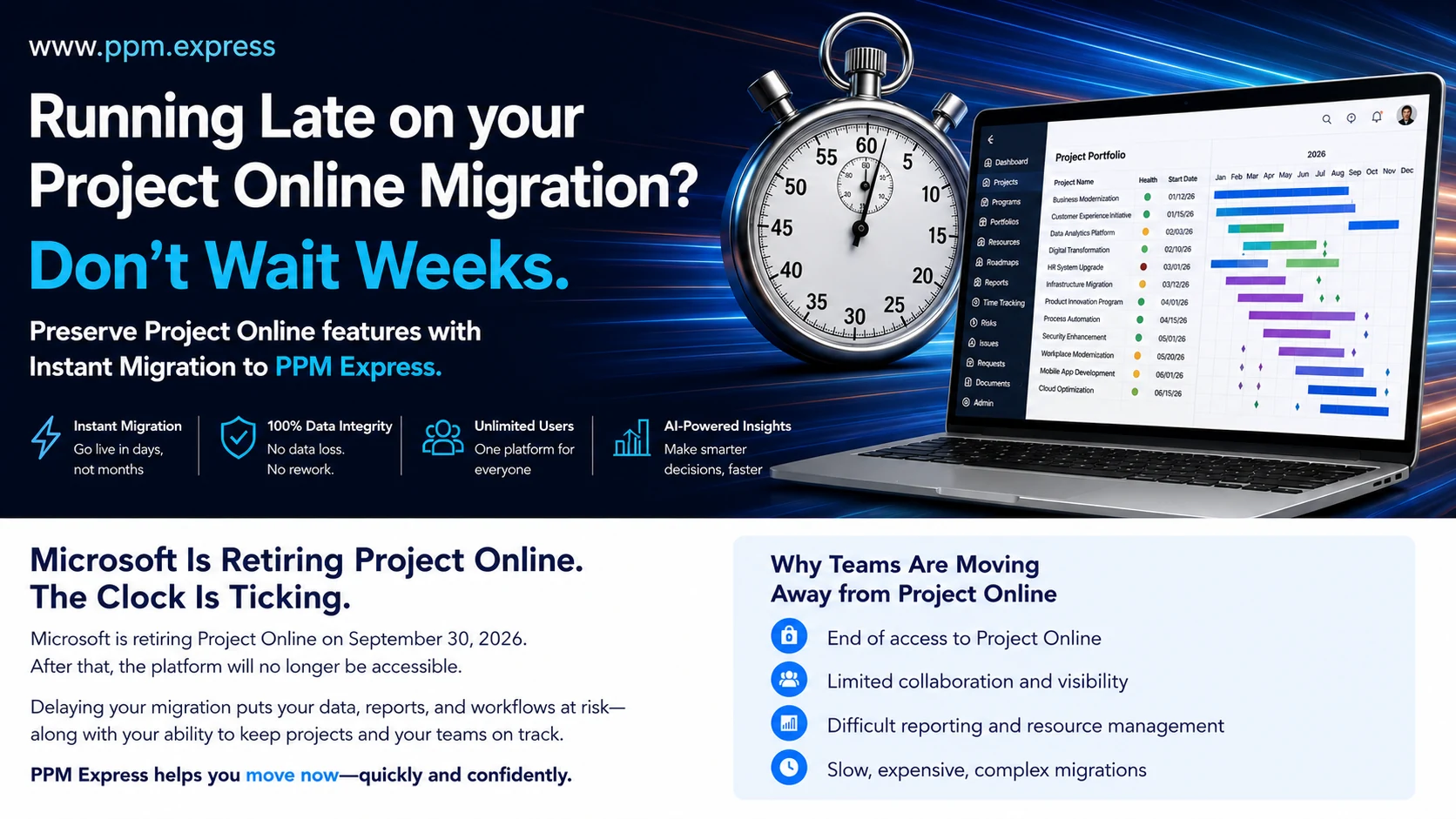
Licence sales ended in October 2025 and new Project Web App sites have been blocked since April 2026. If you have not started, that is the most urgent item on this page.
You can see whether plans are on track. You cannot score and rank what to fund, test the ranking against capacity, or defend it afterwards.
Azure DevOps and Project Online projects cannot be connected, and basic plans cannot be added, so the portfolio view covers only part of the organisation.
No budget tracking, no stage-gate engine, no risk register and no benefits realisation — and after September, no timesheets anywhere in the Microsoft cloud line.
Two-way sync with Planner, Planner Premium, Project for the web, Project Online and Microsoft Project Desktop. Nothing is migrated, and there is no second place to update the work.
Azure DevOps, Jira, Smartsheet and monday.com join the same portfolio, so leadership sees the whole estate rather than the Microsoft part of it.
Weighted scoring, what-if scenarios, capacity by role and skill, stage gates, benefits tracking and timesheets — for a flat annual fee with unlimited users.
Planner and Project Plan 3 is capable, and inside a Microsoft estate it is the path of least resistance. It is also $30 per user per month, which is the whole argument.
Pick PPM Express if the portfolio needs to be visible to more people than you want to license, and if the tools your teams deliver in are not all Microsoft. Pick Plan 3 if the estate is Microsoft end to end, the user count is genuinely contained, and Copilot inside the tenant is a real advantage.
Primary trade-off: Inside a Microsoft-only estate, Plan 3 sits closer to the identity, compliance and Copilot layer teams already use.
Primary trade-off: Per-user licensing at $30 a month is the constraint. Cross-tool portfolio views, packaged intake and benefits tracking need Power Platform work, and the Project Online retirement means the target-state design has to be settled before you migrate.
Microsoft Planner licensing and pricing, answered.
Planner in Microsoft 365 is included with a Microsoft 365 subscription at no extra cost. Planner Plan 1 is $10.00 per user per month paid yearly. Planner and Project Plan 3 is $30.00 per user per month paid yearly. Any AI capability requires a separate Microsoft 365 Copilot licence at $30.00 per user per month.
Yes. Every AI capability in Planner requires a Microsoft 365 Copilot licence, which costs $30.00 per user per month paid yearly and requires a qualifying Microsoft 365 plan alongside it. No AI features are included with Planner in Microsoft 365, Planner Plan 1 or Planner and Project Plan 3 on their own.
Plan 1 adds timeline (Gantt) view, task dependencies, agile backlogs and sprints, goals, the People workload view and up to ten custom fields. Plan 3 adds baselines, critical path, advanced lead and lag dependencies, task history, the Assignments view, the ability to create and edit Portfolios, and the Project desktop client on up to five PCs per user. Plan 1 users can view portfolios but cannot edit them.
No. Timesheets do not appear in any Planner tier. They exist in Project Online, which retires on 30 September 2026, in the Project Professional 2024 desktop application, and in Project Server Subscription Edition on premises. After Project Online retires there is no timesheeting in the Planner cloud line.
Microsoft's own comparison shows a limit of 9,000 tasks per plan on basic Planner and 3,000 tasks per plan on premium plans. Premium therefore has a lower task ceiling than basic, which is a constraint for large programmes. Other documented limits include 200 buckets per plan, 400 plans owned per group or user, 20 assignees per task and 20 checklist items per task.
No. Microsoft's support documentation states that connecting to Azure DevOps projects and Project Online projects is not supported in Planner Portfolios. Basic plans also cannot be added to a portfolio — only premium plans.
Project Online retires on 30 September 2026 under Microsoft's Modern Lifecycle Policy. Creation of new Project Web App sites was blocked in April 2026, and SharePoint 2013 workflows — which carried stage gates and approvals — were removed from existing tenants on 2 April 2026. Project Server 2016 and 2019 reached end of extended support on 14 July 2026.
No. Planner Portfolios documents no budget management, financial tracking or resource allocation. Planner has no native stage-gate or approval engine either; the stage-gate workflows used in Project Online ran on the SharePoint 2013 workflow platform, which was removed from existing tenants on 2 April 2026. Approvals can be rebuilt with Power Automate cloud flows, available from Plan 1.
Yes. Microsoft offers a one-month free trial of the paid Planner plans, which requires a credit card and converts to a paid subscription unless cancelled. There is also an in-app 30-day trial of Planner and Project Plan 3 that a tenant administrator must enable. Paid subscriptions carry a seven-day cancellation window with a prorated refund.
Yes. It is still sold, is not affected by the Project Online retirement, and retains portfolio management, demand management, resource management, time reporting and financial management. It runs on premises as a service application under SharePoint Server, is licensed separately with client access through Project Professional or a CAL, and Microsoft publishes no price for it — it is partner-led.
Yes, and for most organisations it is the cheaper answer. Teams keep working in Planner while a portfolio layer sits above it, adding weighted scoring, what-if scenarios, capacity by role and skill, stage gates, benefits tracking and timesheets — and pulling in Azure DevOps, Jira, Smartsheet and monday.com so the portfolio covers the whole estate rather than the Microsoft part of it.

Keep Microsoft Planner for the work. Add the portfolio layer it was never built for.
Integrations


Move off Project Online before 30 September without losing history, with guided migration and side-by-side running.
Product

A direct comparison of what each one governs, and exactly where Planner Premium stops.
Compare
Last verified 30 August 2026




.svg)


